This site uses cookies to enhance your user experience. By clicking any link on this site you are giving your consent to our cookie policy. Read more
Reject
Accept All
Kitchen Design: 3D Planner

Kitchen Design: 3D Planner

verified Verified App

Developer: PlannerSoft LDA

  • category

    Category: House & Home

  • price

    Price: free

  • age rating

    Age Rating: Everyone

  • rating

    Rating: 4.2

  • download

    Downloads: 1,000,000+

  • version

    Version: 2603

Screenshot 1
Screenshot 2
Screenshot 3
Screenshot 4
Screenshot 5
Screenshot 6
Screenshot 7
Screenshot 8
Screenshot 9
Screenshot 10
Screenshot 11
Screenshot 12

Features & Highlights

3D Visualization

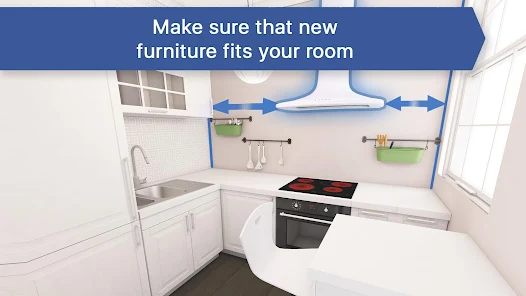
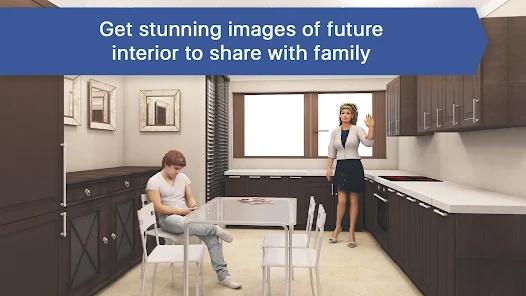
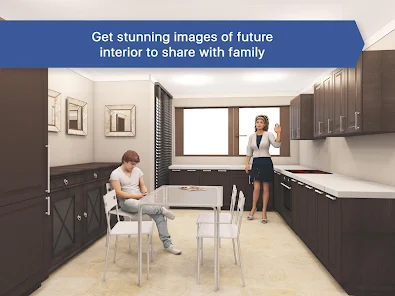
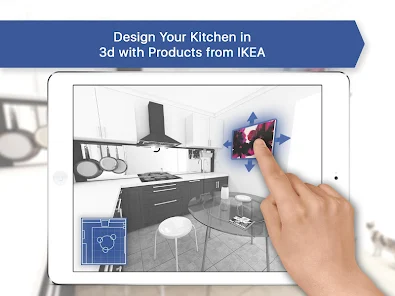
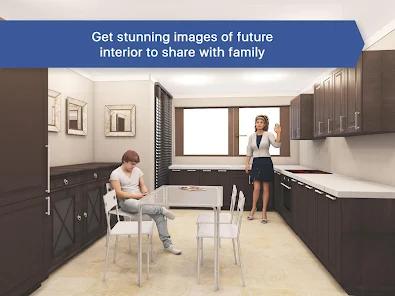
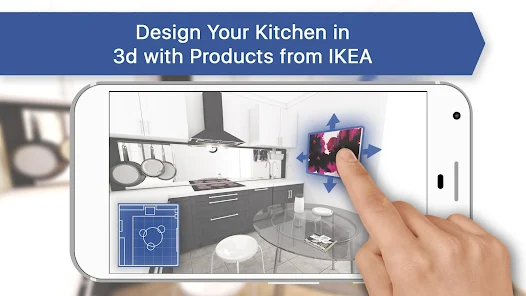
Experience your dream kitchen come to life with stunning 3D visualizations. This feature allows you to create realistic models of your designs, making it easy to visualize layouts, colors, and materials before making any commitments. It's like walking through your future kitchen before it's even built.

Customizable Templates

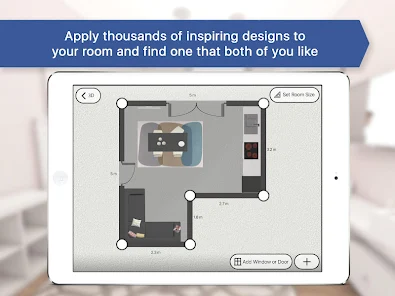
Choose from a wide array of customizable templates tailored to suit various styles and preferences. Whether you're aiming for a modern aesthetic or a classic look, you can easily modify layouts and elements to fit your vision, ensuring your kitchen reflects your personal taste.

Interactive Design Tools

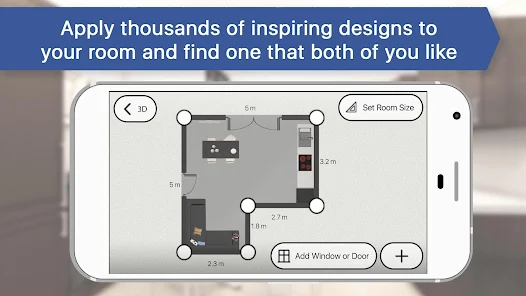
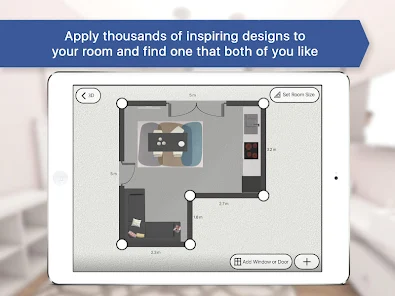
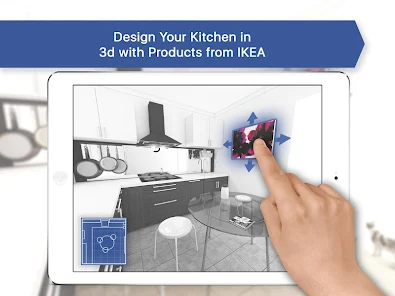
Utilize intuitive drag-and-drop tools to effortlessly design your kitchen space. This user-friendly interface enables you to experiment with different arrangements, allowing for a seamless design process where you can adjust and refine until you achieve the perfect setup.

Realistic Material Selection

Select from an extensive library of materials, colors, and finishes to customize every aspect of your kitchen. With realistic textures and colors, you can see how different combinations look together, ensuring your final design not only fits your needs but also looks fantastic.

Pros & Cons

Pros
  • Visualize your kitchen before making decisions
  • Easily experiment with layouts and colors
  • Save time and reduce costly mistakes
  • Enhance collaboration with designers and clients
  • Access a wide range of design options
Cons
  • Limited customization options for unique spaces
  • May require significant learning time for beginners
  • Software may lag on older devices
  • Output quality can vary across different platforms

Real Experience Using Kitchen Design: 3D Planner

Application Scenarios

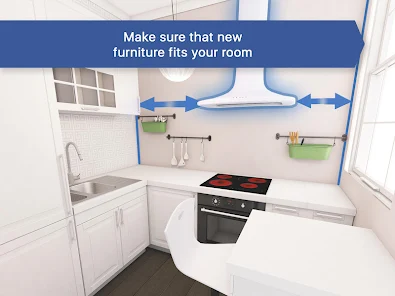
The Kitchen Design: 3D Planner app is tailored for anyone looking to transform their culinary space, whether you're a homeowner planning a remodel, a renter dreaming of a new layout, or even a professional designer seeking innovative solutions. This versatile app is perfect for visualizing kitchen layouts, experimenting with color schemes, and selecting appliances to create a cohesive design. Users can simulate different materials and finishes to see how they work together, making it an ideal tool for DIY enthusiasts and professionals alike. Additionally, the app can be used for virtual consultations with clients, allowing designers to present ideas in an interactive format that is engaging and easy to understand.

User Experience

The user experience of the Kitchen Design: 3D Planner app is intuitive and user-friendly. Upon launching the app, users are greeted with a sleek interface that emphasizes ease of navigation. The drag-and-drop functionality simplifies the design process, enabling users to easily place kitchen elements such as cabinets, countertops, and appliances in a 3D space. The app offers a library of pre-designed templates and a vast selection of customizable elements, making it easy for users to start their design journey. Moreover, the realistic rendering of 3D visuals helps users visualize their project in detail, which can significantly aid in decision-making. The app also supports augmented reality (AR) features, allowing users to project their designs into their actual kitchens for a better perspective, enhancing the overall experience.

Pricing

The Kitchen Design: 3D Planner app operates on a freemium model, providing a robust free version with essential features that cater to casual users. For those seeking advanced functionalities, such as premium design elements, additional templates, or enhanced rendering options, a subscription plan is available. The pricing is competitive compared to similar applications, making it accessible for a wide range of users. Frequent promotions and discounts are often offered, which can further incentivize potential subscribers. Overall, the pricing structure is designed to deliver value while catering to both casual designers and professionals seeking comprehensive design tools.

Updates & Support

The developers of Kitchen Design: 3D Planner are committed to continuous improvement, regularly releasing updates that enhance user experience and expand functionalities. These updates often include new design templates, improved AR capabilities, and bug fixes, ensuring that the app remains current with the latest trends in kitchen design technology. User support is readily accessible through a dedicated help center, where users can find tutorials, FAQs, and troubleshooting advice. Additionally, feedback is actively solicited, allowing the development team to address user concerns and implement requested features. This dedication to user satisfaction fosters a community of engaged users who feel valued and supported in their design endeavors.

verified Security & Privacy Review

The Kitchen Design: 3D Planner app prioritizes user security and privacy with a comprehensive approach to data handling. The app collects minimal personal information, primarily focusing on user preferences and design choices, ensuring that any data shared is relevant to enhancing the user experience. In terms of permissions, the app requests access to the device's storage and camera. These permissions are essential for allowing users to upload images and create realistic 3D models of their kitchen designs. However, users are informed about the necessity of these permissions during the setup process, promoting transparency. The app employs encryption protocols to safeguard user data, ensuring that sensitive information is protected from unauthorized access. Additionally, the developers have a clear privacy policy outlining how user data is collected, used, and stored, allowing users to make informed decisions regarding their information. Overall, Kitchen Design: 3D Planner demonstrates a strong commitment to security and privacy, providing users with a safe environment to explore their kitchen design ideas.

Reviews

4.2

“Easy to use and very intuitive interface!”

“Great features for realistic kitchen designs.”

“Love the 3D visualization options available.”

“Perfect for planning my dream kitchen.”

“Helpful customer support and quick responses.”

Editor's Choice