This site uses cookies to enhance your user experience. By clicking any link on this site you are giving your consent to our cookie policy. Read more
Reject
Accept All

Advertiser and Editorial Disclosures

Home Assistant

Home Assistant

verified Verified App

Developer: Home Assistant

  • category

    Category: House & Home

  • price

    Price: 0

  • age rating

    Age Rating: Everyone

  • rating

    Rating: 4.6

  • download

    Downloads: /

  • version

    Version: 45581

Screenshot 1
Screenshot 2
Screenshot 3
Screenshot 4
Screenshot 5
Screenshot 6
Screenshot 7
Screenshot 8

Features & Highlights

Automated Routines

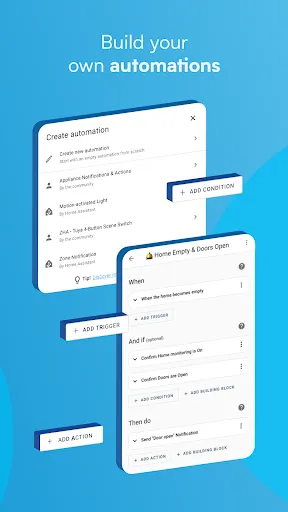
With Home Assistant, you can easily set up automated routines to manage your home’s functions. Whether it's turning off lights at bedtime or adjusting the thermostat based on your schedule, these automations help make your life more convenient and energy-efficient without any hassle.

Customizable Dashboards

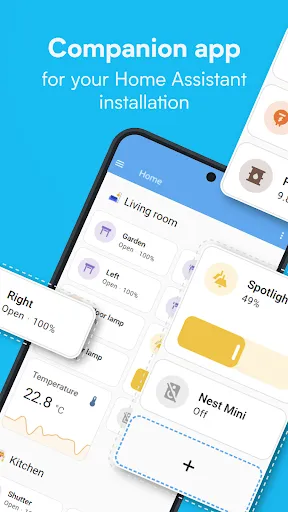
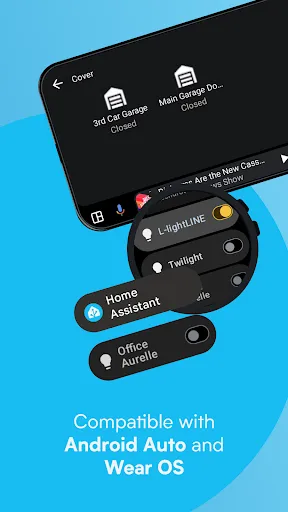
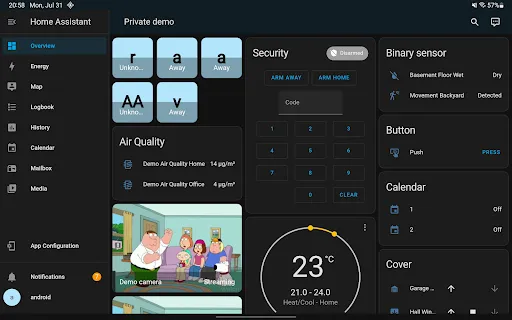
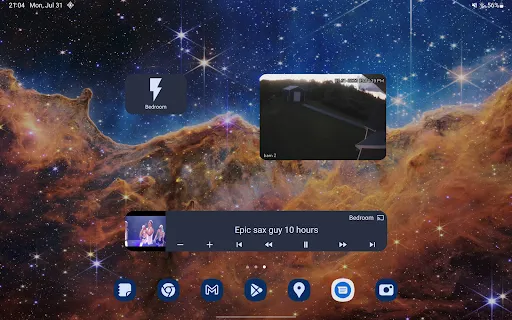
Home Assistant offers the ability to create personalized dashboards that display the information you care about most. You can customize layouts, add widgets, and make it visually appealing, ensuring that managing your smart home is both functional and enjoyable.

Privacy-Focused Design

Home Assistant prioritizes your privacy by allowing you to run the software locally on your own hardware. This means you have full control over your data, eliminating concerns about third-party access and ensuring your home’s information remains secure.

Smart Home Integration

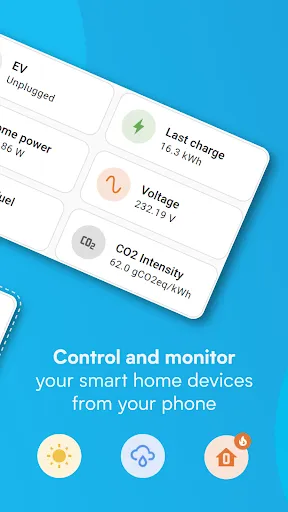
Home Assistant seamlessly connects with a vast array of smart devices, allowing you to control everything from lights to thermostats in one central hub. Its compatibility with numerous brands and protocols ensures that you can create a truly personalized smart home experience tailored to your needs.

Pros & Cons

Pros
  • Seamless integration with various smart devices
  • Customizable automation to fit your lifestyle
  • User-friendly interface for easy control
  • Robust community support for troubleshooting
  • Privacy-focused, keeping data local and secure
Cons
  • Steep learning curve for beginners
  • Limited official support and documentation
  • Compatibility issues with some devices
  • Frequent updates may introduce new bugs

Real Experience Using Home Assistant

Application Scenarios

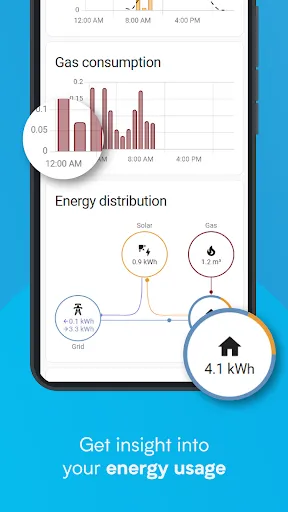
Home Assistant is designed to transform any house into a smart home, enabling users to automate and control various devices seamlessly. Whether you want to manage your lighting, HVAC systems, or security cameras, Home Assistant serves as a centralized hub. A typical scenario could involve setting up an automation that turns off all lights and locks the doors when you leave home. The app also supports geofencing, allowing users to trigger actions based on their location. For those who enjoy gardening, integrating smart irrigation systems can ensure that plants receive the right amount of water, even while you’re away. Additionally, users can create custom dashboards to monitor energy usage, providing insights that can lead to cost savings on utility bills.

User Experience

The user experience of Home Assistant is largely positive, albeit with a learning curve for new users. The interface is intuitive, showcasing a clean design that makes navigation straightforward. Users can easily add devices and set up automations with simple drag-and-drop functionalities. The extensive documentation and community forums also offer valuable resources for troubleshooting and customization. However, some users may find the initial setup daunting, especially when integrating multiple devices from various manufacturers. Once configured, the app delivers real-time updates and notifications, making it easy to monitor your home’s status. The ability to customize the interface and set personalized preferences enhances the overall user experience, allowing for a tailored smart home solution.

Pricing

Home Assistant operates on a free and open-source model, making it accessible to a broad audience. Users can download the app without any upfront costs, which is a significant advantage compared to other smart home solutions that often involve subscription fees or hefty initial investments. While the core features are free, users have the option to purchase additional add-ons or premium services. This flexibility allows users to scale their home automation setup according to their budget. Additionally, users can run Home Assistant on various platforms, including Raspberry Pi, which helps minimize hardware costs.

Updates & Support

The Home Assistant team is committed to continuous improvement, frequently releasing updates that enhance functionality and security. Users can expect regular feature additions and bug fixes, ensuring the app remains compatible with the latest smart home devices. The vibrant community surrounding Home Assistant also plays a crucial role in providing support. Users can access forums, Discord channels, and comprehensive documentation for assistance. The active community contributes to a wealth of shared experiences, tips, and automation examples, further enriching the user experience. Overall, the combination of regular updates and strong community support makes Home Assistant a reliable choice for anyone looking to delve into home automation.

verified Security & Privacy Review

The Home Assistant app prioritizes user security and privacy, providing a self-hosted environment that allows users to control their data. Unlike many smart home applications, Home Assistant does not rely on cloud services for operation, minimizing the risk of data breaches associated with cloud storage. Home Assistant employs encryption protocols to secure communications between devices and the server, ensuring that user data remains protected from unauthorized access. The app also allows users to configure their privacy settings, giving them control over what data is shared and stored. Permissions required by the app are transparent, with users informed about the necessity of each permission for optimal functionality. For instance, access to local network connections is essential for device integration, while location services enhance automation features. Overall, Home Assistant's commitment to data security and user privacy is commendable, offering robust measures that empower users to manage their smart home systems securely while maintaining control over their personal information.

Reviews

4.6

“Powerful customization options for smart home setups”

“Steep learning curve for beginners”

“Frequent updates improve functionality significantly”

“Community support is helpful and active”

“Integrates well with various devices and platforms”

FAQ

1

Does Home Assistant collect my personal data?

Home Assistant is designed with privacy in mind and does not collect personal data unless explicitly configured to do so. Users have full control over their data and can choose what information to share or keep private.

2

Does Home Assistant offer a free trial or free version?

Home Assistant is completely free to use as an open-source software, and there is no trial period. You can download and use it without any cost, although some cloud services may have associated fees.

3

Does Home Assistant require an internet connection?

Home Assistant can operate entirely offline, as it is designed to run on your local network. However, certain features or integrations, like remote access or cloud services, may require an internet connection.

4

How can I contact support or send feedback for Home Assistant?

Support for Home Assistant can be accessed through their community forums, Discord server, or GitHub page. Users can also submit feedback or suggestions directly through these channels to contribute to the ongoing development of the platform.

5

How do I manage or cancel my Home Assistant subscription?

You can manage or cancel your Home Assistant subscription through the Home Assistant Cloud settings within the application. The process is straightforward and allows you to adjust your subscription preferences easily.

How to use Home Assistant

1

How do I activate the Home Assistant app?

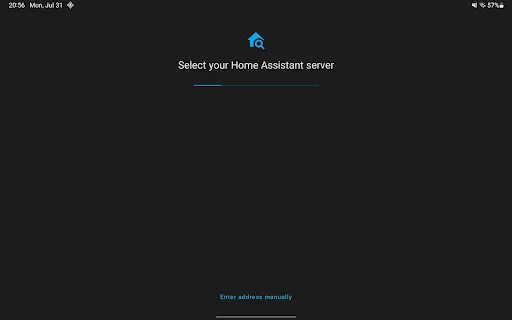
The Home Assistant app automatically connects to your existing Home Assistant instance. Just log in using your credentials; no separate activation is needed.

2

How do I contact Customer Service for the Home Assistant app?

You can contact Home Assistant support through their official website or community forums. Check their support page for specific contact information.

3

How do I log in to the Home Assistant app?

Open the app and enter your Home Assistant instance URL, then input your username and password to log in.

4

What is the customer number for Home Assistant?

Home Assistant does not have a dedicated customer number, but support can be accessed via their community forums and GitHub issues page.

Editor's Choice