This site uses cookies to enhance your user experience. By clicking any link on this site you are giving your consent to our cookie policy. Read more
Reject
Accept All

Advertiser and Editorial Disclosures

Home Planner AI: Room Interior

Home Planner AI: Room Interior

verified Verified App

Developer: Room Planner Ltd

  • category

    Category: House & Home

  • price

    Price: free

  • age rating

    Age Rating: Everyone

  • rating

    Rating: 4.0

  • download

    Downloads: 10,000,000+

  • version

    Version: 2603

Screenshot 1
Screenshot 2
Screenshot 3
Screenshot 4
Screenshot 5
Screenshot 6
Screenshot 7
Screenshot 8
Screenshot 9
Screenshot 10
Screenshot 11
Screenshot 12
Screenshot 13
Screenshot 14
Screenshot 15
Screenshot 16
Screenshot 17
Screenshot 18
Screenshot 19
Screenshot 20
Screenshot 21
Screenshot 22
Screenshot 23
Screenshot 24

Features & Highlights

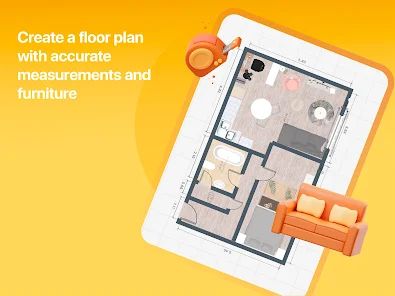
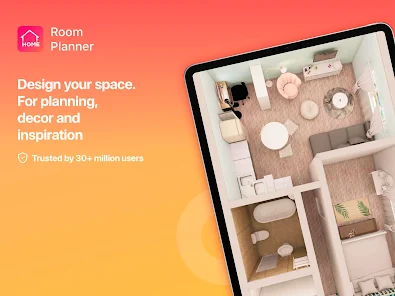
3D Visualization

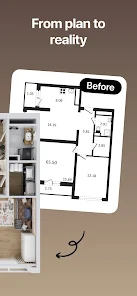
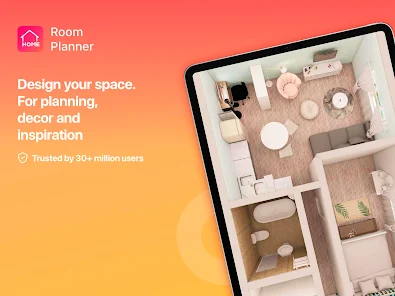
Experience your designs like never before with 3D Visualization. This feature allows you to step into a fully rendered version of your room, giving you a lifelike perspective on your design choices, helping you visualize how everything comes together before making any purchases.

Color Palette Generator

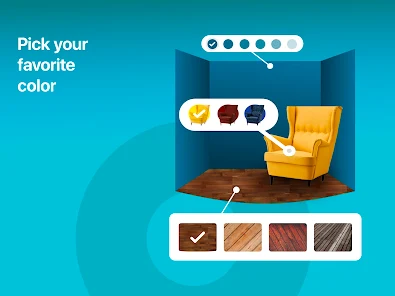
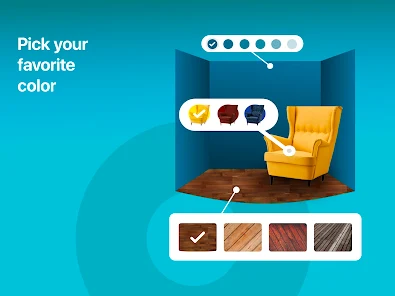
Discover the perfect color scheme for your interiors with the Color Palette Generator. By analyzing your existing decor and personal style, this feature suggests complementary colors that enhance your space, making it easy to create a cohesive and inviting atmosphere.

Smart Room Design

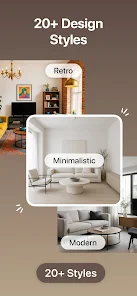
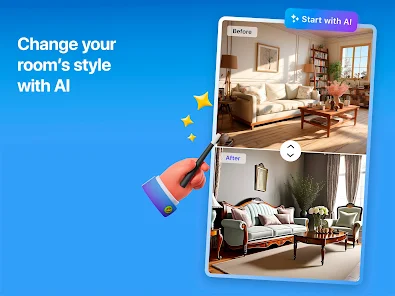
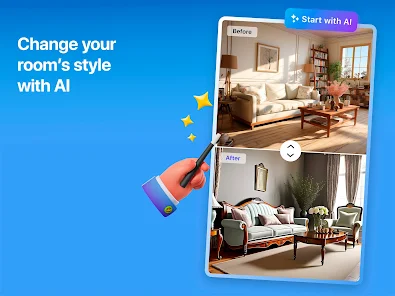
Transform your space effortlessly with Smart Room Design. This feature utilizes advanced AI algorithms to suggest optimal layouts and design styles tailored to your preferences, ensuring a perfect blend of functionality and aesthetics in every room of your home.

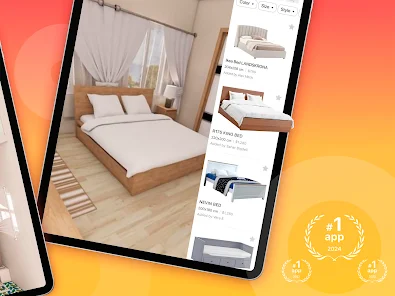
Virtual Furniture Placement

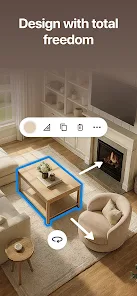
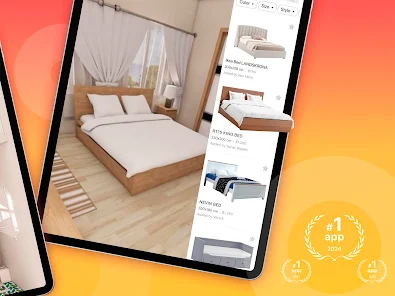
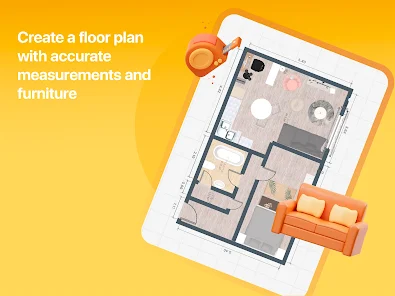
Explore how different furniture pieces look in your space with Virtual Furniture Placement. This interactive tool allows you to drag and drop furniture items into your layout, giving you a realistic preview of how your choices will harmonize with your room's dimensions and decor.

Pros & Cons

Pros
  • Design your space in realistic 3D for better visualization.
  • Easily rearrange furniture for optimal layouts.
  • Access a vast library of decor and furniture options.
  • Save time and avoid costly design mistakes.
  • Share and collaborate on designs with friends and family.
Cons
  • Limited furniture and decor options restrict creative design possibilities.
  • Occasional software glitches may disrupt the user experience.
  • Requires a steep learning curve for new users unfamiliar with 3D modeling.

Real Experience Using Home Planner AI: Room Interior

Application Scenarios

Home Planner AI: Room Interior is a versatile app designed for anyone looking to revamp their living space. Whether you are a homeowner planning a major renovation, a renter seeking to maximize your limited space, or a real estate agent wanting to showcase properties, this app caters to various needs. Users can experiment with different layouts, color schemes, and furniture arrangements, all while visualizing the results in 3D. The app is particularly beneficial for interior designers who need to present concepts to clients or collaborate on projects, as it allows for easy sharing of designs. Additionally, DIY enthusiasts can use the app to draw inspiration and plan their projects before making any purchases, ensuring that their vision aligns with the final outcome.

User Experience

The user experience of Home Planner AI is intuitive and engaging. Upon launching the app, users are greeted with a sleek interface that makes navigation effortless. The onboarding process is straightforward, guiding users through the essential features without overwhelming them. The drag-and-drop functionality allows for easy manipulation of furniture and decor items, making it simple to visualize different designs. Users appreciate the extensive library of furniture and accessories, which is regularly updated to reflect current trends. Additionally, the augmented reality feature enables users to see how items will look in their actual space, adding a layer of practicality to the design process. Feedback from users indicates high satisfaction with the app's responsive design and quick rendering times, enhancing overall usability.

Pricing

Home Planner AI offers a competitive pricing model that accommodates a variety of users. The app is free to download and provides access to basic features. For those seeking advanced functionalities, such as exclusive furniture collections, premium design tools, or ad-free usage, a subscription plan is available at a reasonable monthly or yearly rate. This tiered pricing structure allows users to choose the level of service that best fits their needs and budget. Additionally, occasional promotional discounts and family plans make it more accessible for multiple users or households, enhancing the overall value proposition.

Updates & Support

Home Planner AI is committed to continuous improvement, with regular updates that introduce new features, furniture options, and design tools based on user feedback. The development team actively engages with users through social media and forums, ensuring that the app evolves in ways that meet their needs. Customer support is readily available through in-app chat and email, providing timely assistance for any issues or questions. Users have reported positive experiences with the support team, noting their responsiveness and willingness to help resolve concerns. Overall, the app's dedication to updates and user support significantly enhances the overall experience, making it a reliable choice for anyone looking to design their home.

verified Security & Privacy Review

Home Planner AI: Room Interior prioritizes user security and privacy, implementing several measures to protect personal information. The app employs encryption protocols to safeguard data transmitted between the user’s device and its servers, ensuring that sensitive information remains confidential. The app requests minimal permissions, primarily focused on accessing the device's camera and storage for the purpose of capturing and saving interior designs. Users are informed about these permissions during the onboarding process, allowing for informed consent. Regarding user data handling, Home Planner AI adheres to strict privacy practices. The app does not sell or share user data with third parties for advertising purposes, which is a crucial consideration for privacy-conscious individuals. Furthermore, users can delete their accounts and associated data at any time, providing greater control over personal information. Overall, Home Planner AI: Room Interior demonstrates a commitment to maintaining user privacy and data security, making it a reliable choice for those looking to plan their home interiors without compromising their personal information.

Reviews

4.0

“Intuitive interface makes design easy and fun!”

“Great for visualizing room layouts before decorating.”

“Helpful AI suggestions enhance my interior design choices.”

“Love the realistic 3D models for planning spaces.”

“Perfect tool for DIY home improvement projects!”

FAQ

1

Can I submit suggestions or feedback to Room Planner: Home Interior 3D?

Yes, users can submit suggestions or feedback through the app's support or feedback section, which helps the developers improve the app.

2

Does Room Planner: Home Interior 3D collect my personal data?

Room Planner: Home Interior 3D may collect personal data as outlined in its privacy policy, primarily to enhance user experience and improve app functionality.

3

Does Room Planner: Home Interior 3D support offline use?

Yes, Room Planner: Home Interior 3D allows users to work offline, though some features may require an internet connection for full functionality.

4

How do I cancel my Room Planner: Home Interior 3D subscription?

To cancel your subscription, go to your account settings within the app or your device's app store settings, and follow the instructions for managing subscriptions.

5

How much does a subscription to Room Planner: Home Interior 3D cost?

The subscription cost for Room Planner: Home Interior 3D varies based on the plan selected, with options for monthly or yearly payments. Please check the app for current pricing details.

How to use Home Planner AI: Room Interior

1

Can I change my customer number?

Customer numbers are unique and cannot be changed. If you have issues, please reach out to customer service for help.

2

How can I log in to my Home Planner AI account?

Simply open the app and enter your registered email and password. If you encounter issues, use the password recovery option.

3

How do I change my email for logging in?

To change your email, please contact customer service with your current email and the new one you'd like to use.

4

How do I contact customer service for Home Planner AI?

You can reach our customer service team via the help section in the app or by emailing support

5

How do I reset my password to log in?

To reset your password, click on "Forgot Password" on the login page and follow the instructions sent to your email.

Editor's Choice