This site uses cookies to enhance your user experience. By clicking any link on this site you are giving your consent to our cookie policy. Read more
Reject
Accept All

Advertiser and Editorial Disclosures

JetBlue - Book & manage trips

JetBlue - Book & manage trips

verified Verified App

Developer: JetBlue Airways Corporation

  • category

    Category: Travel & Local

  • price

    Price: 0

  • age rating

    Age Rating: Everyone

  • rating

    Rating: 4.7

  • download

    Downloads: /

  • version

    Version: 7.14.2

Screenshot 1
Screenshot 2
Screenshot 3
Screenshot 4
Screenshot 5
Screenshot 6
Screenshot 7
Screenshot 8

Features & Highlights

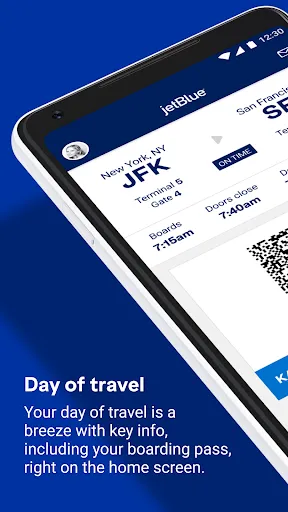
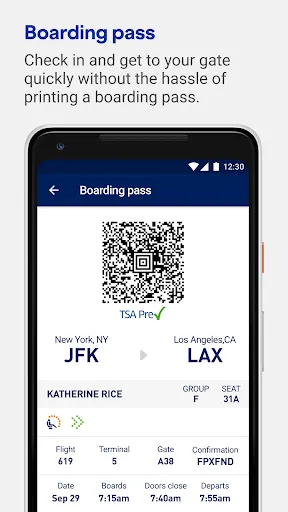
Check-In Made Simple

Experience hassle-free check-in with just a few taps on your smartphone. The app allows you to check in for your flight, download your boarding pass, and even choose your preferred seating, making the travel experience smoother right from the start.

Easy Trip Booking

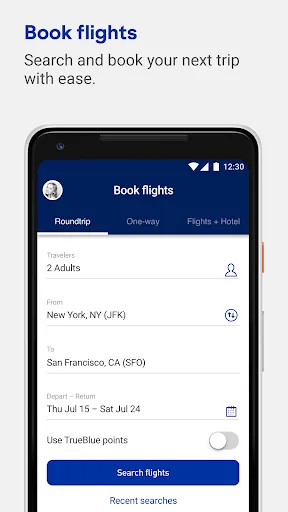
JetBlue's app simplifies the booking process, allowing users to quickly search for flights, select seats, and add extras like baggage or travel insurance. With an intuitive interface, finding the best deals and planning your next adventure has never been easier or more convenient.

Flight Status Notifications

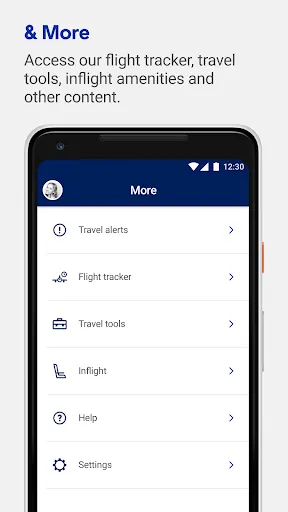
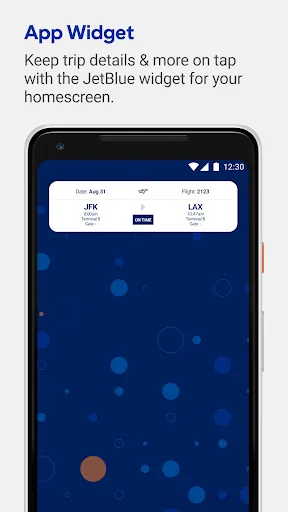
Stay in the loop with personalized flight status notifications. The app provides timely updates on any changes, delays, or gate information, so you can plan accordingly and reduce travel stress.

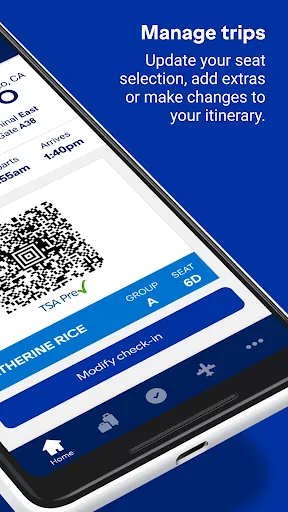
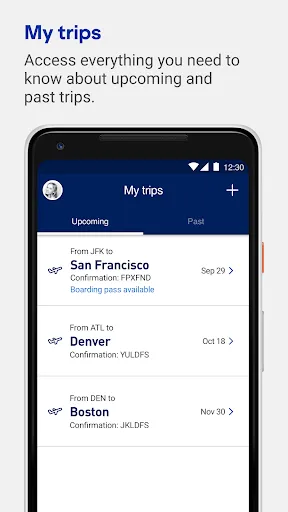
Manage Your Itinerary

Stay organized with the ability to easily manage your trips directly within the app. You can view flight details, make changes to your itinerary, and receive real-time updates, ensuring you're always informed and ready for your journey.

Pros & Cons

Pros
  • Easy online booking for quick and efficient trip planning.
  • Flexible flight options tailored to your needs.
  • User-friendly app for seamless trip management on-the-go.
  • Competitive pricing with no hidden fees for transparency.
  • Excellent customer service ready to assist you anytime.
Cons
  • Limited flexibility in changing flight details can lead to higher fees.
  • Customer service response times may be slower during peak travel seasons.
  • Booking system can be confusing, leading to potential errors in reservations.

Real Experience Using JetBlue - Book & manage trips

Application Scenarios

The JetBlue app is an essential tool for travelers looking to book and manage their trips seamlessly. Users can easily search for flights based on their preferred dates and destinations, making it convenient for both spontaneous travelers and those planning ahead. The app is particularly useful for frequent flyers, as it allows users to access their flight history and upcoming itineraries in one centralized location. Additionally, the app supports various travel scenarios, including round trips, one-way flights, and multi-city itineraries, catering to diverse travel needs. For those who are JetBlue TrueBlue members, the app provides easy access to manage points, track rewards, and redeem them for flights, further enhancing the travel experience.

User Experience

The user interface of the JetBlue app is designed with simplicity and efficiency in mind. Navigating through the app is intuitive, with clearly labeled sections for booking, managing trips, and accessing customer support. The booking process is streamlined, allowing users to select flights, add extras like baggage and seat selections, and complete their purchase swiftly. Notifications about flight status updates and gate changes are timely and helpful, ensuring that travelers stay informed throughout their journey. However, some users have reported occasional glitches during peak times, which may hinder the booking process. Overall, the app enhances the travel experience by providing essential information and services right at users' fingertips.

Pricing

JetBlue's pricing structure is competitive, offering a range of fare options that cater to different budgets. The app allows users to compare prices across various flight dates, making it easier to find the best deals. Additionally, the app frequently features promotions and discounts exclusive to mobile users, which can lead to significant savings. While the base fare is often attractive, travelers should be aware of additional costs for extras like checked baggage and seat selection. The app does a commendable job of clearly outlining these costs during the booking process, ensuring transparency for users.

Updates & Support

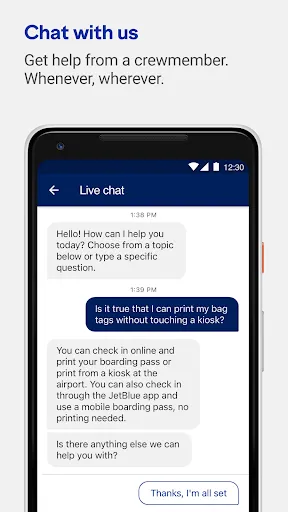
JetBlue is committed to providing regular updates to enhance the app’s functionality and user experience. Users can expect new features and improvements based on feedback, keeping the app relevant and user-friendly. Customer support is readily accessible through the app, with options for live chat and FAQs that address common inquiries. Additionally, JetBlue maintains active communication channels for users to report issues or provide suggestions, reflecting their dedication to customer satisfaction. Overall, the combination of regular updates and responsive support contributes to a positive user experience.

verified Security & Privacy Review

The JetBlue app prioritizes user security and privacy through robust data protection measures. The application employs encryption protocols to safeguard sensitive information such as personal details and payment data during transmission. This ensures that users can book and manage trips with confidence, knowing their data is secure. In terms of privacy practices, JetBlue adheres to strict policies that govern how user data is collected, used, and shared. The app clearly outlines its privacy policy, informing users about the types of information collected and the purposes for which it is utilized. Users can review this policy to understand their rights regarding data access and deletion. The app requests permissions that are relevant to its functionality, such as location services for check-in and boarding updates. Users are given the option to grant or deny these permissions, providing control over their personal data. Overall, JetBlue demonstrates a commitment to protecting user privacy while delivering a seamless travel experience.

Reviews

4.7

“User-friendly interface makes booking a breeze”

“Great flight tracking features keep me informed”

“Customer service is responsive and helpful”

“Loyalty points system is rewarding and easy to use”

“Smooth check-in process saves time at the airport”

FAQ

1

Can I submit suggestions or feedback to JetBlue - Book & manage trips?

Yes, users can provide feedback or suggestions through the app's customer support feature or by contacting JetBlue's customer service directly.

2

Does JetBlue - Book & manage trips collect my personal data?

Yes, the app collects personal data to facilitate bookings, enhance user experience, and provide customer support, adhering to privacy policies.

3

Does JetBlue - Book & manage trips support offline use?

While some features may be accessible offline, such as previously downloaded boarding passes, most functionalities require an internet connection for optimal use.

4

How do I cancel my JetBlue - Book & manage trips subscription?

Since the app does not require a subscription, there is no cancellation process needed. Users can simply uninstall the app if they no longer wish to use it.

5

How much does a subscription to JetBlue - Book & manage trips cost?

There is no subscription required for the app; all services can be accessed without any fees.

How to use JetBlue - Book & manage trips

1

Can I manage my trips without logging in?

Yes, you can manage your trips using your confirmation code on the JetBlue website, but logging in gives you more options.

2

How can I activate my JetBlue account?

To activate your JetBlue account, click on the activation link sent to your email after signing up. If you need help, contact customer service.

3

How can I reach JetBlue customer service for booking help?

You can contact JetBlue customer service by calling 1-800-JETBLUE or using the help section on our website for chat support.

4

How do I find my JetBlue customer number?

Your customer number can be found in your account settings after logging in or on your confirmation email.

5

How do I log in to manage my JetBlue trips?

To log in, visit the JetBlue website, click on 'Log In,' and enter your email and password associated with your account.

Editor's Choice