This site uses cookies to enhance your user experience. By clicking any link on this site you are giving your consent to our cookie policy. Read more
Reject
Accept All

Advertiser and Editorial Disclosures

iFunny-video memes, meme maker

iFunny-video memes, meme maker

verified Verified App

Developer: iFunny Inc.

  • category

    Category: Entertainment

  • price

    Price: free

  • age rating

    Age Rating: Teen

  • rating

    Rating: 4.0

  • download

    Downloads: 10,000,000+

  • version

    Version: 10.32.11

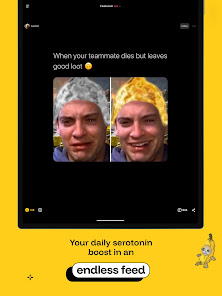
Screenshot 1
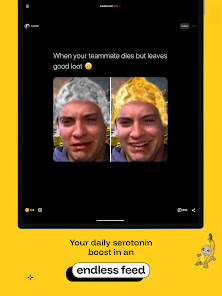
Screenshot 2
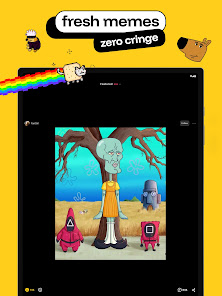
Screenshot 3
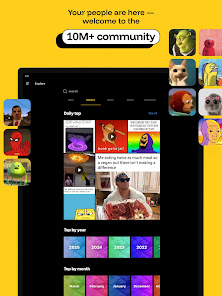
Screenshot 4
Screenshot 5
Screenshot 6
Screenshot 7
Screenshot 8
Screenshot 9
Screenshot 10
Screenshot 11
Screenshot 12
Screenshot 13
Screenshot 14
Screenshot 15

Features & Highlights

Community Engagement

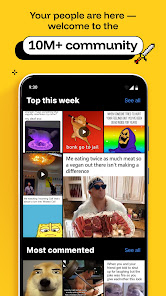
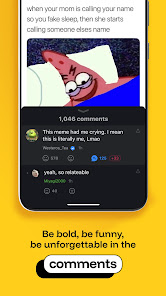
Join a vibrant community of meme lovers who share, comment, and rate content regularly. Engage with fellow users through comments and discussions, making it easy to connect with others who share your sense of humor while discovering new and trending memes.

Meme Creation Tools

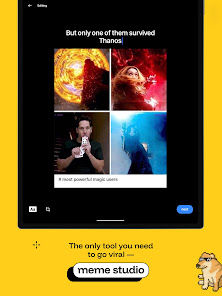
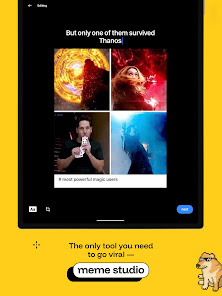
iFunny offers a user-friendly meme maker that allows you to craft your own hilarious memes effortlessly. With a variety of customizable templates and easy-to-use editing features, you can add text, stickers, and even your own images to create the perfect meme for any occasion.

Social Sharing Options

Sharing your favorite memes with friends is a breeze on iFunny. You can easily post your creations or browse and share memes directly to your social media accounts, making it simple to spread the laughter and connect with others who appreciate a good joke.

Vast Meme Library

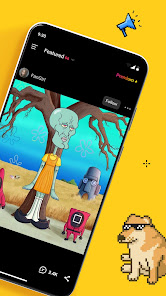
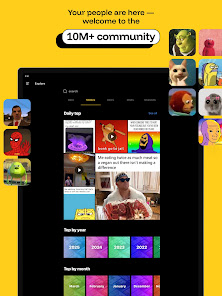
Dive into a massive collection of user-generated memes that are updated daily. With everything from trending formats to classic favorites, you’ll always find something to tickle your funny bone or inspire your next creation, ensuring you never run out of laughs.

Pros & Cons

Pros
  • Create and share hilarious video memes effortlessly with user-friendly tools.
  • Discover a vast library of trending memes for endless inspiration.
  • Customize your memes using various filters and effects for a personal touch.
  • Engage with a vibrant community to share laughs and receive feedback.
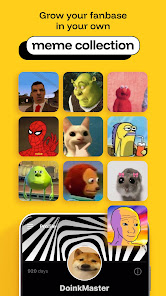
  • Save and organize your favorite memes for easy access anytime.
Cons
  • Limited content moderation can lead to inappropriate material.
  • User interface can feel cluttered and overwhelming for new users.
  • Frequent ads disrupt the user experience and hinder enjoyment.

Real Experience Using iFunny-video memes, meme maker

Application Scenarios

iFunny is designed for a wide array of scenarios where humor and creativity intersect. Whether you are looking to unwind after a long day, connect with friends through shared jokes, or even create your own unique memes, iFunny meets these needs effortlessly. Users often turn to this app during social gatherings, using it as a source of entertainment to lighten the mood. It’s also popular among content creators who want to engage their audiences with relatable and funny material. From casual browsing to serious meme-making, iFunny caters to both consumers and creators, making it versatile for various situations.

User Experience

The interface of iFunny is user-friendly and intuitive, which enhances the overall experience. Users can easily navigate through trending memes, personalized feeds, or categories that align with their interests. The app promotes a sense of community through its comment section and sharing features, allowing users to interact with each other. The meme maker tool is particularly praised for its simplicity and range of customization options, enabling users to add text, stickers, and effects without needing advanced design skills. However, some users have noted occasional glitches, particularly during peak hours, which can disrupt the seamless experience. Overall, the vibrant community and engaging content create a positive atmosphere that keeps users coming back for more.

Pricing

iFunny operates on a freemium model, offering a wide range of content at no cost. Users can access a plethora of memes, videos, and the meme-making tool for free, making it accessible to everyone. However, there is a premium subscription option available, which unlocks additional features such as an ad-free experience, exclusive content, and advanced editing tools. The pricing for the premium subscription is reasonable compared to other similar apps, making it an attractive option for avid users who want to enhance their experience.

Updates & Support

The iFunny team is proactive in providing regular updates to enhance user experience, fix bugs, and introduce new features. Users can expect a consistent flow of fresh content and improvements, which keeps the app engaging. The support system is responsive, with a dedicated help center where users can report issues or provide feedback. Many users have reported positive experiences with customer service, appreciating the quick response times and helpful resolutions. Overall, iFunny demonstrates a commitment to continuous improvement and user satisfaction.

verified Security & Privacy Review

The iFunny app prioritizes user security and privacy by implementing various measures to protect personal information. It collects data such as user-generated content, device information, and usage statistics to enhance user experience and app functionality. However, iFunny is transparent about its data collection practices, providing users with a clear privacy policy that outlines the types of data collected and how it is used. In terms of permissions, iFunny requires access to certain device features, such as storage and camera, to facilitate meme creation and sharing. Users are advised to review these permissions carefully and adjust them according to their comfort level. The app utilizes encryption to safeguard user data during transmission, although the specifics of its encryption protocols are not publicly detailed. While iFunny does allow users to interact and share content, it is essential for users to be cautious about the information they share on the platform. Overall, iFunny demonstrates a commitment to user privacy but encourages users to remain vigilant regarding their personal data in an increasingly connected digital landscape.

Reviews

4.0

“Hilarious memes that brighten my day!”

“Easy to create and share funny content.”

“Great community, always something new to enjoy.”

“User-friendly interface makes meme-making fun.”

“Love the variety of memes available daily!”

FAQ

1

Can I submit suggestions or feedback to iFunny-video memes, meme maker?

Yes, users are encouraged to submit suggestions and feedback through the app or via their official website to help improve the service.

2

Does iFunny-video memes, meme maker collect my personal data?

iFunny does collect some user data for functionality and advertising purposes, but it is advisable to review their privacy policy for specific details.

3

Does iFunny-video memes, meme maker support offline use?

Yes, iFunny allows users to create and view memes offline, although some features may require an internet connection for full functionality.

4

How do I cancel my iFunny-video memes, meme maker subscription?

Users can cancel their subscription through the app settings or by visiting their app store account settings, depending on the platform used.

5

How much does a subscription to iFunny-video memes, meme maker cost?

The subscription cost for iFunny varies depending on the plan chosen, typically offering monthly and yearly options at competitive prices.

How to use iFunny-video memes, meme maker

1

Can I log in to iFunny with my social media accounts?

Yes, you can log in using your Facebook or Google account if you linked them during registration.

2

Can I log in to my iFunny account on multiple devices?

Yes, you can log in to your iFunny account on multiple devices using the same credentials.

3

How can I contact customer service for help with my iFunny account?

You can reach our customer service by visiting the support section in the app or website and submitting a request.

4

How do I activate my iFunny account after signing up?

To activate your account, check your email for a confirmation link and click on it to complete the activation process.

5

How do I reach customer service if I have an issue with my meme maker?

You can submit your issue through the app's support section for prompt assistance from our customer service team.

Editor's Choice