This site uses cookies to enhance your user experience. By clicking any link on this site you are giving your consent to our cookie policy. Read more
Reject
Accept All

Advertiser and Editorial Disclosures

HowDidiDo App

HowDidiDo App

verified

Club Systems International Ltd.

2.2
Rating
100,000+ Downloads
2.2.4 Version
  • category

    Category: Sports

  • price

    Price: free

  • age rating

    Age Rating: Teen

  • rating

    Rating: 2.2

  • available on

    Available on: /

  • updated on

    Updated on: Mar 11, 2026

Screenshot 1
Screenshot 2
Screenshot 3
Screenshot 4
Screenshot 5
Screenshot 6
Screenshot 7
Screenshot 8
Screenshot 9
Screenshot 10
Screenshot 11
Screenshot 12
Screenshot 13
Screenshot 14
Screenshot 15
Screenshot 16
Screenshot 17
Screenshot 18

Features & Highlights

Community Engagement

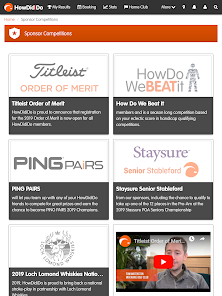
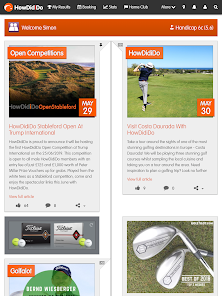
Connect with fellow golf enthusiasts through the HowDidiDo app's vibrant community features. Share your scores, participate in discussions, and join local groups to find new friends and rivals, enhancing your golfing journey and fostering a sense of camaraderie among players.

Event Management

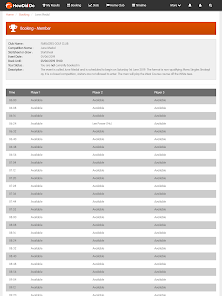
Easily organize and manage golf events with HowDidiDo's intuitive event management tools. Create tournaments, invite players, and track results in real-time, ensuring that every event runs smoothly while you focus on enjoying the game with friends and family.

Game Tracking

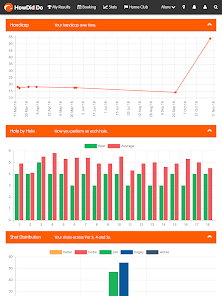
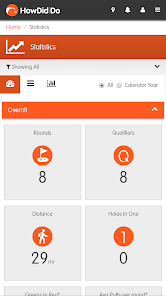
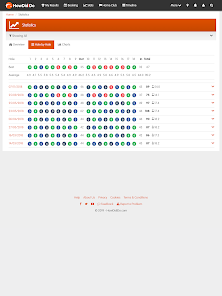
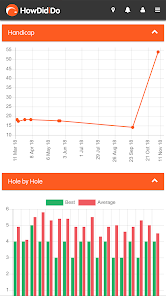
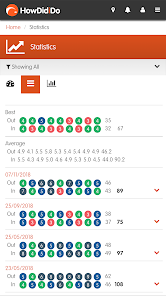
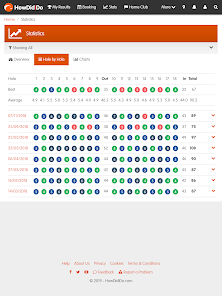
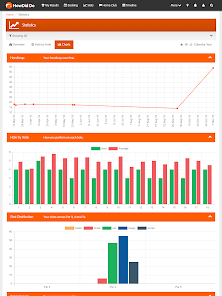
Stay on top of your golf game with HowDidiDo's comprehensive game tracking feature. Record your scores, analyze your performance over time, and gain insights into areas for improvement, all while enjoying a seamless user experience that keeps you motivated to play your best.

Personalized Insights

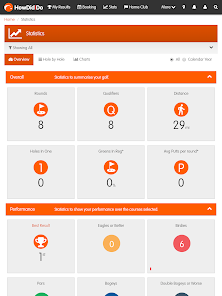
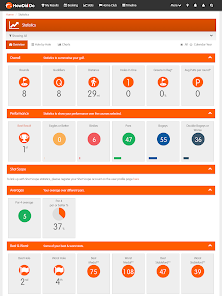
Unlock personalized insights tailored to your golfing habits with HowDidiDo's advanced analytics. Get tailored recommendations and performance summaries that help you understand your strengths and weaknesses, enabling you to make informed decisions on how to improve your game.

Pros & Cons

Pros
  • Track your golf scores effortlessly with real-time updates and insights.
  • Connect with friends and join challenges to enhance your game.
  • Access personalized statistics to improve your performance over time.
  • Discover local courses and events tailored to your interests.
  • Enjoy a user-friendly interface designed for all skill levels.
Cons
  • Limited functionality may not meet all user needs for comprehensive golf management.
  • User interface can be confusing, leading to a steep learning curve for new users.
  • Occasional technical glitches can disrupt user experience and hinder app reliability.

Real Experience Using HowDidiDo App

Application Scenarios

The HowDidiDo App is designed for users who are keen on tracking their performance in various activities, particularly in sports and fitness. Whether you are a golfer looking to analyze your swing, a runner wanting to monitor your distance and speed, or even a team player aiming to assess your overall game statistics, this app serves as a versatile tool. Coaches can also benefit from it by using the app to evaluate their players' progress over time. The app’s intuitive interface makes it suitable for both casual users and serious athletes, allowing for seamless integration into daily routines. Whether you are training for a competition or simply trying to improve your personal best, HowDidiDo provides comprehensive insights into your performance metrics.

User Experience

User experience with the HowDidiDo App is notably positive, with many users praising its user-friendly interface and straightforward navigation. Upon downloading the app, users are greeted with an attractive layout that makes it easy to input and access their performance data. The dashboard is well-organized, presenting critical metrics at a glance, which is especially beneficial for quick assessments. The app also offers customizable features, enabling users to tailor their experience according to their specific sports or fitness activities. Notifications for reminders and progress updates enhance user engagement, while the community features allow for interaction with fellow users, fostering a sense of camaraderie. Overall, the app is designed to motivate users and keep them engaged in their fitness journeys.

Pricing

Updates & Support The developers of HowDidiDo are committed to providing regular updates, ensuring that the app remains current with the latest trends in sports and fitness technology. Users can expect periodic enhancements that improve functionality and introduce new features based on user feedback. Additionally, the app boasts an excellent support system, with a dedicated help center and responsive customer service. Users can easily find answers to common questions or reach out for personalized assistance through various channels, including email and in-app support. This commitment to user satisfaction ensures that any issues are promptly addressed, enhancing the overall experience of using the app.

verified Security & Privacy Review

The HowDidiDo App prioritizes user security and privacy, implementing robust measures to protect personal information. The app utilizes encryption protocols to safeguard data during transmission, ensuring that sensitive information remains confidential. Users are informed about the types of data collected, which primarily include user-generated content and basic account details. Permission requests are clearly outlined, allowing users to understand what access the app requires, such as location services for personalized content and notifications. Users have the option to manage these permissions within their device settings, promoting transparency and control over personal information. The HowDidiDo App adheres to industry standards and regulations regarding data protection, including compliance with GDPR and other relevant privacy laws. User data is stored securely, with measures in place to prevent unauthorized access. Additionally, the app provides users with the ability to delete their accounts and associated data upon request, reinforcing its commitment to user privacy. Overall, the HowDidiDo App demonstrates a strong focus on maintaining user security and protecting privacy while delivering a valuable experience.

User Reviews

  • Lee Mason
    2026/06/27

    Considering it's the only way to enter and view scores for club tournaments, this has to be the worst app I've ever downloaded. Error message after error message after error message (Error Code: -6). Their website is just as bad too and with no way of being able to inputmy scores I never know how I get on

  • Andy Sheldon
    2026/04/30

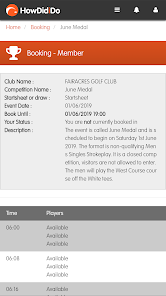
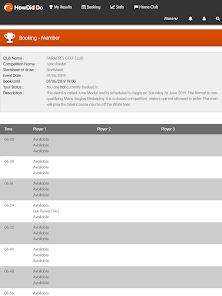
    absolutely pile of rubbish , it locks you out when your trying to book a tee time, it enables multiple players into the same tee time so you cant complete your booking , it's a bugs delight , avoid at all costs ,not even worth one star

  • Tim Nagle
    2026/05/28

    So flooded with data gobbling ADVERTS this APP is more or less USELESS. Slow. Glitchy. Text TOO SMALL TO READ. Pages take MINUTES to load, except the INCESSANT FLASHING BLINKING ADVERTS which just NEVER STOP. Warning::.. DO NOT BUY THE PAID VERSION. Get your golf club to switch to another provider.

  • liam kennedy
    2025/10/02

    AWFUL. If I could give the admin for this app a kick in the balls, I would . It constantly freezes on logo page, and the only way to unfreeze it is to uninstall the app and reinstall again. This is every single time. Then, when I do open it, I get bombarded with advertising spam,nonstop . The admin should all be sacked. I have no choice but to use this as it's what my club use, but I'm trying to get it to change to something else.

  • Paul (Shinsplint)
    2025/06/08

    Very poor app, 90% of the time says No connection, check your Internet. Done the normal clear data/cache and it makes no difference. There is nothing wrong with my Internet, its the servers that can't handle the load. Would use something else if I could, but forced to use it for booking competitions (which I have missed several as the app does not work). Please sort this out and do some load testing during development.

Review Source: Google Play store public user reviews.

FAQ

1

Can I submit suggestions or feedback to HowDidiDo App?

Yes, users can submit suggestions and feedback through the app's support section, which helps improve future updates and features.

2

Does HowDidiDo App collect my personal data?

Yes, the app collects some personal data to enhance user experience, but it adheres to privacy regulations and provides options to manage your data.

3

Does HowDidiDo App support offline use?

Yes, HowDidiDo App allows users to access certain features offline, enabling score tracking even without an internet connection.

4

How do I cancel my HowDidiDo App subscription?

You can cancel your subscription through your app store account settings or within the app's subscription management section.

5

How much does a subscription to HowDidiDo App cost?

The subscription cost for HowDidiDo App varies based on the plan selected, typically offering monthly and annual options.

How to use HowDidiDo App

1

Can I change my customer number after activation?

Once activated, customer numbers cannot be changed. For further assistance, please reach out to customer service.

2

Can I log in with my social media account?

Yes, you can log in using your linked social media account if you selected that option during registration.

3

How can I activate my account if I didn’t receive the activation email?

Check your spam folder for the email. If it’s not there, contact customer service to resend the activation link.

4

How can I log in to my HowDidiDo account?

Simply open the app, enter your email and password, then tap 'Log In' to access your account.

5

How do I contact customer service for help with my account?

You can reach our customer service team via the support section in the app or by emailing support

What's New

App Stability Updates

Editor's Choice