This site uses cookies to enhance your user experience. By clicking any link on this site you are giving your consent to our cookie policy. Read more
Reject
Accept All

Advertiser and Editorial Disclosures

Givelify Mobile Giving App

Givelify Mobile Giving App

verified

Givelify

4.9
Rating
500,000+ Downloads
6.24.0.5501 Version
  • category

    Category: Finance

  • price

    Price: free

  • age rating

    Age Rating: Everyone

  • rating

    Rating: 4.9

  • available on

    Available on: /

  • updated on

    Updated on: Jul 6, 2026

Screenshot 1
Screenshot 2
Screenshot 3
Screenshot 4
Screenshot 5
Screenshot 6
Screenshot 7
Screenshot 8
Screenshot 9
Screenshot 10
Screenshot 11
Screenshot 12
Screenshot 13
Screenshot 14
Screenshot 15
Screenshot 16
Screenshot 17
Screenshot 18
Screenshot 19
Screenshot 20
Screenshot 21
Screenshot 22
Screenshot 23
Screenshot 24

Features & Highlights

Community Engagement Features

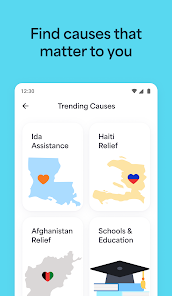
Givelify encourages community interaction by allowing users to discover local events and initiatives hosted by their favorite nonprofits. You can easily find opportunities to volunteer or participate, enhancing your connection to the community while making giving a more social and engaging experience.

Real-Time Impact Tracking

Stay connected with the organizations you support through real-time impact updates. Givelify provides insights into how your contributions are being used, helping you feel more connected and engaged with the causes you believe in. This transparency fosters trust and encourages continued support for your selected charities.

Recurring Giving Options

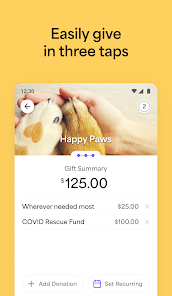
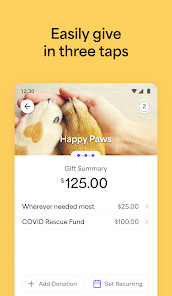
With Givelify, users can set up recurring donations to support their preferred organizations regularly. This feature ensures that your contributions continue to make an impact without the hassle of manual transactions each time. It’s a perfect way to maintain ongoing support for causes you care about.

Seamless Donations

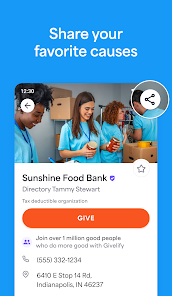
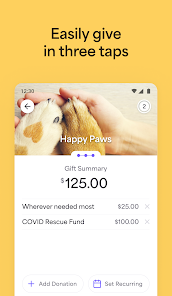
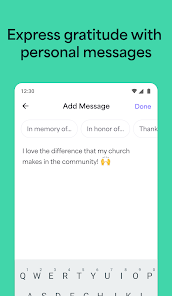
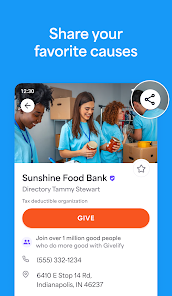
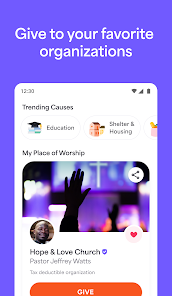
Givelify makes donating effortless with its user-friendly interface. Users can quickly contribute to their favorite charities and causes with just a few taps, allowing for spontaneous giving wherever they are. This streamlined process ensures that generosity is always at your fingertips, promoting a culture of giving in everyday life.

Pros & Cons

Pros
  • Easy-to-use interface for all ages.
  • Instant donations with just a few taps.
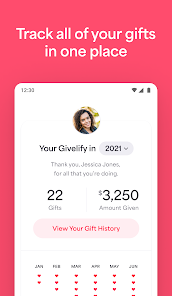
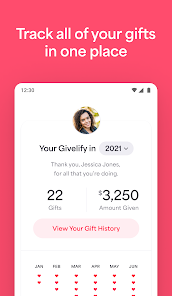
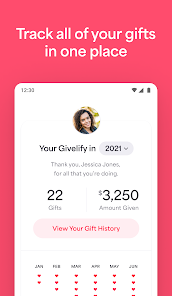
  • Track your giving history effortlessly.
  • Secure transactions protect your financial information.
  • Support multiple causes in one app.
Cons
  • Limited features compared to other giving apps
  • User interface can be confusing for some
  • Transaction fees may reduce donation amounts
  • Requires internet access for usage

Real Experience Using Givelify Mobile Giving App

Application Scenarios

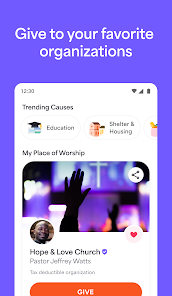
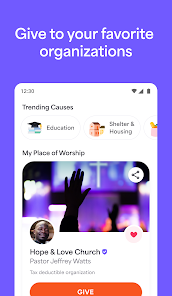
The Givelify Mobile Giving App is designed to cater to a variety of charitable giving scenarios, making it an ideal choice for individuals and organizations alike. Users can easily donate to their favorite nonprofits, churches, and community events from the comfort of their homes or while on the go. The app is particularly beneficial during fundraising campaigns, special events, or church services, allowing users to contribute in real-time without the need for cash or checks. Whether it’s a Sunday service collection, a community outreach program, or a disaster relief fund, Givelify streamlines the donation process, ensuring that generosity can be expressed anytime and anywhere.

User Experience

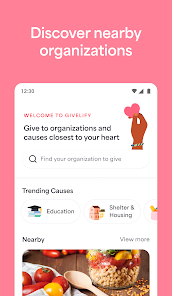
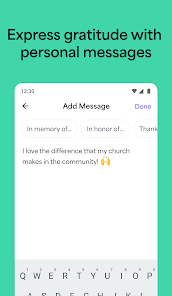
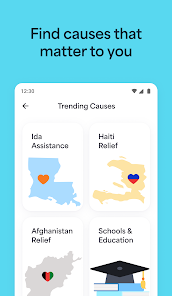
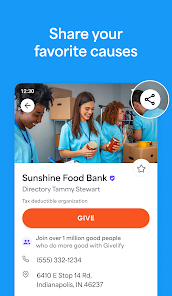
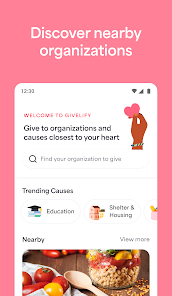
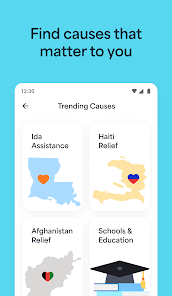
The user experience on the Givelify app is designed with simplicity and efficiency in mind. Upon downloading the app, users are greeted with an intuitive interface that makes navigating through various organizations and causes a breeze. The registration process is straightforward, allowing new users to create an account quickly. Users can browse through featured charities, search for specific organizations, or even explore local causes. The donation process is just as seamless, requiring only a few taps to complete a transaction. Additionally, the app offers customizable donation amounts and the option to set up recurring donations, making it easy for users to support their chosen causes regularly. Notifications and updates keep users informed about their donations and the impact they are making, enhancing the overall experience.

Pricing

Givelify operates on a transparent pricing model, making it accessible for both users and organizations. While downloading and using the app is free for users, organizations pay a small fee for processing donations. This fee is competitive compared to other donation platforms, ensuring that most of the funds raised go directly to the intended causes. Users can feel confident knowing that their contributions are being used effectively while organizations benefit from a straightforward and cost-effective fundraising solution. There are no hidden costs, and users can choose the amount they wish to donate, further enhancing the app's appeal.

Updates & Support

Givelify is committed to continuous improvement, regularly updating the app to enhance functionality and user experience. Users can expect periodic updates that introduce new features, improve security, and refine usability based on user feedback. Customer support is readily available through the app, offering assistance via email or a dedicated help center. The support team is responsive and knowledgeable, ensuring that any issues users may face are addressed promptly. This dedication to user satisfaction and ongoing development makes Givelify a reliable choice for mobile giving.

verified Security & Privacy Review

The Givelify Mobile Giving App places a strong emphasis on security and privacy, ensuring that user data is handled with the utmost care. The app employs advanced encryption protocols to protect sensitive information, such as payment details and personal data, during transmission and storage. Users are required to create accounts with secure credentials, promoting responsible access to their profiles. Givelify adheres to strict privacy practices, only collecting data necessary for seamless transactions and user experience. The app's privacy policy is transparent, outlining how user information is utilized and shared with third parties, ensuring compliance with applicable regulations. Permissions requested by the app are minimal and relevant to its core functionalities, minimizing access to personal data. Users can manage their privacy settings easily within the app, giving them control over their information. Overall, Givelify demonstrates a commitment to safeguarding user data while providing a convenient platform for mobile giving.

Compare APP

User Reviews

  • Eva S
    2022/10/18

    It was very frustrating to try and contact customer service multiple times with no results. I was trying to cancel the account in order to stop donating to MTOI. Every time I called, an automated prompt would say that Caller volume is higher than usual. I had originally started the account using my laptop. But I couldn't cancel from my laptop! Finally I added the app to my phone. I had to update my password and then remove my credit card and stop recurring payments. No more Givelify.

  • Chris Allen
    2023/03/01

    I have never, as of yet, had a problem with Givelify. My record of giving is accountable, easily viewed and kept secure. It actually had more accurate records than my own organization to which I was regularly contributing and the, oh, so convenient, plus of being able to give whenever or wherever you'd like. Highly recommend using this App.

  • Heath Back
    2025/04/21

    I have had this app since the beginning of this year. It has been going very well and worked as advertised. Unfortunately, last week it kicked me off and now will not let me log back in using my Facebook account. I do not want to create another account, and there is no way to contact Givelify unless you are logged in. I am beyond frustrated. I have uninstalled and reinstalled several times with no avail. BOOO! Update: I was contacted by Givelify Support. They were able to fix all issues. Thanks.

  • Shyenn Johnson
    2023/04/30

    This app makes giving more convenient. Just one little request...for the church's the options are (Tithe) (offering) or (other). It would be nice to add other options like an option for (Tithe & Offering) added so we don't have to do separate transactions (other) or just one or the other. Churches also have pastoral Sundays. This app is very convenient though and keeps track of everything you donate and gives you your summary. Also you Jane the EoY document if you're the type to write it off.

  • A Google user
    2020/04/14

    I enjoy the app and love how easy it allows me to give back to my church. I just wish that there was a password on the app that you have the option to set up and enter before you make a payment on your card. I really don't like the fact on how if someone has my phone they can just get on the app and use my card and charge it without any security barriers. Other than that, this app is a big help.

Review Source: Google Play store public user reviews.

FAQ

1

Does Givelify Mobile Giving App collect my personal data?

Yes, Givelify Mobile Giving App collects personal data such as your name, email address, and payment information to facilitate transactions and improve user experience.

2

Does Givelify Mobile Giving App offer a free trial or free version?

Givelify Mobile Giving App is free to download and use for donors, but organizations may incur fees based on the donations processed through the platform.

3

Does Givelify Mobile Giving App require an internet connection?

Yes, Givelify Mobile Giving App requires an internet connection to process donations and access its features.

4

How can I contact support or send feedback for Givelify Mobile Giving App?

You can contact Givelify support through the app's help section or visit their official website for additional support resources and feedback options.

5

How do I manage or cancel my Givelify Mobile Giving App subscription?

You can manage or cancel your subscription through your account settings within the app or by contacting Givelify's support team for assistance.

How to use Givelify Mobile Giving App

1

Can I change my payment method in the app?

Yes, go to "Payment Methods" in your account settings, then add or edit your preferred payment option.

2

Can I view my giving history in the app?

Yes, tap on "My Giving" in the app to see your donation history and receipts.

3

How can I contact Givelify customer service?

You can reach Givelify customer service by emailing support

4

How do I enable notifications for my Givelify account?

In the app, go to "Settings," then toggle on notifications to receive updates and alerts.

5

How do I log in to my Givelify account?

Open the app, tap "Log In," enter your email and password, and then tap "Log In" again.

What's New

Minor updates and enhancements to the overall giving experience.

Editor's Choice