This site uses cookies to enhance your user experience. By clicking any link on this site you are giving your consent to our cookie policy. Read more
Reject
Accept All

Advertiser and Editorial Disclosures

GHIN

GHIN

verified Verified App

Developer: Golf Handicap and Information Network

  • category

    Category: Sports

  • price

    Price: free

  • age rating

    Age Rating: Everyone

  • rating

    Rating: 3.8

  • download

    Downloads: 500,000+

  • version

    Version: 5.4.8

Screenshot 1
Screenshot 2
Screenshot 3
Screenshot 4
Screenshot 5
Screenshot 6
Screenshot 7
Screenshot 8
Screenshot 9
Screenshot 10
Screenshot 11
Screenshot 12
Screenshot 13
Screenshot 14
Screenshot 15

Features & Highlights

Course Information Access

GHIN gives golfers access to detailed information about courses across the country, including scorecards, layouts, and local amenities. This feature is invaluable for planning your next round, ensuring you have all the information you need to enjoy your time on the course.

Real-Time Handicap Updates

With GHIN, you can enjoy real-time updates to your golf handicap, ensuring that you're always playing with the most accurate information. This feature helps you stay competitive and allows you to track your progress over time, making every round count toward your improvement.

Score Tracking and History

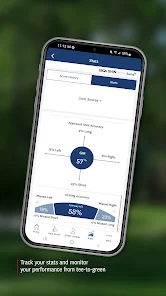
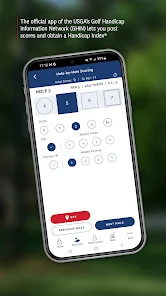
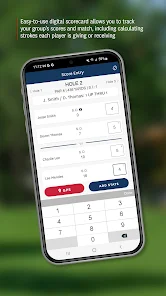
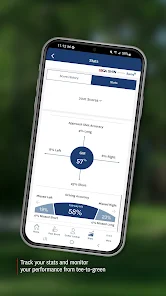
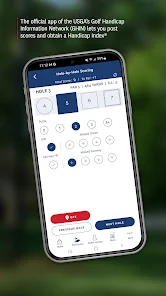
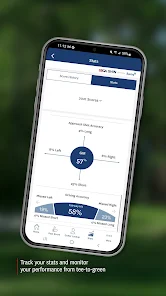
The app provides comprehensive score tracking, allowing users to log their rounds and review their performance history. This feature not only helps in analyzing your game but also showcases your achievements, making it easier to celebrate milestones and identify areas for improvement.

User-Friendly Interface

GHIN offers a clean and intuitive interface that makes it easy for golfers of all skill levels to navigate. Whether you're tracking your scores, accessing your handicap, or finding courses, everything is just a few taps away, ensuring a smooth user experience.

Pros & Cons

Pros
  • Access your golf scores anytime, anywhere for ultimate convenience.
  • Effortlessly track your handicap progress in real-time.
  • Connect with friends and fellow golfers to share scores easily.
  • Receive personalized insights and tips to improve your game.
  • Stay updated on local courses and tournaments in your area.
Cons
  • Limited offline functionality hinders access to scores without internet connection.
  • User interface can be confusing for new users, affecting usability.
  • Occasional app crashes disrupt tracking and managing golf scores effectively.

Real Experience Using GHIN

Application Scenarios

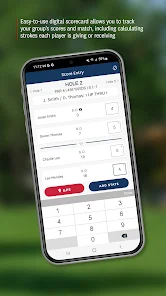
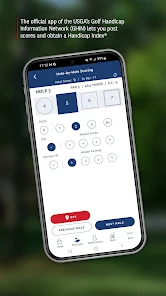
The GHIN app is designed primarily for avid golfers who wish to track their game and improve their skills. Whether you are a seasoned pro or a weekend warrior, the app offers a range of features tailored to fit various golfing scenarios. For instance, you can use the app to maintain your official USGA handicap, which is essential for participating in competitive tournaments. Additionally, the app allows users to input scores from rounds played at different courses, making it easier to compare performances over time. The GPS feature is particularly useful on the course, providing accurate distances to greens and hazards, which can enhance strategic decision-making during play. Overall, the GHIN app serves as a versatile companion for golfers looking to elevate their game.

User Experience

The user experience of the GHIN app is largely positive, with an intuitive interface that simplifies navigation. Upon launching the app, users are greeted with a clean and organized dashboard that showcases their latest scores, current handicap, and upcoming rounds. Inputting scores is straightforward, and the app provides instant feedback on your performance, which is both motivating and educational. Moreover, the app features a social element that allows users to connect with friends, share scores, and even challenge each other to friendly competitions. However, some users have reported occasional glitches, such as slow loading times or issues with syncing data, which can be frustrating. Despite these minor setbacks, the overall experience remains enjoyable and engaging for the majority of golfers.

Pricing

The GHIN app is available for free, which is a significant advantage for users who may be hesitant to invest in premium golfing apps. However, it is important to note that while the app itself is free, maintaining an official USGA handicap usually requires a membership fee through a local golf club or association. This fee can vary depending on the club, but it is generally reasonable considering the benefits of having an official handicap. For many users, the investment in membership is justified by the app's features and its potential to enhance their golfing experience.

Updates & Support

The developers of the GHIN app are proactive in providing updates that enhance functionality and address any bugs. Users can expect regular improvements that often include new features, optimizations, and performance enhancements. Customer support is accessible through the app, offering assistance for any issues that may arise. Users have reported prompt responses from the support team, which helps to resolve concerns efficiently. Additionally, the app has a dedicated FAQ section that provides helpful tips and troubleshooting advice, making it easier for users to navigate any challenges they encounter. Overall, the commitment to updates and user support adds significant value to the GHIN app experience.

verified Security & Privacy Review

The GHIN app prioritizes user security and privacy, implementing robust measures to protect personal information. It uses encryption protocols to safeguard data during transmission, ensuring that sensitive details remain secure from unauthorized access. The app's privacy policy clearly outlines how user information is collected, used, and shared, promoting transparency in data handling practices. GHIN requests minimal permissions, primarily focused on enhancing user experience, such as location services for finding nearby courses. Users have control over their data, with options to manage privacy settings and limit information sharing. The app does not sell personal data to third parties, reinforcing its commitment to user privacy. Regular updates and security patches are applied to address potential vulnerabilities, demonstrating GHIN's dedication to maintaining a safe environment for its users. Overall, the app adheres to industry standards for data protection, providing users with confidence in their privacy while using the platform.

Reviews

3.8

“Great for tracking scores and stats easily!”

“User-friendly interface makes it enjoyable to use.”

“Accurate and reliable for golfers of all levels.”

“Helpful features for improving my game.”

“Love the course information and updates!”

FAQ

1

Can I submit suggestions or feedback to GHIN Mobile?

Yes, GHIN Mobile encourages users to submit suggestions and feedback through the app or their official website to help improve the user experience.

2

Does GHIN Mobile collect my personal data?

Yes, GHIN Mobile collects personal data to provide its services, such as user profiles and score history, but it follows strict privacy policies to protect user information.

3

Does GHIN Mobile support offline use?

Yes, GHIN Mobile allows users to access certain features offline, including viewing score history and course information, but some functionalities may require an internet connection.

4

How do I cancel my GHIN Mobile subscription?

You can cancel your GHIN Mobile subscription through your device's app store settings or by following the cancellation instructions provided in the app.

5

How much does a subscription to GHIN Mobile cost?

A subscription to GHIN Mobile typically costs around $30 per year, but prices may vary depending on the specific services or promotions available.

How to use GHIN

1

Can I change my customer number?

Customer numbers are unique and cannot be changed. If you have issues, please contact customer service for help.

2

How can I reach customer service for GHIN?

You can contact GHIN customer service via phone or email available on our website. They’re ready to assist you with any inquiries.

3

How do I activate my GHIN account?

To activate your GHIN account, visit the activation link sent to your email after registration and follow the instructions provided.

4

How do I update my login information?

You can update your login information by logging into your account and navigating to the account settings section.

5

I forgot my customer number. How can I retrieve it?

You can retrieve your customer number by contacting customer service or checking your registration confirmation email.

Editor's Choice