This site uses cookies to enhance your user experience. By clicking any link on this site you are giving your consent to our cookie policy. Read more
Reject
Accept All

Advertiser and Editorial Disclosures

FlightAware Flight Tracker

FlightAware Flight Tracker

verified

FlightAware

3.7
Rating
10,000,000+ Downloads
5.15.2 Version
  • category

    Category: Travel & Local

  • price

    Price: free

  • age rating

    Age Rating: Everyone

  • rating

    Rating: 3.7

  • available on

    Available on: /

  • updated on

    Updated on: May 18, 2026

Screenshot 1
Screenshot 2
Screenshot 3
Screenshot 4
Screenshot 5
Screenshot 6
Screenshot 7
Screenshot 8
Screenshot 9
Screenshot 10
Screenshot 11
Screenshot 12
Screenshot 13
Screenshot 14
Screenshot 15
Screenshot 16
Screenshot 17
Screenshot 18

Features & Highlights

Detailed Flight Information

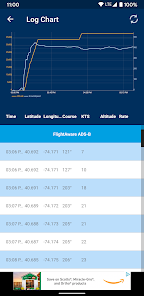
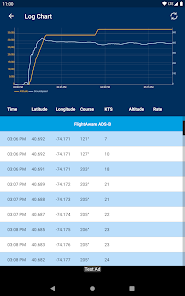
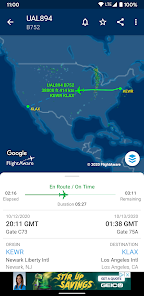
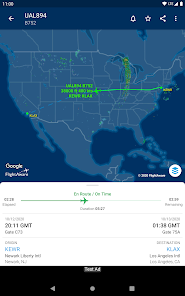
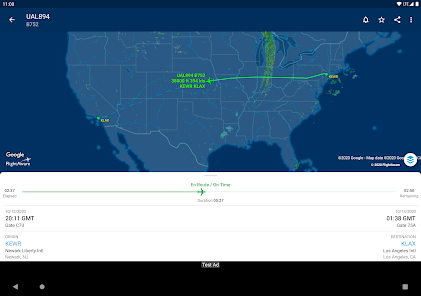
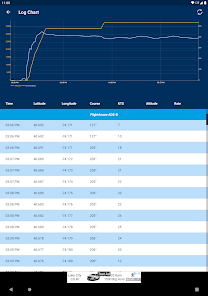
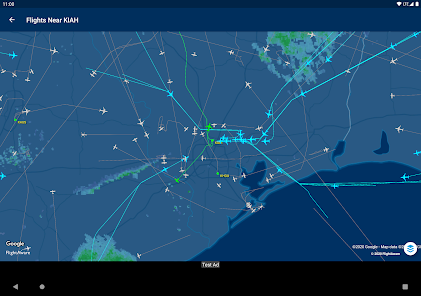
Access detailed flight information, including aircraft type, altitude, speed, and flight path. This feature gives users insights into various aspects of the flight, enhancing your understanding of aviation and facilitating better travel planning.

Global Coverage

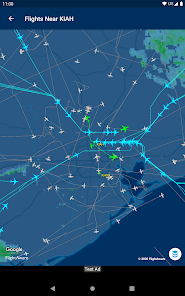
FlightAware offers extensive global coverage, allowing you to track flights across the world. Whether you're interested in domestic flights or international routes, the app provides comprehensive data, making it an essential tool for aviation enthusiasts and frequent travelers alike.

Real-Time Flight Tracking

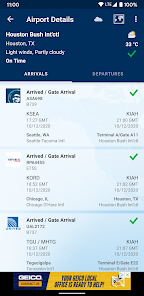
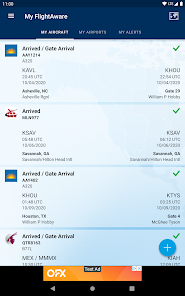
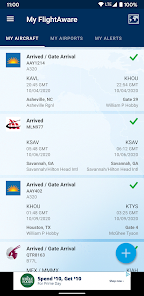
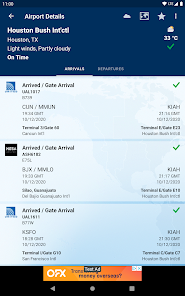
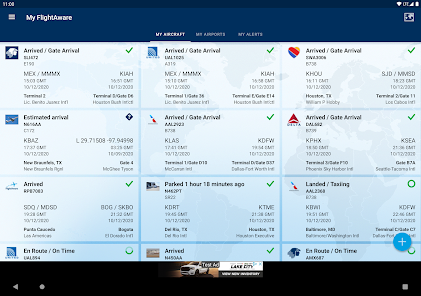
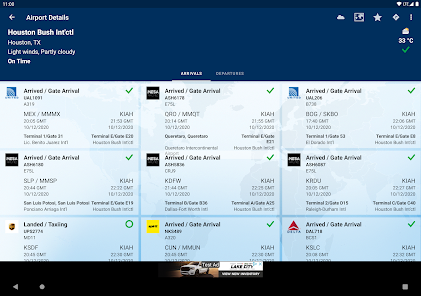
Stay updated with real-time flight tracking that provides live updates on flight status, departure and arrival times. You can easily monitor your favorite flights and receive notifications on delays or gate changes, ensuring you're always in the know about your travel plans.

User-Friendly Interface

The app boasts a user-friendly interface that makes navigation a breeze. With intuitive design and easy-to-use features, even novice users can track flights effortlessly, ensuring a smooth experience when searching for flight details or managing travel itineraries.

Pros & Cons

Pros
  • Real-time flight tracking for accurate updates
  • User-friendly interface for easy navigation
  • Global coverage for comprehensive flight information
  • Alerts for flight status changes and delays
  • Historical data for informed travel decisions
Cons
  • Limited real-time data accuracy can mislead users
  • Subscription fees may be high for premium features
  • Interface can be complicated for new users
  • Mobile app may lack full functionality compared to web

Real Experience Using FlightAware Flight Tracker

Application Scenarios

FlightAware Flight Tracker is an indispensable tool for anyone involved in air travel, whether as a passenger, aviation enthusiast, or industry professional. Frequent flyers can use the app to monitor flight status in real-time, ensuring they stay informed about delays or gate changes. For aviation enthusiasts, the app provides an opportunity to track specific aircraft, view their flight paths, and even receive notifications about arrivals and departures at their favorite airports. Travel agents and corporate travel managers can leverage the app to keep clients updated on flights, making it easier to manage itineraries and provide timely information. Additionally, the app’s global reach means that travelers can track flights across various airlines and regions, making it a versatile asset in any travel scenario.

User Experience

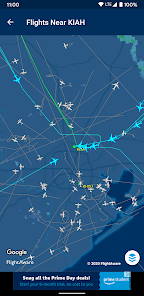
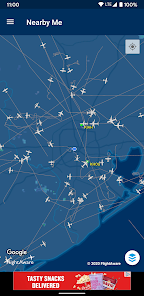
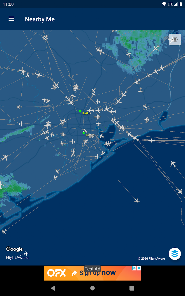
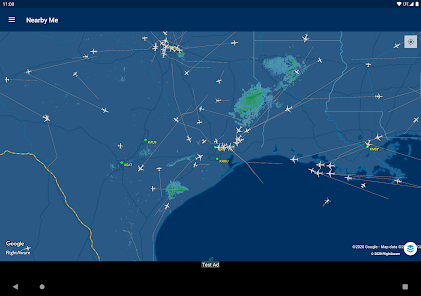
The user experience of FlightAware Flight Tracker is remarkably intuitive, with a clean and user-friendly interface that allows users to navigate effortlessly through its features. Upon launching the app, users are greeted with a visually appealing map that displays real-time flight data, which can be zoomed in and out for closer inspection. The search function is efficient, allowing users to look up flights by flight number, airport, or route. Notifications are customizable, ensuring users receive specific alerts based on their preferences. The app runs smoothly, with minimal lag and quick updates, making it reliable for real-time tracking. While some users might desire more detailed information on certain flights, the overall experience remains positive due to the app's ease of use and accessibility.

Pricing

FlightAware Flight Tracker offers a free version with a robust set of features, making it accessible to casual users. For those requiring additional functionalities, such as advanced tracking options and enhanced notifications, the app provides a premium subscription model. This subscription typically comes at a competitive price, which many users find reasonable given the depth of information and features available. The free version serves as a great introduction for users who want to try out the app before committing to a paid plan, making it an attractive option for both casual and dedicated travelers.

Updates & Support

FlightAware Flight Tracker is consistently updated to enhance user experience and incorporate user feedback. Updates often include bug fixes, new features, and improvements to existing functionalities, ensuring that users have access to the latest advancements in flight tracking technology. The support system is responsive, with a dedicated help center that addresses common queries and issues. Users can also reach out via email for more personalized assistance. Overall, the commitment to regular updates and robust customer support significantly contributes to user satisfaction, making FlightAware a reliable companion for air travel.

verified Security & Privacy Review

The FlightAware Flight Tracker app prioritizes user security and privacy through a robust set of practices. It employs industry-standard encryption protocols to protect data transmitted between the app and its servers, ensuring that sensitive information, such as flight details and user preferences, remains secure from unauthorized access. In terms of permissions, the app requires access to location services to provide real-time tracking of flights. Users are informed about these permissions upfront, allowing them to make informed decisions about their data sharing. FlightAware does not collect personally identifiable information without user consent, further enhancing its privacy stance. Additionally, the app adheres to strict data handling policies, ensuring that any user data collected is used solely for enhancing the user experience and is not sold to third parties. Users can review and manage their privacy settings within the app, giving them control over their information. Overall, FlightAware Flight Tracker demonstrates a commitment to maintaining user trust through secure practices and transparent data management.

User Reviews

  • HM HM
    2026/06/26

    I have been using Flight Aware for a few months to track performance on the flights I will be taking soon. I rely on emails. Two days ago I stopped receiving their emails. My server is not blocking it. I deleted and set up a new account. Still nothing. Their account management page seems to change my notice preferences every time. I am done with them.

  • A Google user
    2019/05/25

    It seems to be a great app at first, paid to remove ads. Unfortunately when i was trying to register as new user. I kept getting the same generic error message, saying 'the username name is unavailable'. I have tried multiple options, and still getting the same result. At least tell me what went wrong in error message, so that I can fix it. Very frustrating for app I just paid for. And without login to the app, I can't even use 'flight alert'. Think twice if you're getting this app.

  • rfh1987
    2022/06/24

    Good for free, some bugs. Two main ones I experienced are 1. In the Android app, if you change an alert to be for only one day, the summary still shows that it is alerting you indefinitely. 2. In the website, you can say how much of a heads-up you need on a flight. The default is 45 minutes, and you can change it, but if you "edit" again in order to see if your change stuck, it still shows 45 minutes.

  • A Google user
    2020/12/13

    Barely has information I need - not all information I'd like. Tends to freeze during flight tracking. Rarely do I prefer the desktop version but in this case I do. ----------------- OK, 2 years later ... web version of FlightAware is still a better choice. Quicker, more informative ... and doesn't use system resources when not in use. Not sorry, still barely 2 stars.

  • James Bryan
    2022/05/13

    App is generally functional; however, when viewing any given aircraft on the map, the position does not continuously update as it does in a web browser. In order to get an updated position, you have to refresh the page, usually multiple times. Also, whenever you select a flight, the map starts zoomed way out so you can see North and South America, instead of showing a more localized view of the aircraft and route.

Review Source: Google Play store public user reviews.

FAQ

1

Does FlightAware Flight Tracker collect my personal data?

FlightAware Flight Tracker may collect certain personal data as part of its user registration and usage policies; however, it adheres to privacy regulations and provides users with information on data handling.

2

Does FlightAware Flight Tracker offer a free trial or free version?

FlightAware Flight Tracker offers a free version that provides basic flight tracking features, while more advanced tools and data are available through subscription plans.

3

Does FlightAware Flight Tracker require an internet connection?

Yes, FlightAware Flight Tracker requires an internet connection to access live flight data and updates, as it relies on real-time information from various sources.

4

How can I contact support or send feedback for FlightAware Flight Tracker?

You can contact support or send feedback for FlightAware Flight Tracker through the support section on their website, where you can find resources for assistance or submit inquiries directly.

5

How do I manage or cancel my FlightAware Flight Tracker subscription?

You can manage or cancel your FlightAware Flight Tracker subscription through your account settings on the FlightAware website or app, where you can find options for subscription management.

How to use FlightAware Flight Tracker

1

How can I contact Customer Service for the FlightAware Flight Tracker app?

You can reach FlightAware Customer Service through their website's support page or email them directly for assistance.

2

How do I find the Customer Number for my account?

Your Customer Number is located in your account settings under the profile section of the app.

3

Is there a way to activate the FlightAware Flight Tracker app?

If you need to activate a subscription, log in to your account, go to the subscription section, and follow the prompts to activate.

4

What are the steps to log in to the FlightAware Flight Tracker app?

Open the app, tap on 'Log In,' enter your email and password, then tap 'Sign In.'

Editor's Choice