This site uses cookies to enhance your user experience. By clicking any link on this site you are giving your consent to our cookie policy. Read more
Reject
Accept All

Advertiser and Editorial Disclosures

DISH Anywhere

DISH Anywhere

verified Verified App

Developer: DISH Network Corporation

  • category

    Category: Entertainment

  • price

    Price: free

  • age rating

    Age Rating: Teen

  • rating

    Rating: 4.8

  • download

    Downloads: 10,000,000+

  • version

    Version: 26.1.20

Screenshot 1
Screenshot 2
Screenshot 3
Screenshot 4
Screenshot 5
Screenshot 6
Screenshot 7
Screenshot 8
Screenshot 9
Screenshot 10
Screenshot 11
Screenshot 12
Screenshot 13
Screenshot 14
Screenshot 15
Screenshot 16
Screenshot 17

Features & Highlights

DVR Management

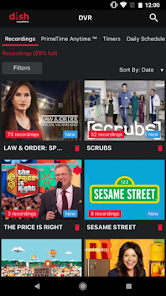
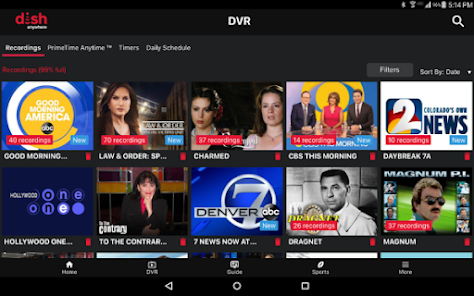
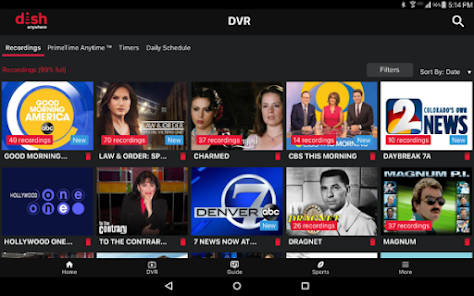
Easily manage your recorded shows and movies through the app. You can schedule new recordings, delete old ones, and even set up series recordings, all from your mobile device, making it convenient to keep your viewing library organized and up-to-date.

Live TV Streaming

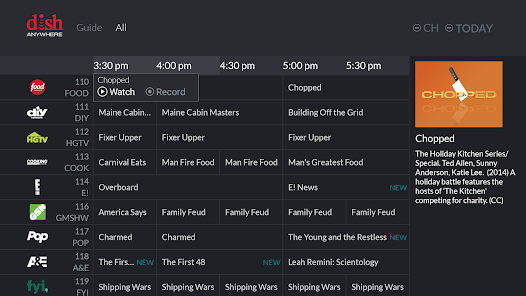
DISH Anywhere allows you to stream live TV from your home DVR wherever you are. Whether you're at work, traveling, or just relaxing at a friend's place, you can catch your favorite shows in real-time, ensuring you never miss a moment of entertainment.

Multi-Device Compatibility

DISH Anywhere is compatible with a wide range of devices, including smartphones, tablets, and laptops. This means you can enjoy your favorite content on the go, no matter what device you have on hand, making it easy to stay entertained anytime, anywhere.

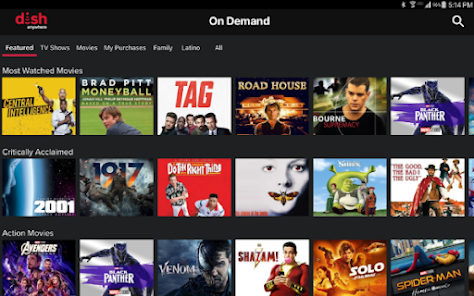
On-Demand Content

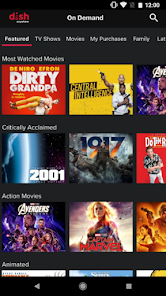
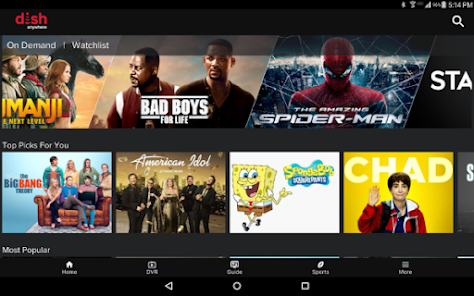
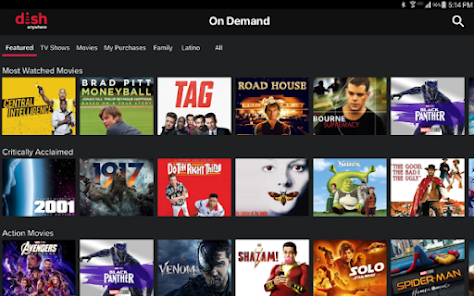
Access a vast library of on-demand movies and shows with DISH Anywhere. Enjoy the flexibility to watch what you want when you want, giving you the freedom to binge your favorite series or discover new films without being tied to a traditional viewing schedule.

Pros & Cons

Pros
  • Stream live TV from anywhere with internet access
  • Access your favorite shows on-demand anytime
  • User-friendly interface for easy navigation
  • Record and manage DVR content remotely
  • Compatible with multiple devices for flexibility
Cons
  • Limited device compatibility restricts user access.
  • Streaming quality varies based on internet speed.
  • Requires a DISH subscription for full functionality.
  • Offline viewing is not supported for recorded content.

Real Experience Using DISH Anywhere

Application Scenarios

DISH Anywhere is designed for users who want to access their content on the go. Whether you're at home or traveling, this app allows you to stream live TV, watch on-demand movies, and catch up on your favorite shows from anywhere with an internet connection. It's particularly useful for those who have a busy lifestyle, as you can easily keep up with your viewing schedule while commuting, waiting at the doctor's office, or even on vacation. Families can also benefit from the app, as it enables multiple users to watch different programs simultaneously, making it an excellent solution for households with varied viewing preferences.

User Experience

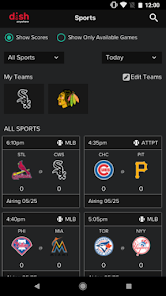
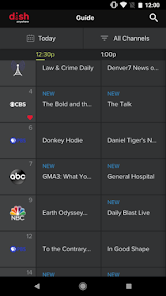
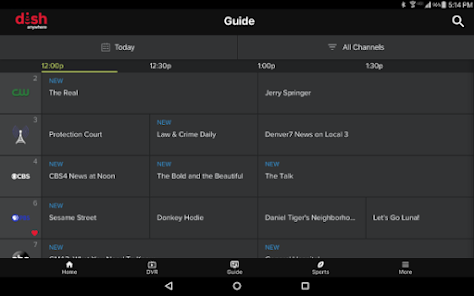
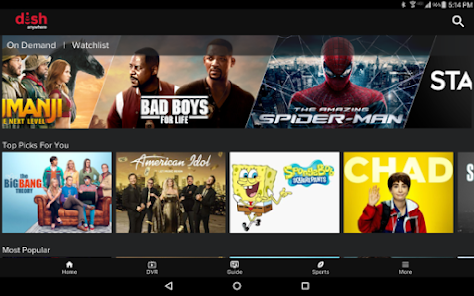
The user interface of DISH Anywhere is intuitive and easy to navigate, which enhances the overall viewing experience. Upon launching the app, users are greeted by a well-organized home screen that showcases featured content, making it easy to find what they want to watch. The app allows users to search for specific shows or movies and offers personalized recommendations based on viewing history. Streaming quality is generally high, with minimal buffering, provided that you have a stable internet connection. Users have reported that the DVR functionality is particularly impressive, allowing them to schedule recordings and watch them later without any hassle. However, some users have noted occasional glitches during peak usage times, which can detract from the overall experience.

Pricing

DISH Anywhere is available to customers who have a DISH Network subscription, meaning that the app is included at no additional cost as part of your existing service package. DISH offers various subscription plans with different pricing structures, which can accommodate a range of budgets and viewing needs. While the app itself does not require a separate purchase, users should be aware of the potential costs associated with their DISH service, including equipment rental and premium channel subscriptions. Overall, many users find that the convenience and features offered by the app justify the expense of their DISH subscription.

Updates & Support

DISH Anywhere receives regular updates aimed at improving functionality and user experience. The developers seem committed to addressing user feedback, often introducing new features or enhancements based on user requests. The app's support team is generally responsive, providing assistance through various channels, including online help articles and customer service representatives. Users have reported positive experiences when reaching out for help, noting that support staff are knowledgeable and helpful in resolving issues. Frequent updates and a dedicated support system contribute to a sense of reliability and trust in the app, making it a valuable companion for any DISH Network subscriber.

verified Security & Privacy Review

The DISH Anywhere app takes user security and privacy seriously, implementing several measures to protect personal information. The app uses encryption protocols to safeguard data transmitted between devices and DISH servers, ensuring that sensitive information remains confidential during usage. In terms of permissions, DISH Anywhere requires access to specific device functionalities, such as storage and network connections, to provide seamless streaming and recording capabilities. Users should review these permissions carefully, as the app may request access to their location data to enhance their viewing experience through localized content recommendations. DISH maintains a privacy policy that outlines how user data is collected, used, and shared. The company commits to not selling personal information to third parties, although data may be shared with partners for service improvement and marketing purposes. Users have the option to manage their privacy settings within the app, giving them control over the information they choose to share. Overall, DISH Anywhere demonstrates a commitment to protecting user privacy while offering an engaging streaming experience.

Reviews

4.8

“Great for watching live TV on the go!”

“User-friendly interface, easy to navigate.”

“Occasional buffering but overall a solid experience.”

“Love the flexibility to stream anywhere.”

“Reliable access to my favorite shows anytime!”

FAQ

1

Does DISH Anywhere collect my personal data?

Yes, DISH Anywhere collects certain personal data to enhance user experience, such as viewing preferences and usage patterns, but it adheres to privacy policies to protect your information.

2

Does DISH Anywhere offer a free trial or free version?

DISH Anywhere does not offer a standalone free trial or free version; it is available exclusively to DISH Network subscribers as part of their service.

3

Does DISH Anywhere require an internet connection?

Yes, DISH Anywhere requires a stable internet connection to stream content, whether you are using Wi-Fi or mobile data.

4

How can I contact support or send feedback for DISH Anywhere?

You can contact DISH Anywhere support through the DISH Network website or app, or by calling their customer service number for assistance and feedback.

5

How do I manage or cancel my DISH Anywhere subscription?

You can manage or cancel your DISH Anywhere subscription through your DISH Network account online or by contacting DISH customer service for assistance.

How to use DISH Anywhere

1

Can I watch live TV on the DISH Anywhere app?

Yes, the DISH Anywhere app allows you to stream live TV channels as long as you have an active subscription and a compatible device.

2

How can I contact DISH customer service?

You can contact DISH customer service via phone at 1-800-333-3474 or through their website for live chat support.

3

How do I activate the DISH Anywhere app?

You typically need to log in with your DISH account. If prompted, follow the on-screen instructions to complete the activation process.

4

How do I log in to the DISH Anywhere app?

To log in, open the app and enter your DISH account credentials. If you don’t have an account, you can create one directly in the app.

5

How do I update the DISH Anywhere app?

To update, go to your device’s app store, search for DISH Anywhere, and select "Update" if available.

Editor's Choice