This site uses cookies to enhance your user experience. By clicking any link on this site you are giving your consent to our cookie policy. Read more
Reject
Accept All

Advertiser and Editorial Disclosures

Community Trust Bank

Community Trust Bank

verified Verified App

Developer: Community Trust Bank, Inc.

  • category

    Category: Finance

  • price

    Price: free

  • age rating

    Age Rating: Everyone

  • rating

    Rating: 4.5

  • download

    Downloads: 50,000+

  • version

    Version: 5.0.43

Screenshot 1
Screenshot 2
Screenshot 3
Screenshot 4
Screenshot 5
Screenshot 6
Screenshot 7
Screenshot 8
Screenshot 9
Screenshot 10
Screenshot 11
Screenshot 12
Screenshot 13
Screenshot 14
Screenshot 15
Screenshot 16
Screenshot 17

Features & Highlights

Community Engagement Programs

Community Trust Bank believes in giving back to the communities it serves. Through various engagement programs and local sponsorships, the bank actively supports local events, schools, and non-profits, fostering a strong sense of community and partnership.

Mobile Banking App

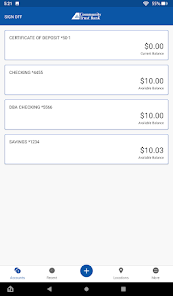
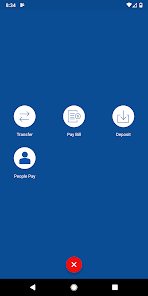
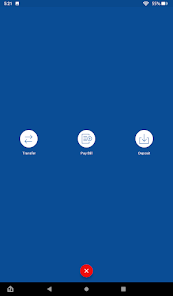
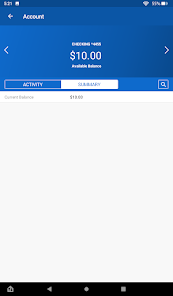
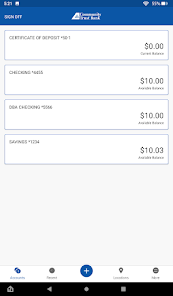
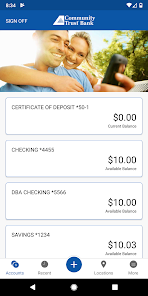
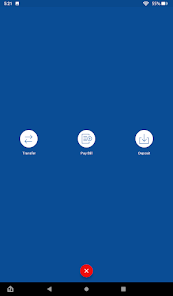
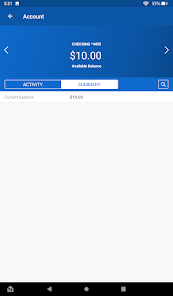
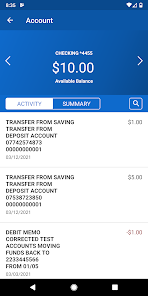
With the Community Trust Bank mobile banking app, managing your finances on the go has never been easier. Enjoy features like instant balance checks, fund transfers, and bill payments right from your smartphone, allowing you to stay connected to your finances anytime, anywhere.

Personalized Customer Service

Community Trust Bank prides itself on offering personalized customer service that truly understands your unique banking needs. With a dedicated team ready to assist you, you’ll find banking solutions that fit your lifestyle, making every visit or call a friendly and helpful experience.

Secure Online Banking

Your security is our top priority at Community Trust Bank. With advanced encryption technology and multi-factor authentication, you can confidently manage your accounts online, knowing that your sensitive information is protected against unauthorized access and fraud.

Pros & Cons

Pros
  • Personalized customer service tailored to your needs
  • Competitive interest rates for savings and loans
  • Local decision-making for faster approvals
  • Community-focused initiatives supporting local growth
  • Wide range of financial products for all customers
Cons
  • Limited branch locations can hinder accessibility
  • Higher fees compared to competitors may deter customers
  • Customer service response times can be slow
  • Technology may not be as advanced or user-friendly

Real Experience Using Community Trust Bank

Application Scenarios

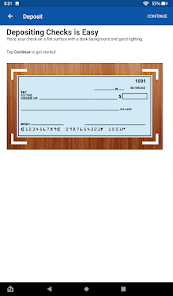
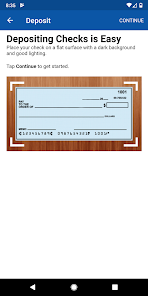
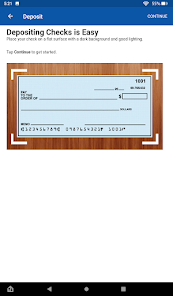
The Community Trust Bank app is designed to cater to a wide array of banking needs for both personal and business users. Whether you're looking to manage your day-to-day finances, transfer money to friends or family, or pay bills, this app has you covered. Users can easily deposit checks using their smartphone cameras, which is particularly convenient for those who are always on the go. Small business owners can also benefit from features that allow them to track expenses, manage payroll, and access business loans. Additionally, the app provides tools for budgeting and savings, making it an excellent choice for individuals looking to gain better control over their financial health.

User Experience

The user experience of the Community Trust Bank app is intuitive and user-friendly. Upon launching the app, users are greeted with a clean interface that makes navigation straightforward. The layout is well-organized, with key features easily accessible from the home screen. Users have reported that performing transactions such as fund transfers and bill payments is seamless, with minimal loading times. The app also offers personalized notifications, keeping users informed about their account status and important updates. Security features such as biometric login and two-factor authentication are in place, ensuring that users feel safe while managing their finances. Overall, the app creates a hassle-free experience that encourages users to engage more with their banking needs.

Pricing

One of the standout features of the Community Trust Bank app is its transparency in pricing. The app is free to download and use, with no hidden fees for basic banking services. While certain premium features may incur a charge, such as overdraft protection or expedited funds transfers, the basic functions required for everyday banking are offered at no cost. Users can easily find detailed pricing information within the app or on the bank’s website, ensuring they are well-informed about any potential charges associated with their accounts. This transparency helps build trust and encourages users to take advantage of the app’s features without worrying about unexpected costs.

Updates & Support

The Community Trust Bank app is regularly updated, with enhancements aimed at improving functionality and user experience. Users can expect new features and bug fixes rolled out frequently, ensuring that the app remains current with technological advancements and security standards. Customer support is readily available through the app, allowing users to quickly get assistance with any issues they may encounter. The bank offers multiple channels for support, including chat, email, and phone options. This commitment to customer service ensures that users feel valued and supported as they navigate their banking experience, making the Community Trust Bank app a reliable choice for both personal and business banking needs.

verified Security & Privacy Review

The Community Trust Bank app prioritizes user security and privacy, employing robust encryption protocols to safeguard sensitive information. All data transmitted between the app and the bank’s servers is encrypted using industry-standard SSL technology, ensuring that personal and financial details remain confidential. The app requires several permissions to function effectively, including access to location services for ATM and branch locator features. However, users are informed about these permissions upfront and can choose to limit access where possible. The app's privacy policy is transparent, detailing how user data is collected, used, and shared. Community Trust Bank commits to not selling user data to third parties, enhancing user trust. Users can also enable multi-factor authentication for an added layer of security, which significantly reduces the risk of unauthorized access. Regular updates ensure that the app remains compliant with the latest security standards, making it a reliable choice for managing personal finances securely. Overall, Community Trust Bank demonstrates a strong commitment to protecting user data while maintaining transparency in its privacy practices.

Reviews

4.5

“Great customer service and friendly staff!”

“User-friendly app and easy banking.”

“Quick responses to inquiries, very helpful.”

“Reliable bank with convenient locations.”

“Low fees and competitive rates, highly recommend!”

FAQ

1

Does Community Trust Bank collect my personal data?

Yes, Community Trust Bank collects personal data as part of the account setup and transaction processes, but it is committed to protecting your privacy and using your information responsibly.

2

Does Community Trust Bank offer a free trial or free version?

Community Trust Bank does not offer a free trial, but the app itself is free to download and use for existing account holders.

3

Does Community Trust Bank require an internet connection?

Yes, Community Trust Bank requires a stable internet connection to access your accounts and perform transactions.

4

How can I contact support or send feedback for Community Trust Bank?

You can contact Community Trust Bank support through the app, their official website, or by calling their customer service number for assistance and feedback.

5

How do I manage or cancel my Community Trust Bank subscription?

Since Community Trust Bank does not operate on a subscription model, you can manage your account settings through the app, or contact customer service for assistance with account-related inquiries.

How to use Community Trust Bank

1

How do I activate my Community Trust Bank app?

To activate the app, download it, then follow the on-screen instructions to register and link your account.

2

How do I contact Customer Service for the Community Trust Bank app?

You can contact Customer Service by calling the number on the back of your debit card or visiting the official website for support details.

3

How do I find the Customer Number for my account in the Community Trust Bank app?

Your Customer Number can typically be found in your account settings within the app or on your account statement.

4

How do I log in to the Community Trust Bank app?

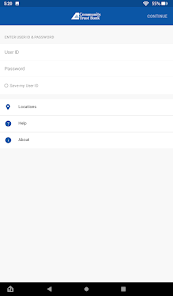
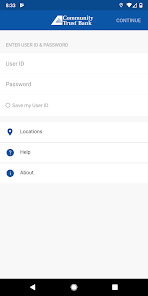
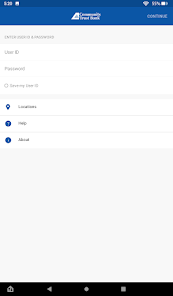
Open the app, enter your username and password, then tap 'Log In' to access your account.

Editor's Choice