This site uses cookies to enhance your user experience. By clicking any link on this site you are giving your consent to our cookie policy. Read more
Reject
Accept All

Advertiser and Editorial Disclosures

Citizens Pay

Citizens Pay

verified Verified App

Developer: Citizens Bank, N.A.

  • category

    Category: Finance

  • price

    Price: free

  • age rating

    Age Rating: Everyone

  • rating

    Rating: 4.6

  • download

    Downloads: 50,000+

  • version

    Version: 4.20.0

Screenshot 1
Screenshot 2
Screenshot 3
Screenshot 4
Screenshot 5
Screenshot 6
Screenshot 7
Screenshot 8
Screenshot 9

Features & Highlights

Flexible Payment Options

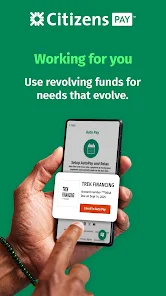
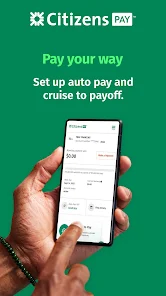
Citizens Pay offers a variety of payment plans tailored to fit your financial needs. Whether you prefer monthly installments or longer-term financing, the app makes it easy to choose a plan that aligns with your budget and spending habits, ensuring a seamless shopping experience.

Instant Approval Process

With Citizens Pay, you can enjoy a quick and hassle-free approval process. The app enables users to receive instant financing decisions, so you can shop with confidence knowing your payment options are already set. This feature eliminates the stress of waiting for credit approvals while shopping.

Secure Transactions

Citizens Pay prioritizes your security with advanced encryption technology to protect your personal and financial information. You can shop with peace of mind, knowing that your data is safeguarded during every transaction, allowing you to focus on enjoying your purchases without worrying about security risks.

User-Friendly Interface

Navigating Citizens Pay is a breeze, thanks to its intuitive design and user-friendly interface. From setting up your account to managing payments, the app streamlines every step, making it accessible for users of all tech levels. You'll find everything you need right at your fingertips.

Pros & Cons

Pros
  • Flexible payment options to fit diverse financial needs
  • Quick and easy application process for convenience
  • Transparent terms with no hidden fees for peace of mind
  • Enhances purchasing power for larger investments
  • Responsive customer support available for any inquiries
Cons
  • High interest rates can lead to costly repayments over time.
  • Limited availability may restrict access for some users.
  • Potential negative impact on credit scores with missed payments.

Real Experience Using Citizens Pay

Application Scenarios

Citizens Pay is designed for a variety of financial scenarios that cater to the modern user's needs. Whether you’re looking to manage your everyday expenses, pay bills, or even set up a savings plan, this app has you covered. Users can link multiple bank accounts and credit cards, allowing for a seamless integration of their financial activities. Citizens Pay excels in scenarios where budgeting is essential, giving users the ability to categorize spending and track progress over time. Additionally, for those looking to make larger purchases, the app provides tailored financing options that can be particularly beneficial for users who may not have immediate cash flow but need to manage their finances responsibly.

User Experience

The user experience within Citizens Pay is commendable, characterized by an intuitive interface that is both user-friendly and aesthetically pleasing. Upon launching the app, users are greeted with a clean dashboard that displays their financial overview at a glance. Navigation is smooth, with clearly labeled sections that make it easy to access various features, such as transaction history, budgeting tools, and payment options. The app also includes helpful tutorials for first-time users, making it accessible for individuals who may not be tech-savvy. Notifications are timely and informative, alerting users to upcoming bills or unusual spending, which enhances the overall experience. Users have noted that the app's performance is consistent, with minimal loading times and no significant glitches, contributing to a reliable financial management tool.

Pricing

Citizens Pay employs a competitive pricing model that appeals to a broad range of consumers. The app offers a free version with essential features, making it an attractive option for users who are just starting to manage their finances. For those looking for more advanced tools, there’s a premium subscription that unlocks additional features, such as personalized financial advice, advanced reporting, and enhanced security measures. The premium pricing is reasonable and provides good value for users who wish to maximize their financial management capabilities. Furthermore, there are occasional promotions that give users a discount on the premium subscription, making it more accessible.

Updates & Support

Citizens Pay is committed to continuous improvement and regularly rolls out updates to enhance functionality and user experience. These updates often include new features based on user feedback, ensuring that the app evolves to meet customer needs. The support system in place is also robust, offering a comprehensive FAQ section and responsive customer service that is available through multiple channels, including in-app chat and email. Users have reported positive experiences with the support team, noting that inquiries are addressed promptly and effectively. Overall, the combination of regular updates and strong customer support significantly contributes to user satisfaction and retention.

verified Security & Privacy Review

The Citizens Pay app prioritizes security and privacy, employing robust encryption protocols to protect user data during transmission and storage. This commitment to safeguarding sensitive information is evident through its use of industry-standard security measures, such as SSL encryption and secure servers. In terms of privacy practices, Citizens Pay has a clear and transparent privacy policy that outlines how user data is collected, used, and shared. Users are informed about the specific types of information collected, including personal, financial, and transaction data, ensuring they are aware of what they are consenting to. The app requires permissions that are relevant to its functionality, such as access to location services for personalized offers. However, users are given the option to manage these permissions, promoting a sense of control over their personal information. Citizens Pay does not sell user data to third parties, which further enhances its privacy credentials. Overall, the app demonstrates a strong commitment to protecting user data and maintaining user trust through responsible data handling practices.

Reviews

4.6

“Easy application process and quick approval!”

“Great financing options for everyday purchases.”

“Customer service is responsive and helpful.”

“Low interest rates compared to other services.”

“Flexible payment plans make budgeting easier.”

Compare APP

FAQ

1

Can I submit suggestions or feedback to Citizens Pay?

Yes, users can submit suggestions or feedback through the app's feedback feature or by reaching out to customer support directly.

2

Does Citizens Pay collect my personal data?

Yes, Citizens Pay collects personal data to provide its services, but it is committed to protecting your privacy and uses data in accordance with its privacy policy.

3

Does Citizens Pay support offline use?

Citizens Pay requires an internet connection for most of its functionalities, but some features may be accessible offline, such as viewing previously downloaded transaction history.

4

How do I cancel my Citizens Pay subscription?

You can cancel your Citizens Pay subscription through the app settings or by contacting customer support for assistance with the cancellation process.

5

How much does a subscription to Citizens Pay cost?

The cost of a subscription to Citizens Pay varies based on the chosen plan, with options for monthly or annual payments available.

How to use Citizens Pay

1

Can I activate my account without a Customer Number?

Yes, you can activate your account using the activation link sent to your email, without needing your Customer Number.

2

How can I contact Customer Service for Citizens Pay?

You can reach Customer Service by calling the number listed on our website or by using the chat feature in your account.

3

How can I update my Customer Number if it’s incorrect?

To update your Customer Number, please reach out to Customer Service for assistance with your account details.

4

How do I log in to my Citizens Pay account?

Visit the Citizens Pay website and click on the "Log In" button. Enter your email and password to access your account.

5

How do I retrieve my Customer Number if I lost it?

You can retrieve your Customer Number by checking your account confirmation email or by contacting Customer Service directly for support.

Editor's Choice