This site uses cookies to enhance your user experience. By clicking any link on this site you are giving your consent to our cookie policy. Read more
Reject
Accept All

Advertiser and Editorial Disclosures

ARzone

ARzone

verified Verified App

Developer: emagein-3d

  • category

    Category: Entertainment

  • price

    Price: free

  • age rating

    Age Rating: Everyone

  • rating

    Rating: 2.1

  • download

    Downloads: 100,000+

  • version

    Version: 2.3.5

Screenshot 1
Screenshot 2
Screenshot 3
Screenshot 4
Screenshot 5
Screenshot 6

Features & Highlights

Augmented Reality Experiences

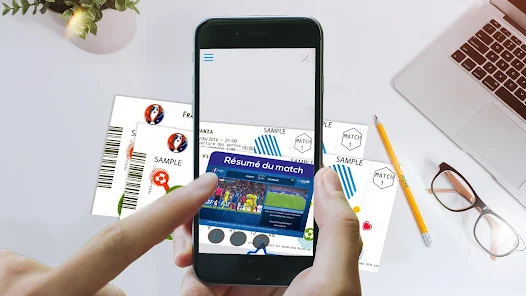
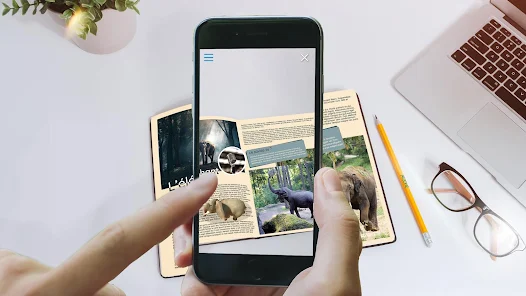
Dive into a world of immersive augmented reality with ARzone, where everyday environments transform into interactive experiences. Whether you're viewing 3D models or engaging with virtual characters, the app brings a new dimension to your surroundings, making learning and exploration incredibly fun.

Interactive Learning Modules

Enhance your knowledge with ARzone's engaging learning modules that combine education with entertainment. These interactive lessons cover various subjects and are designed to make complex topics easier to grasp, turning study time into an exciting adventure.

Social Sharing Features

Connect with friends and share your AR experiences seamlessly through ARzone's built-in social sharing options. Capture and upload your favorite moments, challenge others in AR games, or simply showcase your creativity, all while building a community of fellow AR enthusiasts.

User-Friendly Interface

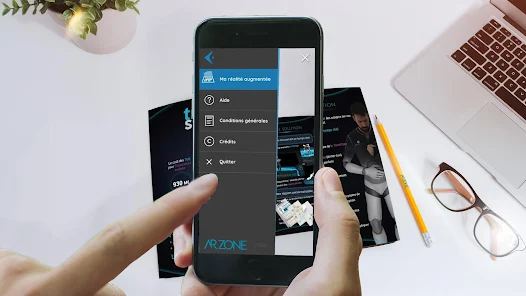
Navigate effortlessly through ARzone's intuitive design, crafted for users of all ages. The straightforward layout ensures that even those new to augmented reality can quickly get the hang of it, allowing you to focus on enjoying the features without any tech hurdles.

Pros & Cons

Pros
  • ARzone enhances user engagement through immersive experiences.
  • It offers real-time interaction with virtual elements.
  • The platform supports various devices for broad accessibility.
  • Users can customize content to suit their preferences.
  • ARzone simplifies complex concepts with visual representations.
Cons
  • Limited device compatibility restricts user access and experience.
  • High data consumption may lead to increased costs for users.
  • Technical glitches can disrupt the immersive experience and frustrate users.

Real Experience Using ARzone

Application Scenarios

ARzone harnesses the power of augmented reality to provide immersive experiences across various scenarios. Whether you're looking to enhance your home decor with virtual furniture, visualize educational content in 3D, or engage in interactive gaming, ARzone caters to a wide audience. For instance, students can benefit from ARzone's ability to transform complex subjects into engaging visual aids, making learning more interactive and enjoyable. Homeowners can use the app to see how different pieces of furniture fit into their space before making a purchase. Additionally, businesses can leverage ARzone for virtual product demonstrations, allowing customers to interact with items in a virtual setting before buying. The versatility of ARzone makes it suitable for personal, educational, and commercial use, appealing to a broad demographic.

User Experience

The user experience in ARzone is designed to be intuitive and engaging. Upon launching the app, users are greeted with a clean interface that makes navigation seamless. The onboarding process is straightforward, guiding users through the key features without overwhelming them. Users appreciate the responsiveness of the augmented reality features, which allow for real-time interactions with 3D objects. The graphics are visually appealing, and the app runs smoothly on various devices, making it accessible to a wide range of users. Feedback from users highlights the satisfaction of seeing digital content blend seamlessly with the real world, enhancing their interaction with the environment. Overall, ARzone successfully combines functionality and a user-friendly design, ensuring an enjoyable experience for both novice and experienced users alike.

Pricing

ARzone adopts a freemium pricing model, allowing users to access basic features at no cost. This approach has garnered positive responses, as it enables potential users to explore the app's capabilities before committing financially. For those looking for advanced features, a premium subscription is available, unlocking additional functionalities such as exclusive content, enhanced customization options, and ad-free usage. The pricing is competitive compared to similar apps in the market, making it a viable option for users who want to maximize their augmented reality experience without breaking the bank. Regular promotions and discounts on premium subscriptions also provide an opportunity for users to enjoy the app's full potential at a reduced cost.

Updates & Support

ARzone is committed to continuous improvement, with regular updates that enhance functionality and user experience. The development team actively listens to user feedback, incorporating suggestions and fixing bugs swiftly. Users can expect new features and content additions with each update, keeping the app fresh and engaging. In terms of support, ARzone offers a comprehensive help center filled with FAQs, tutorials, and troubleshooting tips. For more personalized assistance, users can contact customer support through various channels, including email and social media. This proactive approach to updates and customer support ensures that users feel valued and connected, fostering a loyal community around the app.

verified Security & Privacy Review

ARzone places a strong emphasis on user security and privacy, ensuring that personal information is handled with care. The app adheres to industry-standard encryption protocols to protect data both in transit and at rest, mitigating the risk of unauthorized access. When it comes to permissions, ARzone requires access to the device camera and location services to deliver its augmented reality features. Users are given clear notifications regarding these permissions, allowing them to make informed decisions about their data sharing. It is important that users review these permissions carefully during the setup process. The app's privacy policy outlines how user data is collected, used, and stored. ARzone commits to not selling personal data to third parties, reinforcing its dedication to user privacy. Additionally, users have the option to delete their accounts and associated data, promoting transparency and control over personal information. Overall, ARzone demonstrates a solid approach to security and privacy, prioritizing user trust while providing engaging AR experiences.

Reviews

2.1

“Innovative AR features enhance my creative projects!”

“User-friendly interface makes it easy to navigate.”

“Amazing graphics, truly immersive experience.”

“Great for educational purposes, kids love it!”

“Regular updates keep improving functionality.”

FAQ

1

Can I submit suggestions or feedback to ARzone?

Yes, users can submit suggestions or feedback through the app's feedback feature or directly via the support contact provided within the app.

2

Does ARzone collect my personal data?

Yes, ARzone may collect personal data in accordance with its privacy policy to enhance user experience and provide personalized content.

3

Does ARzone support offline use?

Certain features of ARzone may require an internet connection, but some aspects can be accessed offline once they are downloaded.

4

How do I cancel my ARzone subscription?

Users can cancel their subscription by going to their account settings within the app or through the app store where they purchased the subscription.

5

How much does a subscription to ARzone cost?

Subscription costs for ARzone may vary depending on the plan selected; users can check the app for the most current pricing details.

How to use ARzone

1

Can I log in from multiple devices?

Yes, you can log in to your ARzone account from multiple devices. Just enter your credentials on each device to access your account.

2

How can I find my customer number?

Your customer number is usually included in your confirmation email or account settings under your profile. If you still can't find it, reach out to customer service.

3

How do I change my password after logging in?

Once logged in, go to your account settings and select 'Change Password.' Follow the prompts to set a new password.

4

How do I log in to my ARzone account?

You can log in by entering your email and password on the ARzone homepage. If you’ve forgotten your password, use the 'Forgot Password' link to reset it.

5

I need help with my account activation. Who can I contact?

For assistance with account activation, please contact our customer service team. They can guide you through the process.

Editor's Choice