This site uses cookies to enhance your user experience. By clicking any link on this site you are giving your consent to our cookie policy. Read more
Reject
Accept All

Advertiser and Editorial Disclosures

Acorn TV: Brilliant Hit Series

Acorn TV: Brilliant Hit Series

verified Verified App

Developer: RLJ Entertainment

  • category

    Category: Entertainment

  • price

    Price: free

  • age rating

    Age Rating: Teen

  • rating

    Rating: 4.2

  • download

    Downloads: 1,000,000+

  • version

    Version: 5.0.21.1

Screenshot 1
Screenshot 2
Screenshot 3
Screenshot 4
Screenshot 5
Screenshot 6
Screenshot 7
Screenshot 8
Screenshot 9
Screenshot 10

Features & Highlights

Ad-Free Experience

Immerse yourself fully in captivating narratives without interruptions, thanks to Acorn TV's ad-free experience. Enjoy uninterrupted viewing of your favorite hit series, allowing you to get lost in the story without commercial breaks.

Exclusive British Content

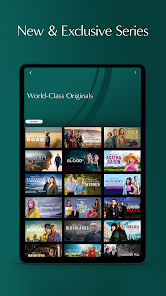
Dive into a treasure trove of exclusive British series that you won’t find anywhere else. From thrilling dramas to charming comedies, Acorn TV offers a unique selection that showcases the best of British storytelling, making it a must-have for fans of quality television.

Offline Viewing Options

Take your favorite shows on the go with Acorn TV's offline viewing feature. Simply download episodes to your device and enjoy them anytime, anywhere, whether you're traveling or just relaxing at home without Wi-Fi access.

User-Friendly Interface

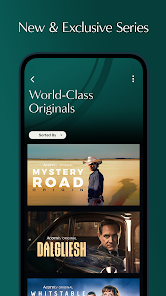
Enjoy a seamless viewing experience with Acorn TV's user-friendly interface. Navigate effortlessly through a vast library of shows, and easily find new series or revisit your favorites, all designed to enhance your binge-watching sessions.

Pros & Cons

Pros
  • Discover a curated selection of critically acclaimed international series.
  • Enjoy exclusive premieres and original content not found elsewhere.
  • Experience ad-free streaming for uninterrupted viewing pleasure.
  • Access a diverse range of genres to suit every taste.
  • Enjoy flexible viewing on multiple devices, anytime, anywhere.
Cons
  • Limited availability of popular titles compared to larger streaming platforms
  • Subscription costs may not justify the content offered
  • Interface can be less user-friendly than competitors

Real Experience Using Acorn TV: Brilliant Hit Series

Application Scenarios

Acorn TV is tailored for those who relish high-quality international television, particularly British and Australian series. Users can indulge in a plethora of genres, including drama, mystery, comedy, and documentaries, making it a versatile option for varied tastes. Whether you are commuting, relaxing at home, or enjoying a cozy night in, Acorn TV offers an extensive library of content to keep you entertained. The app is particularly valuable for fans of classic and contemporary shows alike, allowing users to discover hidden gems or revisit beloved series. With its offline viewing feature, users can download episodes and enjoy them without an internet connection, making it perfect for travel or areas with limited connectivity.

User Experience

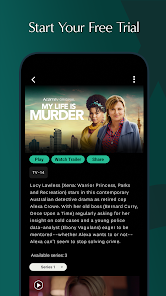
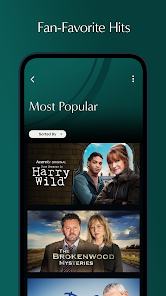
The Acorn TV app boasts a user-friendly interface that is both intuitive and visually appealing. Navigation is seamless, allowing users to browse through categories like “Popular,” “New Releases,” and “Recommendations.” The search function is efficient, enabling users to quickly locate specific titles or actors. Playback quality is commendable, with options for HD streaming if your connection supports it. Users have reported minimal buffering issues, contributing to an enjoyable viewing experience. Additionally, the app offers personalized watchlists and viewing history, making it easy to pick up where you left off. However, some users have noted that the app occasionally experiences glitches, such as slow loading times or app crashes, which can disrupt the experience.

Pricing

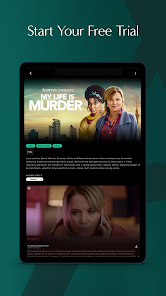
Acorn TV operates on a subscription-based model, providing excellent value for the wealth of content available. Users can choose from a monthly or annual subscription, with the annual plan offering a slight discount. The pricing is competitive compared to similar streaming services, especially for those with a penchant for international programming. Acorn TV also frequently offers free trials, allowing potential subscribers to explore the service before fully committing. This approach is appreciated by users who want to gauge the content library and overall experience without financial risk.

Updates & Support

Acorn TV is committed to keeping its platform fresh with regular updates that enhance functionality and introduce new features. The app is frequently updated to address bugs and improve performance, ensuring a smooth user experience. Customer support is available through various channels, including email and a help center with FAQs, which many users find helpful. While response times may vary, the support team is generally praised for being knowledgeable and accommodating. Additionally, the community forums allow users to share feedback, suggest enhancements, and discuss their favorite shows, fostering a sense of community among subscribers.

verified Security & Privacy Review

Acorn TV prioritizes user security and privacy, implementing robust measures to protect sensitive information. The app employs encryption protocols for data transmission, ensuring that user data is secure from unauthorized access. Additionally, Acorn TV adheres to strict privacy policies that outline how personal information is collected, used, and stored. When installing the app, users are informed about the permissions required, such as access to device storage and network connectivity. These permissions are essential for delivering a seamless streaming experience, but users should be aware of what data they are sharing. Acorn TV does not sell user data to third parties, aligning with industry best practices for data handling. Users have control over their personal information, with options to manage privacy settings and account preferences directly within the app. Overall, Acorn TV demonstrates a commitment to safeguarding user privacy while providing an enjoyable viewing experience.

Reviews

4.2

“Great selection of unique international shows!”

“Love the classic British series available here.”

“User-friendly interface makes browsing enjoyable.”

“Perfect for fans of mystery and drama.”

“High-quality content with minimal ads.”

FAQ

1

Can I submit suggestions or feedback to Acorn TV: Brilliant Hit Series?

Yes, users can submit suggestions or feedback through the app or website, typically found in the support or contact sections.

2

Does Acorn TV: Brilliant Hit Series collect my personal data?

Yes, like many streaming services, Acorn TV: Brilliant Hit Series collects personal data as outlined in its privacy policy, which may include information such as viewing habits and account details.

3

Does Acorn TV: Brilliant Hit Series support offline use?

Yes, Acorn TV: Brilliant Hit Series allows users to download select titles for offline viewing on supported devices.

4

How do I cancel my Acorn TV: Brilliant Hit Series subscription?

You can cancel your subscription through your account settings in the app or website, or by contacting customer support for assistance.

5

How much does a subscription to Acorn TV: Brilliant Hit Series cost?

Subscription costs may vary by region, but typically it ranges from $5 to $7 per month, with options for annual subscriptions that offer savings.

How to use Acorn TV: Brilliant Hit Series

1

Can I log in to my Acorn TV account from multiple devices?

Yes, you can log in to your account from multiple devices, but make sure to log out from devices you no longer use.

2

How can I contact customer service for issues with my Acorn TV account?

You can reach our customer service via the help section on our website or by calling the support number provided in your account details.

3

How do I activate my Acorn TV account after signing up?

To activate your account, log in using your email and password, then follow the prompts to complete the setup.

4

How do I change my email associated with my Acorn TV account?

Log into your account, go to settings, and update your email address. If you need further help, contact customer service.

5

I forgot my customer number; how can I retrieve it?

You can retrieve your customer number by checking your account confirmation email or logging into your account settings.

Editor's Choice