This site uses cookies to enhance your user experience. By clicking any link on this site you are giving your consent to our cookie policy. Read more
Reject
Accept All
Screen Time - Parental Control

Screen Time - Parental Control

verified Verified App

Developer: Parental Control App by Screen Time Labs

  • category

    Category: Parenting

  • price

    Price: free

  • age rating

    Age Rating: Everyone

  • rating

    Rating: 3.0

  • download

    Downloads: 1,000,000+

  • version

    Version: 3.11.71

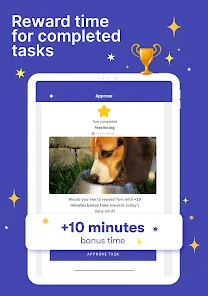
Screenshot 1
Screenshot 2
Screenshot 3
Screenshot 4
Screenshot 5
Screenshot 6
Screenshot 7
Screenshot 8
Screenshot 9
Screenshot 10
Screenshot 11
Screenshot 12
Screenshot 13
Screenshot 14
Screenshot 15
Screenshot 16
Screenshot 17
Screenshot 18
Screenshot 19
Screenshot 20
Screenshot 21
Screenshot 22
Screenshot 23
Screenshot 24

Features & Highlights

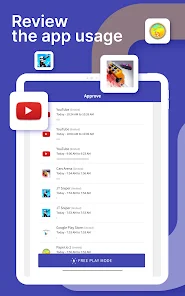
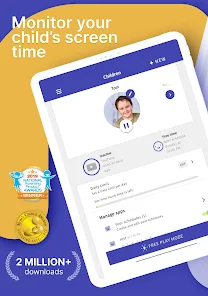
Activity Reports

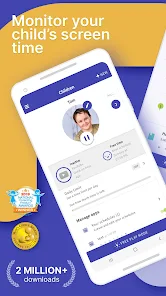
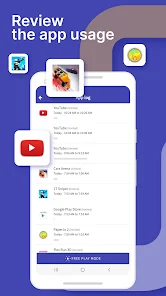
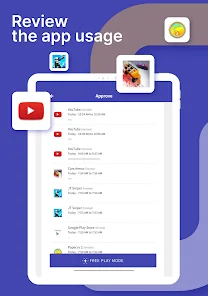
Receive detailed reports on your children's app usage and screen time patterns. These insights not only help you understand their digital habits but also facilitate meaningful conversations about responsible technology use, enabling you to guide them towards healthier habits.

App Blocking

Easily manage which apps your kids can access by setting up custom restrictions. Whether it’s limiting social media or blocking games during homework hours, this feature empowers you to tailor their digital experience for better focus and productivity.

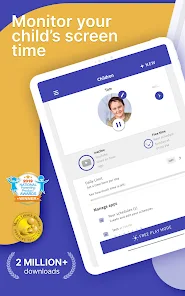
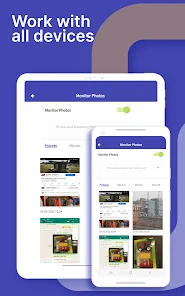
Device Usage Monitoring

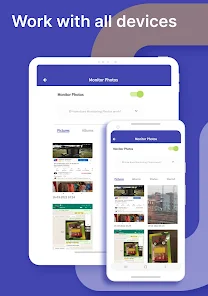
Keep a close eye on how much time your children spend on their devices with real-time usage tracking. This feature allows you to gain insights into their screen time habits, helping you to foster healthier digital behaviors and encourage balanced offline activities.

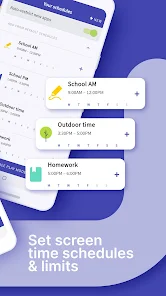
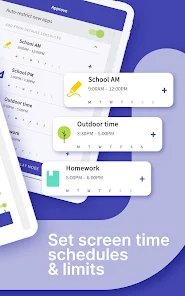
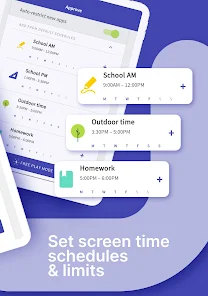
Schedule Limits

Create personalized screen time schedules that align with your family's routine. This capability lets you designate specific hours for device use, helping to ensure that your children prioritize essential tasks like homework or family time before diving into their screens.

Pros & Cons

Pros
  • Promotes healthy digital habits for children
  • Encourages balanced screen time management
  • Provides insights into app usage patterns
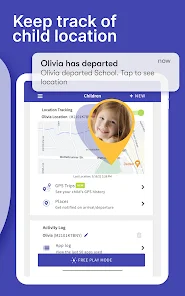
  • Enables remote monitoring of children's devices
  • Helps set customized usage limits easily
Cons
  • Limits children's autonomy and decision-making skills
  • May cause conflicts between parents and children
  • Can lead to over-reliance on technology
  • Might not address underlying behavioral issues

Real Experience Using Screen Time - Parental Control

Application Scenarios

Screen Time - Parental Control is designed to empower parents in managing their children's device usage effectively. The app is particularly useful in various scenarios such as limiting screen time during homework hours, ensuring that kids have a balanced lifestyle by encouraging outdoor activities, and helping to create healthy digital habits. For instance, parents can set specific time limits for gaming or social media apps, allowing children to enjoy their favorite activities while also prioritizing responsibilities. Additionally, the app is beneficial for monitoring app usage, providing insights into which applications consume the most time, thus enabling informed discussions about technology use within the family. Whether it’s during family dinners, bedtime, or study sessions, Screen Time offers flexible scheduling options that cater to different family routines.

User Experience

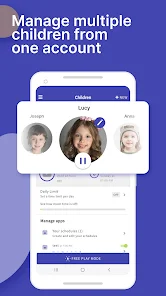
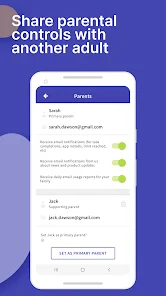
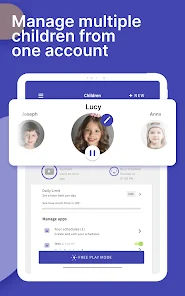
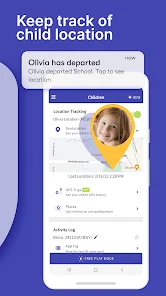
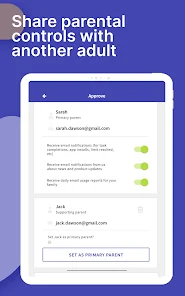
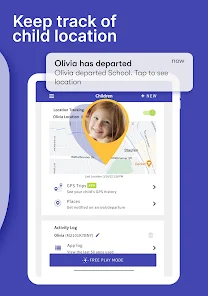
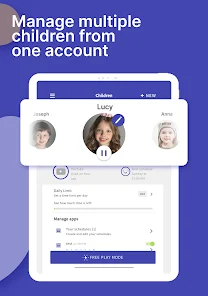
The user experience with Screen Time is generally positive, as it boasts an intuitive interface that is easy to navigate. Upon setup, parents are guided through the features with helpful prompts, making it straightforward to configure settings. The app allows for customized profiles for each child, which means that parents can tailor restrictions based on age and individual needs. Real-time notifications keep parents informed about their child’s device activity, fostering an open dialogue about screen time. Moreover, the ability to remotely adjust settings from a parent’s device is a standout feature, enabling parents to make changes on-the-go. However, some users have reported occasional glitches, such as the app not updating usage statistics promptly. Overall, the functionality outweighs minor technical issues, and the developers are responsive to feedback.


Pricing

Screen Time offers a free version that includes basic features, allowing parents to test its core functionalities. However, to unlock the full potential of the app, including advanced insights, unlimited device management, and detailed activity reports, users are encouraged to upgrade to the premium subscription. The pricing model is competitive, with options for monthly, quarterly, or annual subscriptions, making it accessible for families of various budgets. Users often appreciate the value that comes with the premium version, especially as it fosters a more structured approach to managing screen time, which can lead to healthier habits for children.

Updates & Support

The development team behind Screen Time is committed to continuous improvement, regularly releasing updates that enhance functionality and address user concerns. These updates often include new features based on user feedback, which shows that the developers are attentive to the needs of parents. Support is readily available through an extensive FAQ section on their website, as well as through direct email support. Users have expressed satisfaction with the responsiveness of the support team, noting that they receive timely assistance with any issues encountered. Overall, the combination of regular updates and strong customer support contributes to a reliable user experience.

verified Security & Privacy Review

The Screen Time - Parental Control app prioritizes user security and privacy by implementing robust data protection measures. It employs encryption protocols to safeguard sensitive information, ensuring that personal data remains secure against unauthorized access. The app requires specific permissions to function effectively, including access to device usage statistics and notifications. These permissions are clearly outlined during the setup process, allowing users to make informed decisions about their data sharing. Users are encouraged to review these permissions periodically to maintain control over their information. Screen Time adheres to strict privacy practices, collecting only the necessary data to enhance user experience. Personal information is not shared with third parties without explicit consent, aligning with industry standards for data privacy. The app also provides users with options to manage their data, including the ability to delete account information and usage data at any time. Overall, Screen Time demonstrates a commitment to protecting user privacy and ensuring data security, making it a reliable choice for parents seeking to monitor their children's device usage.

Reviews

3.0

“Great tool for managing kids' screen time effectively.”

“User-friendly interface makes monitoring easy and efficient.”

“Customizable settings allow tailored control over device usage.”

“Helps promote healthy habits for my children.”

“Reliable app with timely updates and features.”

Editor's Choice