This site uses cookies to enhance your user experience. By clicking any link on this site you are giving your consent to our cookie policy. Read more
Reject
Accept All
Bark - Parental Controls

Bark - Parental Controls

verified Verified App

Developer: Bark Technologies, Inc.

  • category

    Category: Parenting

  • price

    Price: free

  • age rating

    Age Rating: Everyone

  • rating

    Rating: 4.2

  • download

    Downloads: 500,000+

  • version

    Version: 6.0.11

Screenshot 1
Screenshot 2
Screenshot 3
Screenshot 4
Screenshot 5
Screenshot 6
Screenshot 7

Features & Highlights

Advanced Monitoring

Bark offers comprehensive monitoring across various platforms, including social media, texts, and emails. This means you can stay informed about your child's online interactions and potential risks, allowing for timely discussions about digital safety and responsible behavior in an increasingly connected world.

Custom Alerts

With Bark's custom alerts, parents receive notifications about potential issues such as cyberbullying, self-harm, or inappropriate content. This proactive approach ensures that you are always in the loop, helping you to address concerns before they escalate and maintain an open line of communication with your child.


Location Tracking

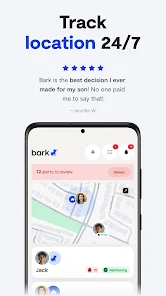
Stay connected with your child through Bark's location tracking feature, which provides real-time updates on their whereabouts. This capability offers peace of mind for parents, ensuring that you know where your child is at all times, fostering a sense of security in today's fast-paced world.

Screen Time Management

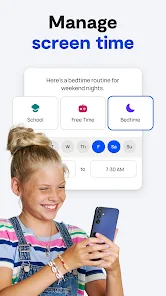
Bark allows you to set healthy boundaries with screen time management features, enabling you to customize app usage limits and device downtime. This helps promote a balanced lifestyle for your child, encouraging them to engage in offline activities and family time without the distractions of their devices.

Pros & Cons

Pros
  • Monitors online activity for safety awareness
  • Alerts parents to potential risks and dangers
  • Customizable settings for tailored protection
  • Supports multiple devices for comprehensive coverage
  • Encourages healthy digital habits in children
Cons
  • Limited compatibility with some devices and platforms
  • High subscription cost for premium features
  • May generate false alerts, causing unnecessary concern
  • User interface can be confusing for some parents

Real Experience Using Bark - Parental Controls

Application Scenarios

Bark - Parental Controls is designed to cater to a variety of scenarios that parents face in the digital age. It is particularly beneficial for families with children who are active on social media platforms, messaging apps, and gaming consoles. For instance, parents can use Bark to monitor their kids' online interactions, ensuring they remain safe from cyberbullying, inappropriate content, and potential predators. The app is versatile enough to be used for children of all ages, whether they are just starting to explore the internet or are teenagers navigating more complex online relationships. Additionally, Bark can be utilized to set screen time limits, providing a balanced approach to digital consumption. Families can also benefit from the location tracking feature, which is invaluable for ensuring that younger children are where they are supposed to be, offering peace of mind to parents at all times.

User Experience

The user experience with Bark is largely positive, as it boasts a user-friendly interface that makes navigation simple for parents. After a straightforward setup process, parents can easily access monitoring features and customize alerts according to their preferences. The app provides detailed reports on children’s online activities, making it easy for parents to engage in meaningful conversations about digital safety. Parents appreciate the ability to receive alerts about potential risks without having to constantly check their child's devices. However, some users have expressed concerns about the app's occasional false positives, which can lead to unnecessary alarm. In general, the app strikes a balance between providing essential monitoring and respecting the child's privacy, which many users find commendable.

Pricing

Bark offers competitive pricing plans, making it accessible for a wide range of families. The standard subscription model includes various features like monitoring multiple devices, screen time management, and location tracking. Parents can choose between monthly or annual subscriptions, with the annual plan offering a slight discount. While some may find the cost to be on the higher side compared to other parental control apps, the comprehensive features and peace of mind it provides justify the investment for many families. Additionally, Bark occasionally offers promotional discounts, making it easier for parents to try the service without a hefty upfront commitment.

Updates & Support

Bark is committed to continuous improvement, regularly releasing updates to enhance functionality and address any bugs or issues that users may encounter. The app’s development team is responsive to user feedback, often implementing requested features. Customer support is readily available through various channels, including email and a help center filled with FAQs and guides. Users have reported positive experiences with the support team, noting prompt and helpful responses to their inquiries. Overall, Bark demonstrates a strong commitment to keeping families safe online while ensuring a smooth user experience through regular updates and effective support.

verified Security & Privacy Review

The Bark - Parental Controls app prioritizes user privacy and data security, implementing robust measures to safeguard sensitive information. The app adheres to stringent data protection regulations, ensuring that personal data is collected only with user consent and is used solely for its intended purpose of monitoring children's online activities. Bark employs advanced encryption techniques to protect user data both in transit and at rest, minimizing the risk of unauthorized access. The app requires permissions that are essential for its functionalities, such as access to text messages, social media accounts, and location data. Users are informed about these permissions and can manage them from their device settings. Furthermore, Bark has a clear privacy policy that outlines how user data is collected, stored, and shared. The app does not sell user data to third parties, reinforcing its commitment to user privacy. Regular updates and security patches ensure that the app remains resilient against emerging threats, making it a trustworthy choice for parents seeking to protect their children's online presence.

Reviews

4.2

“Effective monitoring tool, peace of mind for parents”

“User-friendly interface, easy to navigate”

“Great for managing screen time and online safety”

“Responsive customer support, quick resolution of issues”

“Valuable insights into child's online behavior”

Editor's Choice