This site uses cookies to enhance your user experience. By clicking any link on this site you are giving your consent to our cookie policy. Read more
Reject
Accept All

Advertiser and Editorial Disclosures

Moneybox - Save and Invest

Moneybox - Save and Invest

verified Verified App

Developer: Digital Moneybox Limited

  • category

    Category: Finance

  • price

    Price: Share

  • age rating

    Age Rating: Everyone

  • rating

    Rating: 4.4

  • download

    Downloads: 1,000,000+

  • version

    Version: 12.17.0

Screenshot 1
Screenshot 2
Screenshot 3
Screenshot 4
Screenshot 5
Screenshot 6
Screenshot 7
Screenshot 8
Screenshot 9
Screenshot 10
Screenshot 11
Screenshot 12
Screenshot 13
Screenshot 14
Screenshot 15
Screenshot 16
Screenshot 17
Screenshot 18
Screenshot 19
Screenshot 20
Screenshot 21
Screenshot 22
Screenshot 23
Screenshot 24

Features & Highlights

Investment Options

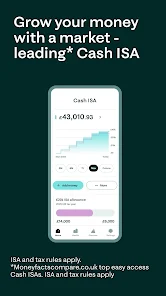
With a variety of investment options available, Moneybox allows users to choose portfolios that align with their financial goals and risk tolerance. Whether you're a beginner or seasoned investor, you can explore different strategies and diversify your investments to maximize growth potential.

Personalized Goals

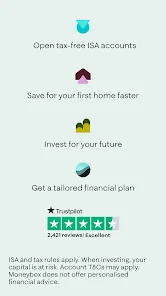
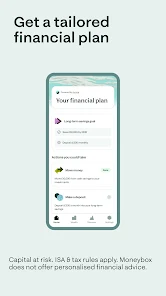
Moneybox empowers you to set personalized savings and investment goals tailored to your aspirations, whether it's saving for a home, a holiday, or retirement. By providing a clear roadmap and regular updates, the app motivates you to stay on track and achieve your financial dreams.

Round Up Savings

Moneybox makes saving effortless by rounding up your everyday purchases to the nearest pound, automatically investing the spare change. This feature allows you to grow your savings without even noticing, turning small transactions into significant investments over time, making saving feel achievable and fun.

User-Friendly Interface

The app boasts a clean, intuitive design that makes it easy for anyone to navigate their financial journey. With straightforward charts and insights, you can track your progress and manage your investments effortlessly, ensuring that you stay informed and engaged every step of the way.

Pros & Cons

Pros
  • Moneybox makes saving effortless with round-up features on everyday purchases.
  • Users can choose from various investment portfolios tailored to their goals.
  • The app provides easy access to your investment performance and growth.
  • Automated savings help users build wealth without extra effort.
  • Moneybox offers educational resources to enhance financial literacy and confidence.
Cons
  • High fees can eat into your investment returns over time.
  • Limited investment choices may not suit all financial goals.
  • The app’s interface can be confusing for new users.

Real Experience Using Moneybox - Save and Invest

Application Scenarios

Moneybox is designed for anyone looking to effortlessly save and invest their money. Whether you're a student aiming to build your first savings account, a young professional wanting to start investing for retirement, or someone who wishes to manage their finances better, Moneybox caters to a wide audience. The app is particularly useful for individuals who may not have extensive financial knowledge but want a straightforward way to grow their wealth. Users can round up their everyday purchases to the nearest pound, with the spare change automatically invested in a diversified portfolio. This feature makes it easy to accumulate savings without feeling the pinch, making it ideal for busy lifestyles.

User Experience

The user interface of Moneybox is sleek and intuitive, making navigation a breeze even for those new to investing. Upon launching the app, users are greeted with a clear dashboard showcasing their savings, investments, and progress towards financial goals. Setting up an account is straightforward, requiring minimal information to get started. The onboarding process includes helpful tips and resources, guiding users on how to maximize their savings and investment potential. Additionally, the app offers personalized insights and notifications on market trends, allowing users to stay informed without being overwhelmed. The gamified features, such as visual progress trackers and achievement badges, enhance user engagement, making the process of saving and investing feel rewarding and fun.

Pricing

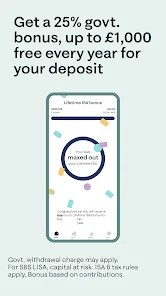
Moneybox adopts a transparent pricing model that appeals to various budgets. The app is free to download and use, but it charges a monthly fee based on the total value of the investments managed. For balances under a certain threshold, users may incur a nominal fee, while those with larger investments enjoy a competitive rate. This tiered pricing structure makes it accessible for new investors while also rewarding those who commit larger sums. Furthermore, Moneybox frequently runs promotions, such as cashback offers and referral bonuses, providing additional incentives for users to engage with the platform. Overall, the pricing is reasonable, considering the value provided through investment management and financial education.

Updates & Support

Moneybox is committed to continuously improving its platform, which is evident through regular updates that introduce new features and enhancements. The development team is responsive to user feedback and actively implements improvements based on common suggestions. The app also provides a comprehensive help center, which includes FAQs, guides, and educational resources to assist users in navigating the platform. For those requiring personalized assistance, customer support is readily available through in-app messaging or email. The proactive approach to updates and support ensures that users feel valued and supported throughout their financial journey, fostering a sense of trust and reliability in the Moneybox experience.

verified Security & Privacy Review

Moneybox prioritizes user security and privacy through robust measures designed to protect personal and financial information. The app employs bank-level encryption to safeguard data during transmission and storage, ensuring that sensitive information remains secure against unauthorized access. In terms of privacy practices, Moneybox adheres to stringent data protection regulations, including GDPR, which governs how user data is collected, processed, and stored. Users are provided with clear and concise privacy policies that outline data usage, including how personal information may be shared with third-party partners for service enhancement. Moneybox requires specific permissions to function effectively, such as access to user accounts for financial tracking and investment management. However, the app minimizes data collection by only requesting essential permissions, thereby reducing potential privacy risks. User data handling is transparent, with options for users to manage their data preferences easily. Moneybox emphasizes user control, allowing individuals to adjust privacy settings and revoke permissions at any time, ensuring a secure and user-centric experience.

Reviews

4.4

“User-friendly interface makes saving effortless and enjoyable.”

“Great for beginners wanting to invest easily.”

“Automated savings feature is a game changer.”

“Excellent customer service and support.”

“Love the round-up savings feature!”

FAQ

1

Can I submit suggestions or feedback to Moneybox - Save and Invest?

Yes, users can submit suggestions or feedback through the app, usually found in the help or support section, which is reviewed by the Moneybox team for potential improvements.

2

Does Moneybox - Save and Invest collect my personal data?

Yes, Moneybox - Save and Invest collects personal data to provide its services, including information for account creation and transaction monitoring, in compliance with privacy regulations.

3

Does Moneybox - Save and Invest support offline use?

Moneybox - Save and Invest primarily requires an internet connection to function, as it relies on real-time data for transactions and investment tracking. Offline use is limited.

4

How do I cancel my Moneybox - Save and Invest subscription?

To cancel your Moneybox - Save and Invest subscription, you can do so through the app settings or by contacting customer support for assistance with the cancellation process.

5

How much does a subscription to Moneybox - Save and Invest cost?

Subscription costs for Moneybox - Save and Invest vary depending on the plan chosen, typically ranging from a low monthly fee for basic services to higher tiers for additional features.

How to use Moneybox - Save and Invest

1

Can I change my customer number?

Unfortunately, customer numbers cannot be changed. If you have concerns about your customer number, please reach out to customer service for assistance.

2

How can I get help with my investment options?

For assistance with investment options, log in to your account and use the in-app chat feature to connect with our customer service team.

3

How do I contact customer service if I have issues with my Moneybox account?

You can reach our customer service team via the in-app chat or by emailing support

4

How do I log in if I've forgotten my password?

Tap 'Forgot your password?' on the login screen to receive a reset link via email. Follow the instructions to create a new password.

5

How do I log in to my Moneybox account?

Open the Moneybox app, enter your email and password, then tap 'Log in.' If you forget your password, use the 'Forgot your password?' link.

Editor's Choice