This site uses cookies to enhance your user experience. By clicking any link on this site you are giving your consent to our cookie policy. Read more
Reject
Accept All

Advertiser and Editorial Disclosures

Words With Friends Word Game

Words With Friends Word Game

verified Verified App

Developer: Zynga

  • category

    Category: Word

  • price

    Price: free

  • age rating

    Age Rating: Everyone

  • rating

    Rating: 4.1

  • download

    Downloads: 10,000,000+

  • version

    Version: 49.03.02

Screenshot 1
Screenshot 2
Screenshot 3
Screenshot 4
Screenshot 5
Screenshot 6
Screenshot 7
Screenshot 8
Screenshot 9
Screenshot 10
Screenshot 11
Screenshot 12
Screenshot 13
Screenshot 14
Screenshot 15
Screenshot 16
Screenshot 17
Screenshot 18
Screenshot 19
Screenshot 20
Screenshot 21

Features & Highlights

Daily Rewards

Stay motivated with daily rewards that encourage you to log in and play regularly. These incentives not only add excitement to your gaming experience but also help you accumulate bonuses, which can be used to enhance your gameplay and unlock new features.

Play With Friends

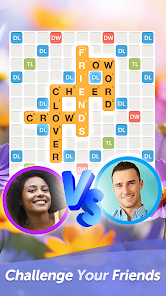
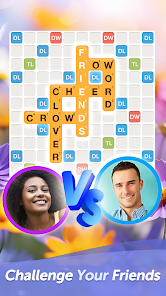
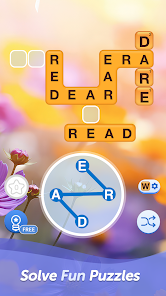
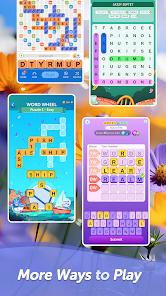
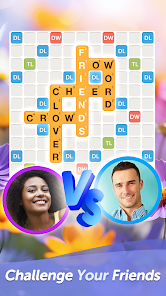
Connect with friends and family by challenging them to a game of Words With Friends, where you can engage in friendly competition. Enjoy real-time matches or play at your own pace, making it easy to fit games into your busy schedule while keeping your social circle entertained.

Solo Challenge Mode

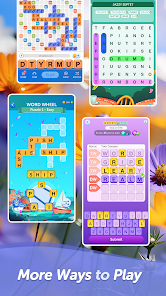
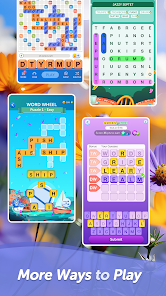
Hone your skills with the Solo Challenge mode, where you can face off against challenging AI opponents. This feature allows you to practice and improve your vocabulary, strategy, and word-building abilities, all while having fun and preparing for your next match against friends.

Word Finder Tool

Utilize the built-in Word Finder tool to discover new words and improve your gameplay. This feature helps you strategize your moves by suggesting possible word combinations, ensuring you make the most of your tiles while expanding your vocabulary.

Pros & Cons

Pros
  • Enhances vocabulary through engaging word challenges
  • Connects friends and family for fun, competitive play
  • Offers a user-friendly interface for easy navigation
  • Features daily challenges to keep gameplay fresh
  • Allows asynchronous play, fitting easily into busy schedules
Cons
  • Limited time per turn can create pressure and stress for players.
  • Frequent ads can disrupt gameplay and diminish user experience.
  • Lack of competitive features may reduce engagement for seasoned players.

Real Experience Using Words With Friends Word Game

Application Scenarios

Words With Friends is a versatile word game that can be enjoyed in a variety of scenarios. Whether you’re sitting at home on the couch, waiting in line, or on a lunch break, this app provides a perfect opportunity to challenge your vocabulary skills. The game allows you to play against friends or family, making it an ideal way to stay connected with loved ones, even if they are miles away. Additionally, the app offers a solo mode where players can practice against the AI, which is useful for honing your skills before challenging other players. The social aspect of the game is enhanced by the ability to send messages and emojis, making each match feel more interactive and engaging. Overall, Words With Friends fits seamlessly into daily routines, providing a quick and entertaining way to pass the time while stimulating your mind.

User Experience

The user experience in Words With Friends is smooth and intuitive. The interface is clean and well-designed, allowing players of all ages to navigate through the game with ease. The board layout is visually appealing, and the tiles are easy to read, which is essential for gameplay. Players can take their time with each turn, making it a stress-free experience. Notifications keep users informed about their opponents' moves, ensuring that matches flow without unnecessary delays. However, some users may find the advertisements intrusive, particularly if they are frequent. The option to purchase an ad-free version is available, which many players appreciate. Overall, the combination of user-friendly design and engaging gameplay creates a satisfying experience that keeps players coming back for more.

Pricing

Words With Friends offers a free version that is ad-supported, making it accessible to a wide range of users. For those who prefer an uninterrupted experience, the app also provides a premium subscription option that removes ads and unlocks additional features. The pricing model is competitive within the mobile gaming market, with reasonable monthly and yearly subscription options. This flexibility allows users to choose the plan that best fits their gaming habits. Additionally, occasional in-game purchases for special tiles or themes can enhance the experience, but these purchases are not necessary to enjoy the core game.

Updates & Support

The developers of Words With Friends are committed to keeping the game fresh and enjoyable through regular updates. These updates often include new features, bug fixes, and seasonal content, which help to maintain player interest and engagement. The support team is responsive and available to assist with any issues that may arise, whether it’s related to gameplay or account management. Users can easily access help through the app or website, where they can find FAQs, troubleshooting guides, and direct contact options. Overall, the continuous updates and dedicated support contribute to a positive gaming experience, ensuring that players feel valued and supported.

verified Security & Privacy Review

The security and privacy practices of Words With Friends are crucial for maintaining user trust in the app. The game implements standard encryption protocols to protect user data during transmission, ensuring that personal information remains secure from unauthorized access. However, users should be mindful of the permissions required by the app. It typically requests access to contacts and storage, which can raise concerns about data usage and sharing. Words With Friends adheres to a privacy policy that outlines how user data is collected, used, and shared. While the app may collect information such as gameplay statistics and user interactions, it is important to note that this data is generally used to enhance the gaming experience and for advertising purposes. Users can manage their privacy settings within the app, allowing them to limit data sharing as they see fit. Overall, while Words With Friends takes steps to secure user data, players should remain vigilant about their privacy settings and be informed about the data they share while enjoying the game.

Reviews

4.1

“Addictive gameplay, great for word lovers”

“Fun way to challenge friends”

“Occasional bugs, but overall enjoyable experience”

“Love the daily challenges and rewards”

“Interface could be more user-friendly”

FAQ

1

Can I submit suggestions or feedback to Words With Friends 2 Word Game?

Yes, players can submit suggestions or feedback through the app's support feature or by contacting customer service directly.

2

Does Words With Friends 2 Word Game collect my personal data?

Yes, Words With Friends 2 collects personal data to enhance user experience, provide services, and for advertising purposes, as outlined in their privacy policy.

3

Does Words With Friends 2 Word Game support offline use?

Words With Friends 2 requires an internet connection to play, as it is designed for online multiplayer interactions.

4

How do I cancel my Words With Friends 2 Word Game subscription?

You can cancel your subscription through your device's app store settings or by following the instructions provided in the app's help section.

5

How much does a subscription to Words With Friends 2 Word Game cost?

The subscription cost for Words With Friends 2 can vary based on the plan selected, typically offering monthly, quarterly, or yearly options.

How to use Words With Friends Word Game

1

How can I contact Customer Service for Words With Friends?

You can contact Customer Service through the in-app support section or by visiting the Zynga support website.

2

How do I find the Customer Number for my account?

Your Customer Number can be found in the app settings under "Help" or "Account Information."

3

How do I log in to my Words With Friends account?

To log in, open the app, select "Log In," and enter your credentials or connect through Facebook or Apple ID.

4

Is there a way to activate my Words With Friends account?

Accounts are usually activated automatically upon sign-up. If you face issues, try logging out and back in or reinstalling the app.

Editor's Choice