This site uses cookies to enhance your user experience. By clicking any link on this site you are giving your consent to our cookie policy. Read more
Reject
Accept All

Advertiser and Editorial Disclosures

Shop Samsung

Shop Samsung

verified Verified App

Developer: Samsung Electronics Co. Ltd

  • category

    Category: Shopping

  • price

    Price: 0

  • age rating

    Age Rating: Everyone

  • rating

    Rating: 4.5

  • download

    Downloads: /

  • version

    Version: 2.0.35010

Screenshot 1
Screenshot 2
Screenshot 3
Screenshot 4
Screenshot 5
Screenshot 6
Screenshot 7
Screenshot 8

Features & Highlights

Easy Checkout Process

The app simplifies your purchasing journey with a streamlined checkout process that saves time and minimizes hassle. With secure payment options and the ability to quickly enter shipping details, you can complete your orders effortlessly, ensuring a smooth shopping experience from start to finish.

Exclusive Deals

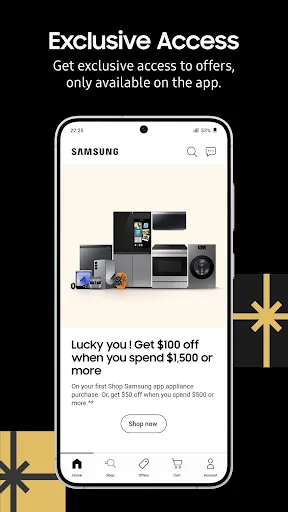
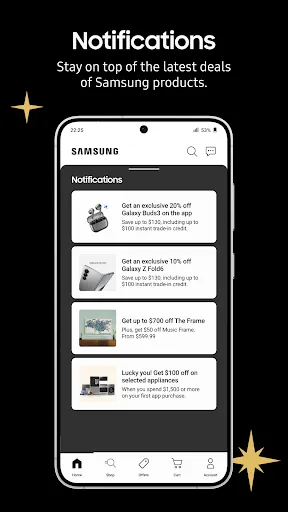
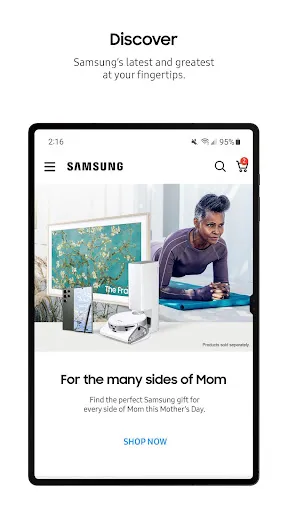
With Shop Samsung, you gain access to exclusive discounts and promotions available only to app users. These offers can significantly enhance your savings on top-of-the-line Samsung products, ensuring you get the best value for your money while enjoying the latest technology.

Personalized Recommendations

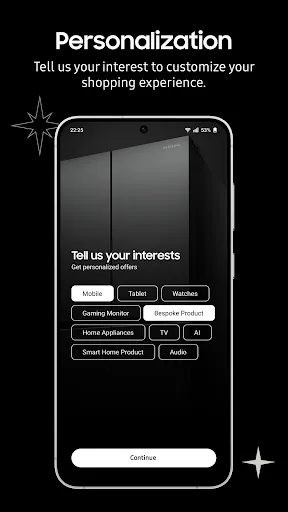
Shop Samsung offers tailored product suggestions based on your preferences and browsing history, making it easier to discover the perfect devices for your needs. This feature enhances your shopping experience by presenting curated options that align with your interests, saving you time and effort in finding ideal products.

Product Comparison Tool

Shop Samsung features an intuitive product comparison tool that allows you to evaluate multiple devices side by side. This functionality enables you to assess specifications, pricing, and features, helping you make informed decisions tailored to your specific requirements.

Pros & Cons

Pros
  • Wide range of innovative products available
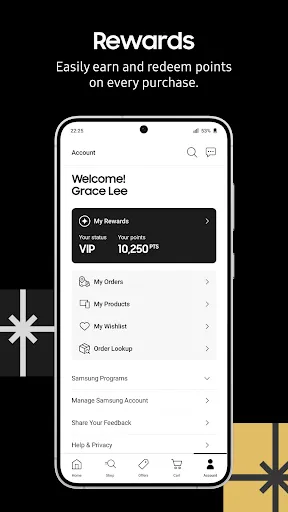
  • Exclusive deals and discounts for members
  • Easy financing options for all budgets
  • Hassle-free returns for customer satisfaction
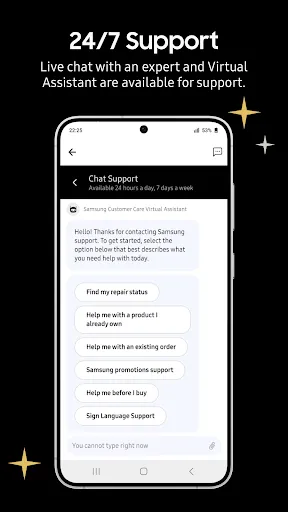
  • Expert customer support for every purchase
Cons
  • Limited product selection compared to physical stores
  • Shipping times can be lengthy for some items
  • Customer service response times may be slow
  • Returns can be complicated and time-consuming

Real Experience Using Shop Samsung

Application Scenarios

The Shop Samsung app is designed for a variety of shopping scenarios, making it an essential tool for Samsung enthusiasts and tech-savvy consumers alike. Whether you're looking to purchase the latest Galaxy smartphone, a state-of-the-art television, or home appliances, this app streamlines the buying process. It’s perfect for users who frequently upgrade their devices or want to explore Samsung's extensive product range. Additionally, the app is beneficial for those who are in the market for accessories, such as cases, chargers, and wearables, all conveniently found in one place. Special promotions and exclusive deals often entice users to check the app regularly, ensuring they never miss out on a great bargain.

User Experience

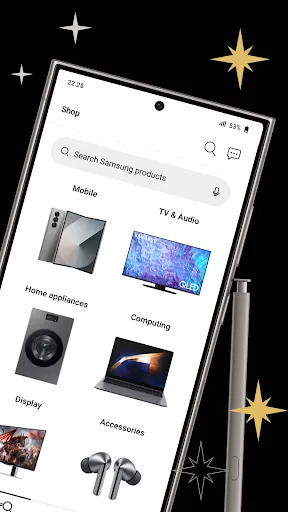
The user experience on the Shop Samsung app is generally smooth and intuitive. The layout is visually appealing, with a clean design that makes navigation easy, even for those who may not be tech-savvy. Users can quickly browse through various categories, filter options, and compare products effortlessly. The app also features high-resolution images and detailed product descriptions, which help consumers make informed decisions. One standout feature is the personalized recommendations based on previous purchases and browsing history, enhancing the shopping experience further. However, some users have reported occasional glitches during peak times, which can be frustrating. Overall, the app offers a satisfactory shopping experience, especially for loyal Samsung customers who appreciate the brand's ecosystem.

Pricing

Pricing on the Shop Samsung app is competitive, often reflecting the current market rates for Samsung products. Users can find exclusive discounts and promotional offers that are not available through other retail platforms. The app frequently features limited-time sales events, helping users save money on their purchases. Samsung also provides various financing options, allowing customers to pay for their devices in installments, which can be particularly appealing for higher-priced items like flagship smartphones and premium appliances. Additionally, loyalty programs and trade-in offers further enhance the value proposition, making it an attractive option for budget-conscious consumers.

Updates & Support

Samsung actively updates the app to improve functionality and user experience. Regular updates often include new features, bug fixes, and enhancements based on user feedback. The support section of the app is robust, offering FAQs, live chat options, and links to customer service for any issues that may arise. Users have reported positive experiences with customer support, citing prompt responses and helpful solutions. Overall, the combination of regular updates and responsive support makes the Shop Samsung app a reliable platform for all Samsung product needs.

verified Security & Privacy Review

The Shop Samsung app prioritizes user security and privacy, implementing various measures to safeguard personal information. The app utilizes encryption protocols to protect sensitive data transmitted over the internet, ensuring that user transactions are secure. Regarding permissions, the app requests access to essential features such as location and camera to enhance the shopping experience. However, users have the option to limit permissions based on their preferences, promoting greater control over personal data. The app clearly outlines its data collection practices in its privacy policy, detailing what information is collected, how it is used, and with whom it may be shared. Shop Samsung is committed to user privacy, regularly updating its security measures to comply with industry standards and regulations. Users are encouraged to review their privacy settings and make adjustments as necessary to align with their comfort level. Overall, the app demonstrates a solid commitment to protecting user data while providing a seamless shopping experience.

Reviews

4.5

“Great selection of products and easy navigation!”

“Fast shipping and excellent customer service.”

“User-friendly interface and helpful app features.”

“Fantastic deals on Samsung devices.”

“Smooth checkout process and reliable order tracking.”

FAQ

1

Does Shop Samsung collect my personal data?

Yes, Shop Samsung collects personal data to enhance user experience, process orders, and provide personalized content. Users can review the privacy policy for more details on data collection practices.

2

Does Shop Samsung offer a free trial or free version?

Shop Samsung does not offer a free trial or free version; it is a shopping platform that allows users to purchase products directly.

3

Does Shop Samsung require an internet connection?

Yes, an internet connection is required to access the Shop Samsung app, as it relies on online data for browsing and purchasing products.

4

How can I contact support or send feedback for Shop Samsung?

Users can contact support or send feedback through the app's help section, where they can find contact options such as email or live chat.

5

How do I manage or cancel my Shop Samsung subscription?

Since Shop Samsung does not offer subscriptions, there is no need for users to manage or cancel a subscription. However, users can manage their orders and account settings within the app.

How to use Shop Samsung

1

Can I change my delivery address after placing an order?

Yes, you can change your delivery address if the order hasn't shipped yet. Contact customer service for assistance.

2

Do I need to activate my account to use the Shop Samsung app?

Yes, you need to activate your Samsung account. After creating it, check your email for an activation link to complete the process.

3

How can I contact customer service for the Shop Samsung app?

You can reach customer service by calling 1-800-SAMSUNG (726-7864) or visiting the Samsung support website.

4

How can I reset my password for the Shop Samsung app?

Tap on "Forgot Password?

5

How do I log in to the Shop Samsung app?

Open the app, tap "Log In," and enter your Samsung account credentials. If you don't have an account, you can create one directly in the app.

Editor's Choice