This site uses cookies to enhance your user experience. By clicking any link on this site you are giving your consent to our cookie policy. Read more
Reject
Accept All

Advertiser and Editorial Disclosures

Capital One Shopping

Capital One Shopping

verified Verified App

Developer: capitaloneshopping.com

  • category

    Category: Shopping

  • price

    Price: free

  • age rating

    Age Rating: Everyone

  • rating

    Rating: 4.7

  • download

    Downloads: 5,000,000+

  • version

    Version: 2.115.0

Screenshot 1
Screenshot 2
Screenshot 3
Screenshot 4
Screenshot 5
Screenshot 6
Screenshot 7
Screenshot 8
Screenshot 9

Features & Highlights

Automatic Coupons

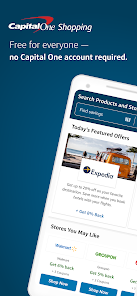
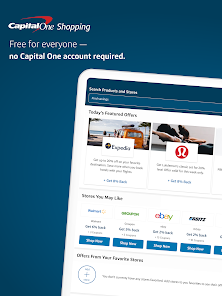
One of the standout features of Capital One Shopping is its ability to automatically apply coupon codes at checkout. This means you can shop with confidence, knowing that you're getting the best possible price without the hassle of searching for discounts yourself.

Browser Extension

With the Capital One Shopping browser extension, you can enhance your online shopping experience seamlessly. This tool alerts you to price drops and available coupons while you browse, ensuring you never miss out on savings, all without interrupting your shopping flow.

Price Comparison Tool

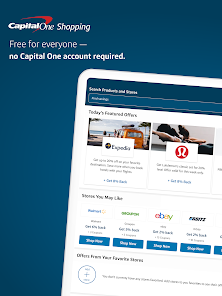
Capital One Shopping allows users to effortlessly compare prices across multiple retailers, ensuring that you always get the best deal. This feature saves time and money by highlighting where you can find the same item for less, making shopping more efficient and budget-friendly.

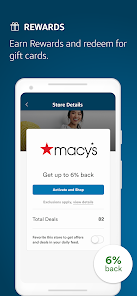
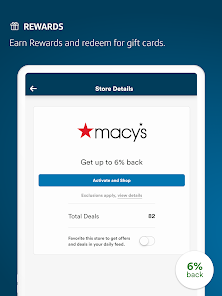
Rewards Program

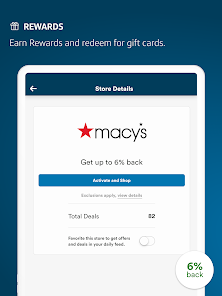
The app offers a unique rewards program that lets users earn shopping credits for purchases made through partnered retailers. These credits can be redeemed for gift cards, giving you an added incentive to shop smart and save while enjoying your favorite brands.

Pros & Cons

Pros
  • Find better prices automatically online
  • Earn rewards on purchases you already make
  • Access exclusive discounts at popular retailers
  • Track price drops and get alerts instantly
  • Easily compare prices across multiple websites
Cons
  • Limited retailer partnerships may restrict savings opportunities
  • User interface can be confusing for some shoppers
  • Frequent ads may disrupt the shopping experience
  • Requires browser extension for full functionality

verified Security & Privacy Review

Capital One Shopping takes user security and privacy seriously, implementing several measures to safeguard sensitive information. The app employs encryption technology to protect data during transmission, ensuring that personal and financial details remain secure from unauthorized access. In terms of privacy practices, Capital One Shopping adheres to strict data protection policies. The app collects user data primarily to enhance shopping experiences and provide personalized recommendations. Users are informed about data collection practices through a comprehensive privacy policy, which outlines how information is used and shared. Permissions are another critical aspect of the app's security framework. Capital One Shopping requests only essential permissions, such as accessing location data for tailored offers, while ensuring users have control over their data. Users can modify permission settings at any time, promoting transparency and user autonomy. Overall, Capital One Shopping demonstrates a commitment to robust security measures and responsible data handling, making it a reliable choice for users concerned about privacy in their online shopping experience.

Reviews

4.7

“Great savings on online shopping!”

“User-friendly interface makes saving easy.”

“Cashback rewards are a game changer.”

“Helps find the best deals quickly.”

“Love the price comparison feature!”

FAQ

1

Does Capital One Shopping collect my personal data?

Capital One Shopping collects certain information to enhance user experience and provide personalized offers; however, it does not sell your personal data to third parties.

2

Does Capital One Shopping offer a free trial or free version?

Capital One Shopping does not require a subscription or offer a paid version; it is completely free to use for all users.

3

Does Capital One Shopping require an internet connection?

Yes, Capital One Shopping requires an internet connection to function properly, as it needs to access online retailers and deal information in real-time.

4

How can I contact support or send feedback for Capital One Shopping?

You can contact Capital One Shopping support or send feedback through the app or browser extension by navigating to the help or support section, or by visiting their official website for further assistance.

5

How do I manage or cancel my Capital One Shopping subscription?

Since Capital One Shopping does not operate on a subscription basis, there is no need to manage or cancel a subscription; users can simply uninstall the extension or app if they no longer wish to use it.

How to use Capital One Shopping

1

How can I contact Capital One Shopping customer service?

You can reach Capital One Shopping customer service through their website or by calling their dedicated support number found in the app's Help section.

2

How do I activate my Capital One Shopping account?

To activate, simply log in with your email and password after downloading the app. If you’re a new user, follow the prompts to create an account.

3

How do I log in to my Capital One Shopping account?

To log in, open the app and enter your registered email and password. If you forget your password, use the 'Forgot Password?' link to reset it.

4

Is activation required for the Capital One Shopping app?

Yes, after downloading the app, you need to create an account or log in to activate it for full functionality and personalized features.

5

What is the customer service number for Capital One Shopping?

The customer service number for Capital One Shopping is typically available in the app under the Help or Support section. Be sure to check there for the most current number.

Editor's Choice