This site uses cookies to enhance your user experience. By clicking any link on this site you are giving your consent to our cookie policy. Read more
Reject
Accept All

Advertiser and Editorial Disclosures

Sainsbury's Groceries

Sainsbury's Groceries

verified

Sainsbury's Supermarkets Ltd

3.7
Rating
1,000,000+ Downloads
3.51.0 Version
  • category

    Category: Shopping

  • price

    Price: Share

  • age rating

    Age Rating: Everyone

  • rating

    Rating: 3.7

  • available on

    Available on: /

  • updated on

    Updated on: Jun 25, 2026

Screenshot 1
Screenshot 2
Screenshot 3
Screenshot 4
Screenshot 5
Screenshot 6
Screenshot 7
Screenshot 8
Screenshot 9
Screenshot 10
Screenshot 11
Screenshot 12
Screenshot 13
Screenshot 14
Screenshot 15
Screenshot 16
Screenshot 17
Screenshot 18

Features & Highlights

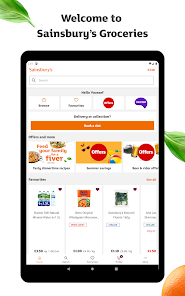
Personalized Recommendations

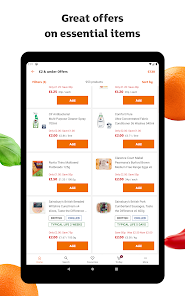
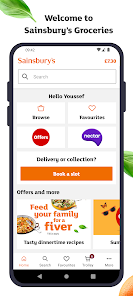
The app offers personalized product recommendations based on your past purchases and preferences. This feature helps you discover new items that you might love while simplifying the shopping process by highlighting relevant offers and discounts tailored just for you.

Real-Time Stock Updates

Stay informed with real-time stock updates that let you know the availability of items at your local Sainsbury's store. This feature ensures you won't waste time on products that are out of stock and helps you plan your shopping trips more effectively.

Seamless Online Ordering

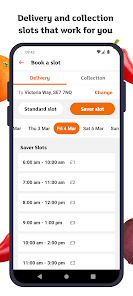
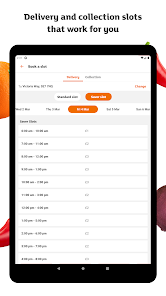
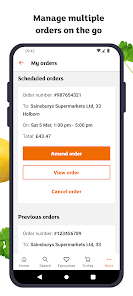
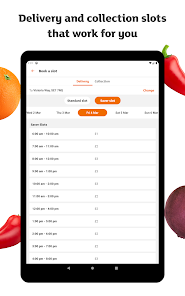
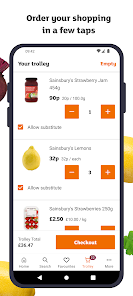
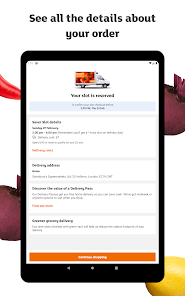
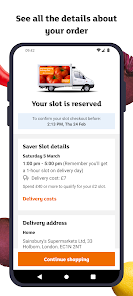
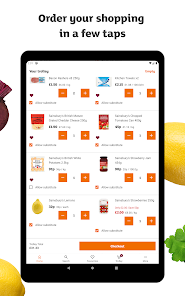
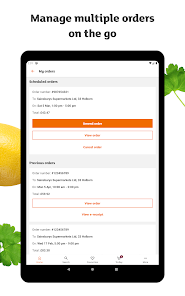
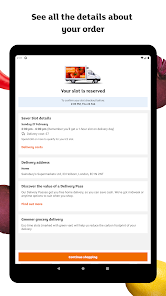
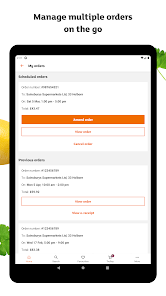
With the Sainsbury's Groceries app, placing orders online is simple and convenient. You can schedule home delivery or click-and-collect options, making it easier to fit grocery shopping into your busy lifestyle while ensuring you get everything you need.

User-Friendly Interface

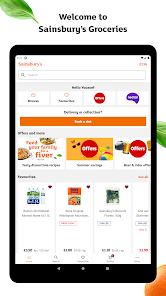
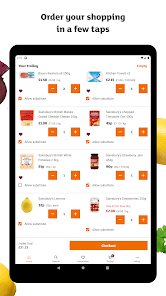
Navigating the Sainsbury's Groceries app is a breeze, thanks to its intuitive design. You can quickly find your favorite products, browse categories, and manage your shopping list with ease, making grocery shopping more efficient and enjoyable than ever before.

Pros & Cons

Pros
  • Wide selection of fresh produce available daily
  • Convenient online shopping for easy access
  • Flexible delivery options to fit your schedule
  • Exclusive discounts and loyalty rewards for savings
  • Quality products with a commitment to sustainability
Cons
  • Limited delivery slots can be inconvenient for customers
  • Higher prices than some competitors affect affordability
  • Website navigation may be confusing for users
  • Stock availability issues lead to customer dissatisfaction

Real Experience Using Sainsbury's Groceries

Application Scenarios

The Sainsbury's Groceries app is designed for convenient grocery shopping, making it an invaluable tool for busy individuals and families. Users can browse a vast selection of products, from fresh produce to household essentials, all from the comfort of their homes. The app is particularly useful for those who prefer planning their meals in advance, allowing them to create shopping lists and save their favorite items for quick access in future purchases. Additionally, the app supports special dietary needs by offering filters for gluten-free, vegan, and organic products, catering to a diverse range of consumers. Whether you are doing a weekly shop or just picking up a few items, the app adapts to various shopping scenarios, ensuring that users can shop efficiently and effectively.

User Experience

The user experience on the Sainsbury's Groceries app is generally smooth and intuitive. The interface is designed with the user in mind, featuring clear categories and an easy-to-navigate layout. Many users appreciate the search function, which allows them to quickly find specific items. The app also offers personalized recommendations based on past purchases, enhancing the shopping experience by making it easier to discover new products. However, some users have reported occasional glitches, such as slow loading times or items being out of stock, which can be frustrating. Overall, the app delivers a satisfactory experience, balancing functionality with a user-friendly approach.

Pricing

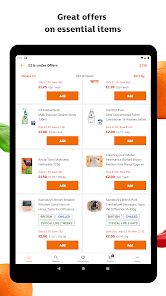
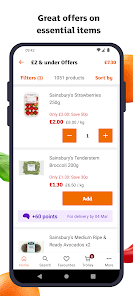
One of the standout features of the Sainsbury's Groceries app is its competitive pricing. Users can often find the same products at lower prices compared to other supermarkets, making it an attractive option for budget-conscious shoppers. The app frequently offers discounts, promotions, and exclusive deals for app users, adding further value to the shopping experience. Furthermore, the ability to compare prices and view ongoing offers helps users make informed purchasing decisions. While there is a delivery fee for online orders, many users find that the savings on groceries often outweigh this cost, particularly for larger orders.

Updates & Support

The Sainsbury's Groceries app is regularly updated to enhance functionality and address user feedback. These updates often include new features, improved performance, and bug fixes, ensuring that the app remains relevant and efficient. Customer support is readily available through the app, with options to chat or email for assistance. Many users have noted that the support team is responsive and helpful in resolving issues. Additionally, the app includes a comprehensive FAQ section, which addresses common inquiries and provides troubleshooting tips. With ongoing updates and solid support, users can feel confident in relying on the Sainsbury's Groceries app for their shopping needs.

verified Security & Privacy Review

The Sainsbury's Groceries app prioritizes user security and privacy through a robust framework designed to protect personal information. The app employs encryption protocols to safeguard sensitive data during transactions and communications, ensuring that users' financial details remain confidential. Upon installation, the app requests various permissions, including access to location services and contact information, which are utilized to enhance the shopping experience. Users are informed about these permissions and can manage them through their device settings, maintaining control over what data is shared. Sainsbury's has a clear privacy policy that outlines how user data is collected, used, and stored. The app does not sell personal information to third parties, and it adheres to stringent data protection regulations. Users can rest assured that their shopping habits and personal details are handled with care and respect. Moreover, the app provides options for users to opt-out of marketing communications, further enhancing their privacy. Overall, Sainsbury's Groceries demonstrates a commitment to maintaining a secure environment for its users while facilitating a convenient shopping experience.

User Reviews

  • Jennifer “Genoveva”
    2025/06/14

    Ever since you've updated your app I have issues. I keep having to log in each day, then it just loads and loads. I have to close the app and try it again and again. Usually logs me in after the third attempt. My nectar prices don't show anymore, asks me to log in but when I do it says there's an error. I order weekly but this is so much hassle, it's really putting me off. The search bar as well, when I search for a product it shows up, but when I want to search another product, nothing happens.

  • Claire Coupland
    2025/07/26

    Worst supermarket app, easily! It's a nightmare to find anything. Example, I just typed in baked crisps, 931 items appear! Anything from crisp linen spray to baking trays. The first bag of crisps to appear weren't baked! Just one example of how it is to use this app constantly. I want to switch from Tesco, but the annoyance of trying to find what you want in this app puts me off! Please add categories to the order of basket. 48 randomly listed items isn't easy to track. All other supermarkets do

  • Cat Lawson
    2024/12/12

    The app keeps reloading when you are scrolling through items. I was sent an incorrect item and it seems really difficult to check if it was a replacement or a mistake. I've clicked on the order and then the e-receipt. The e-receipt doesn't load so I can't view it. Getting help seems convoluted and awkward. It feels like it is deliberately difficult to check if you should get a refund.

  • Alison Bentley
    2024/12/03

    Currently diabolical, reports of problems are ignored. I've reported twice last week that there are issues with the app either limiting the number of favourites you can view or constantly repeating blocks of favourites in a massive long list. This has only happened since the Winter Favourites has been added. Please sort this out, I don't have time to keep getting my laptop out to sort out my shopping.

  • Sue
    2025/03/16

    Great when it works. However, it frequently just "hangs" and refuses to open. I have reported this a number of times but nothing changes. It's becoming very annoying as I then have to use the website when I would much prefer to use the app. UPDATE the app is not fit for purpose! Every time I want to use it now I have to uninstall and reinstall. Come on Sainsbury's, please sort this.

Review Source: Google Play store public user reviews.

FAQ

1

Does Sainsbury's Groceries collect my personal data?

Yes, Sainsbury's Groceries collects personal data such as your name, address, and payment information to process orders and enhance your shopping experience.

2

Does Sainsbury's Groceries offer a free trial or free version?

Sainsbury's Groceries does not offer a specific free trial or version, but the app itself is free to download and use for browsing and shopping.

3

Does Sainsbury's Groceries require an internet connection?

Yes, Sainsbury's Groceries requires an internet connection to browse products, place orders, and access account features.

4

How can I contact support or send feedback for Sainsbury's Groceries?

You can contact Sainsbury's Groceries support through the app or website by visiting the Help section, where you'll find options for live chat, email, or phone support.

5

How do I manage or cancel my Sainsbury's Groceries subscription?

You can manage or cancel your Sainsbury's Delivery Pass subscription directly through the app or website under your account settings.

How to use Sainsbury's Groceries

1

How can I contact Sainsbury's customer service?

You can contact Sainsbury's customer service through their website, by phone, or via the app's help section. The customer service number is available on their official site.

2

How can I reset my password in the app?

On the login page, select 'Forgot Password?' and follow the prompts to reset your password via email.

3

How can I update my payment details?

Go to 'Account Settings' in the app, select 'Payment Methods,' and update your details as needed.

4

How do I delete my account in the Sainsbury's app?

To delete your account, contact customer service directly through the app or website for assistance.

5

How do I find my customer number in the app?

Your customer number is usually found in your account details within the app under 'Account Settings.'

What's New

We're introducing SmartShop in the Sainsbury's App, giving customers an easier way to shop in store. Keep an eye out as we gradually make this feature available to more customers.This release also includes performance improvements and bug fixes.

Editor's Choice