This site uses cookies to enhance your user experience. By clicking any link on this site you are giving your consent to our cookie policy. Read more
Reject
Accept All
My Verizon

My Verizon

verified Verified App

Developer: Verizon Wireless

  • category

    Category: Utilities

  • price

    Price: free

  • age rating

    Age Rating: /

  • rating

    Rating: 4.7

  • download

    Downloads: /

  • version

    Version: 21.4.1

Screenshot 1
Screenshot 2
Screenshot 3
Screenshot 4
Screenshot 5
Screenshot 6
Screenshot 7
Screenshot 8
Screenshot 9
Screenshot 10
Screenshot 11
Screenshot 12
Screenshot 13
Screenshot 14
Screenshot 15
Screenshot 16
Screenshot 17
Screenshot 18
Screenshot 19
Screenshot 20
Screenshot 21
Screenshot 22
Screenshot 23
Screenshot 24
Screenshot 25
Screenshot 26
Screenshot 27
Screenshot 28
Screenshot 29
Screenshot 30
Screenshot 31
Screenshot 32
Screenshot 33
Screenshot 34
Screenshot 35
Screenshot 36
Screenshot 37
Screenshot 38
Screenshot 39
Screenshot 40
Screenshot 41
Screenshot 42
Screenshot 43
Screenshot 44
Screenshot 45
Screenshot 46
Screenshot 47
Screenshot 48
Screenshot 49
Screenshot 50
Screenshot 51
Screenshot 52
Screenshot 53
Screenshot 54
Screenshot 55
Screenshot 56
Screenshot 57
Screenshot 58
Screenshot 59
Screenshot 60

Features & Highlights

Account Management

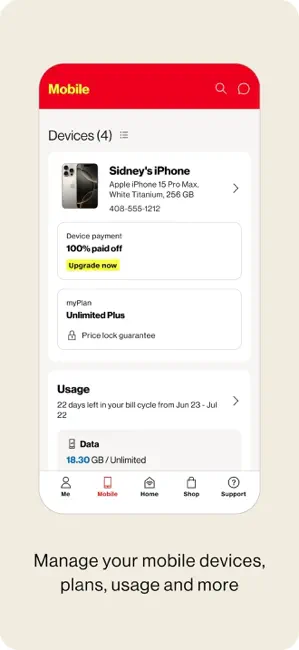
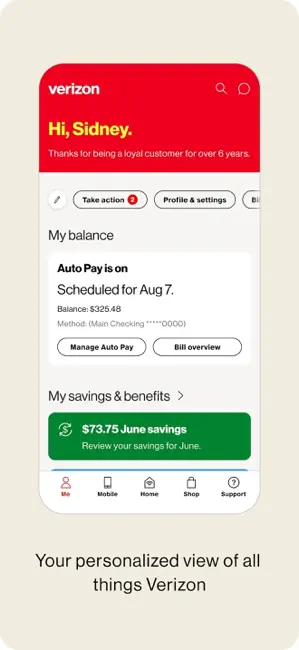
Easily manage your Verizon account right from your smartphone with My Verizon. You can view your billing details, update your plan, and add or remove services without any hassle, making it simple to stay on top of your mobile needs.

Bill Pay Made Easy

Paying your bill has never been easier with My Verizon's streamlined payment options. Set up automatic payments, view your billing history, and receive reminders to ensure you never miss a due date, giving you peace of mind regarding your expenses.

Data Usage Tracking

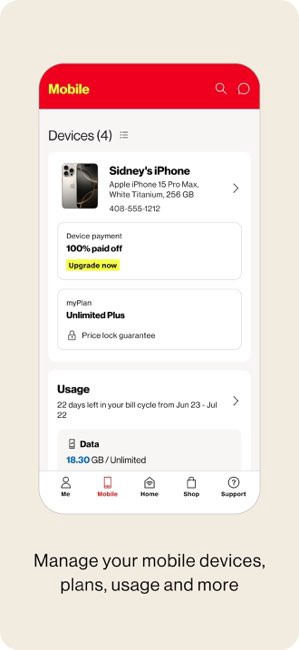
Keep an eye on your data consumption with the intuitive data usage tracker. My Verizon provides real-time updates on your data usage, helping you avoid overage charges and allowing you to adjust your habits to stay within your plan limits.

Device Support & Upgrades

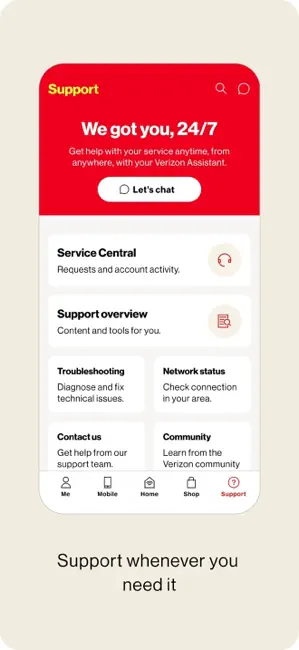
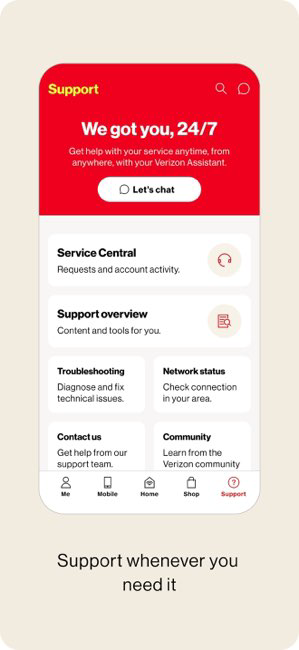
Stay informed about your device's performance with My Verizon's dedicated support features. You can troubleshoot issues, check for software updates, and explore upgrade options, ensuring that you always have the best technology at your fingertips.

Pros & Cons

Pros
  • Manage your account anytime, anywhere with ease.
  • Enjoy personalized data usage insights for better control.
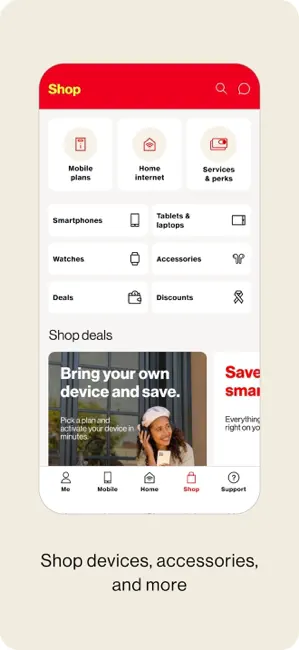
  • Access exclusive deals and discounts for savings.
  • Easily troubleshoot issues with integrated support options.
  • Track billing and payments seamlessly within the app.
Cons
  • Limited customer service options available
  • High prices for some plans
  • Complicated billing and payment processes
  • Frequent app glitches and crashes

Real Experience Using My Verizon

Application Scenarios

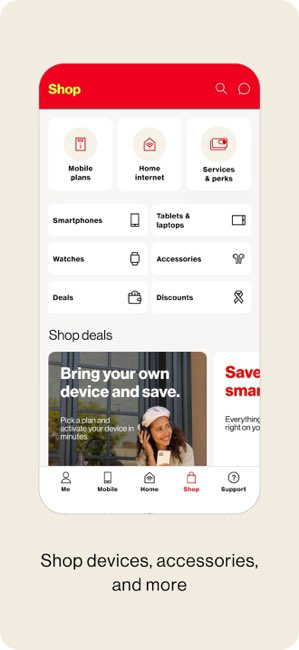
The My Verizon app is designed to cater to a wide range of users, primarily those who are Verizon customers. It serves as a comprehensive tool for managing your Verizon account efficiently. Whether you need to check your data usage, pay your bill, or upgrade your device, the app simplifies these tasks. For individuals on family plans, the app allows for seamless management of multiple lines, enabling users to track usage per line and set data limits. The app also comes in handy for those who want to explore Verizon’s various plans and promotions, making it easy to find the best deal for your specific needs. Additionally, the app is useful for business users who require quick access to account information and billing details while on the go.

User Experience

Users generally find the My Verizon app to be user-friendly and intuitive. The interface is clean and organized, making navigation straightforward even for those who are not tech-savvy. The dashboard provides a quick overview of your account status, displaying important information such as data remaining, billing due dates, and recent transactions. One of the standout features is the personalized recommendations based on user habits, which can help in managing data more effectively. However, some users have reported occasional glitches, such as slow loading times or difficulties in making payments. Despite these minor setbacks, the overall experience tends to be positive, with many users appreciating the convenience of managing their accounts from their mobile devices.

Pricing

The My Verizon app is free to download and use, catering exclusively to Verizon customers. While the app itself does not have a subscription fee, users should be aware that any transactions made through the app, such as bill payments or plan upgrades, will incur the standard charges associated with their Verizon plans. Verizon offers a variety of pricing options for their services, so users can select a plan that fits their budget and needs. Promotions are frequently available, and the app is an excellent platform for discovering these deals, which can lead to significant savings for customers.

Updates & Support

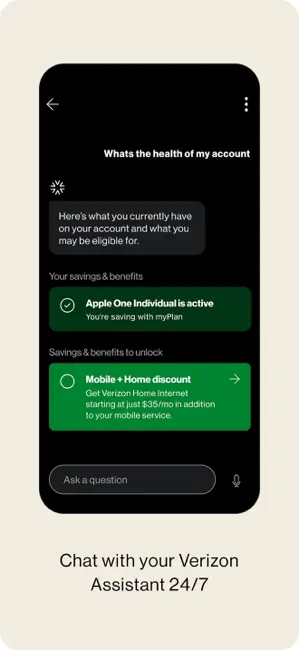
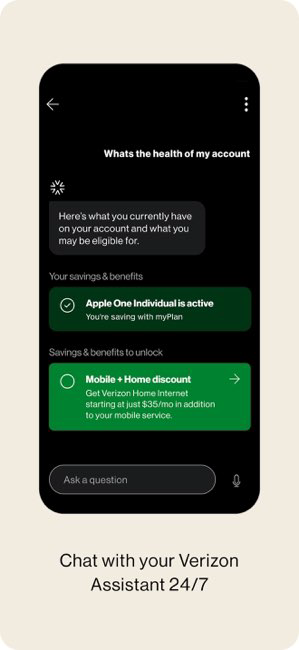
My Verizon receives regular updates aimed at enhancing user experience and introducing new features. These updates often fix bugs and improve functionality, ensuring that the app remains efficient and reliable. Customer support is readily accessible through the app, where users can chat with a representative or browse a comprehensive FAQ section for quick answers to common questions. This level of support is crucial for resolving issues that may arise during account management. Overall, the combination of regular updates and robust customer support enhances the overall reliability and effectiveness of the My Verizon app, making it an essential tool for Verizon users.

verified Security & Privacy Review

The My Verizon app places a strong emphasis on security and privacy, ensuring users can manage their accounts with confidence. The app utilizes encryption protocols to protect sensitive information during transmission, safeguarding user data from potential breaches. Verizon implements multi-factor authentication, adding an extra layer of security by requiring users to verify their identity through a secondary method, such as a text message or email verification. In terms of permissions, the app requests access to specific device features, such as location services and contacts, which enhance user experience but may raise privacy concerns. Users are encouraged to review these permissions and adjust them according to their comfort levels. Verizon is transparent about its data handling practices, providing users with clear information on what data is collected and how it is used. The company adheres to industry standards and regulations, ensuring user data is not sold to third parties without consent. Overall, the My Verizon app demonstrates a commitment to protecting user information while offering convenient features, making it a reliable choice for managing Verizon accounts securely.

Reviews

4.7

“User-friendly interface, easy account management”

“Great features, helps track data usage”

“Occasional bugs, needs more stability”

“Fast customer service response times”

“Love the rewards program, very motivating”

Editor's Choice