This site uses cookies to enhance your user experience. By clicking any link on this site you are giving your consent to our cookie policy. Read more
Reject
Accept All
Find My iPhone

Find My iPhone

verified Verified App

Developer: Apple

  • category

    Category: Utilities

  • price

    Price: free

  • age rating

    Age Rating: /

  • rating

    Rating: 4.2

  • download

    Downloads: /

  • version

    Version: 4.0

Screenshot 1
Screenshot 2
Screenshot 3
Screenshot 4
Screenshot 5
Screenshot 6
Screenshot 7
Screenshot 8
Screenshot 9
Screenshot 10
Screenshot 11
Screenshot 12
Screenshot 13
Screenshot 14
Screenshot 15
Screenshot 16
Screenshot 17
Screenshot 18
Screenshot 19
Screenshot 20
Screenshot 21
Screenshot 22
Screenshot 23
Screenshot 24
Screenshot 25
Screenshot 26
Screenshot 27
Screenshot 28
Screenshot 29
Screenshot 30
Screenshot 31
Screenshot 32
Screenshot 33
Screenshot 34
Screenshot 35
Screenshot 36
Screenshot 37
Screenshot 38
Screenshot 39
Screenshot 40
Screenshot 41
Screenshot 42
Screenshot 43
Screenshot 44
Screenshot 45
Screenshot 46
Screenshot 47
Screenshot 48
Screenshot 49
Screenshot 50
Screenshot 51
Screenshot 52
Screenshot 53
Screenshot 54
Screenshot 55
Screenshot 56
Screenshot 57
Screenshot 58

Features & Highlights

Activation Lock

With Activation Lock, your iPhone remains secure even if it’s lost or stolen. This feature ensures that only you can access your device, requiring your Apple ID and password to deactivate it, thus protecting your personal information from unauthorized users.

Family Sharing

Find My iPhone enhances family safety through its Family Sharing feature, which allows family members to share their locations with each other. This fosters a sense of security, enabling you to keep an eye on loved ones while giving them the freedom to explore.
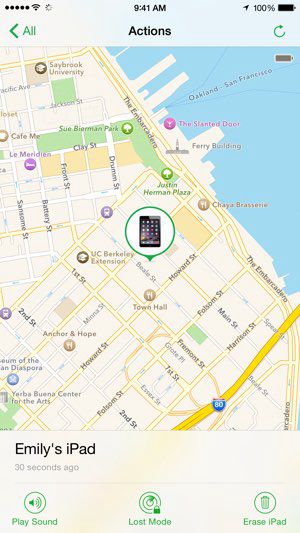
Play Sound Alert

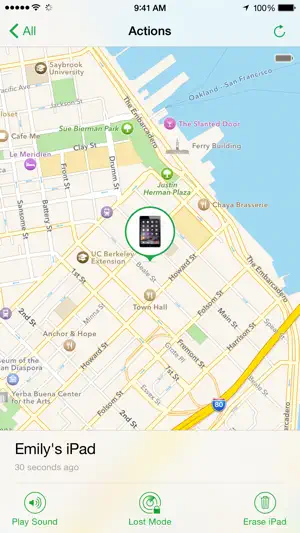
The Play Sound feature is a lifesaver when you misplace your iPhone nearby. With just a tap, your device emits a loud chime, helping you find it quickly, even if it’s hidden under cushions or in a bag, making retrieval a breeze.

Real-Time Location Tracking

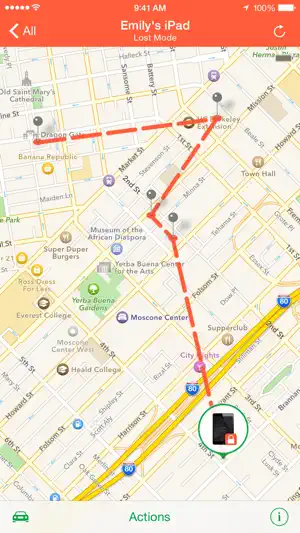
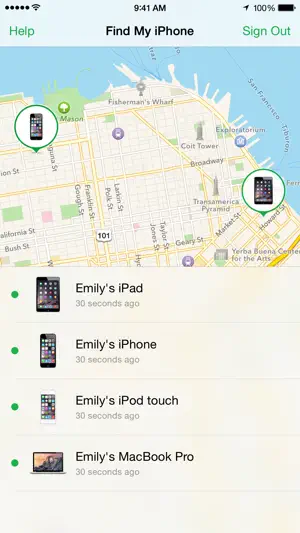
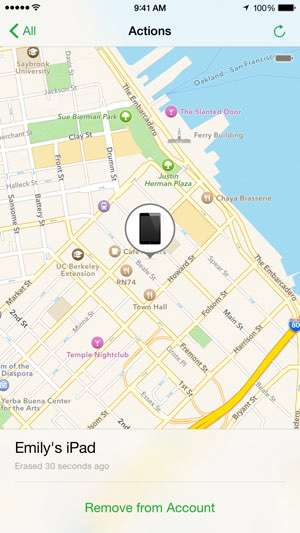
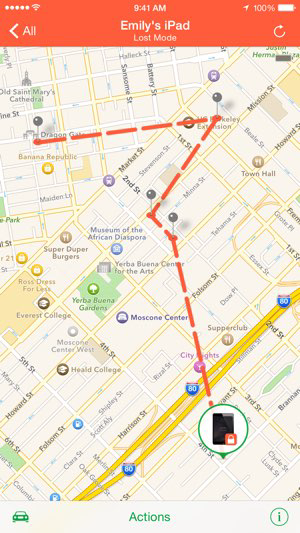
Find My iPhone allows users to track the real-time location of their devices on a map, making it easier to locate lost or misplaced items. This feature updates frequently, providing peace of mind whether you’re at home or out and about, ensuring you always know where your devices are.

Pros & Cons

Pros
  • Locates lost devices quickly and accurately
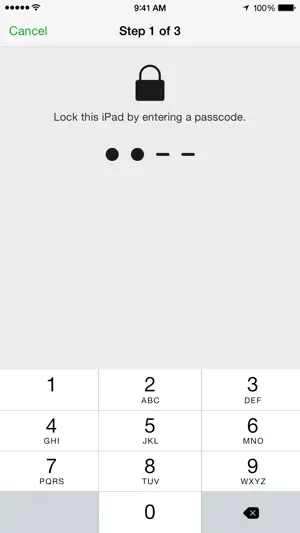
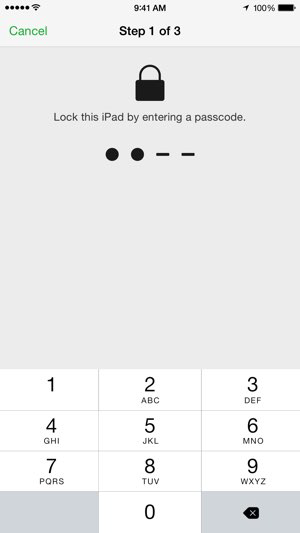
  • Enables remote locking for security
  • Sends alerts when devices are found
  • Offers location tracking for family members
  • Integrates seamlessly with Apple ecosystem
Cons
  • Requires internet connection for tracking
  • Limited functionality without Apple ID
  • Can drain battery life quickly
  • May not locate offline devices

Real Experience Using Find My iPhone

Application Scenarios

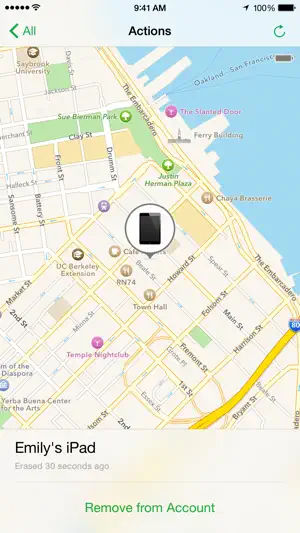
Find My iPhone is an indispensable tool for anyone who has ever misplaced their Apple device, whether it’s an iPhone, iPad, Mac, or even an Apple Watch. The app is particularly useful in various scenarios such as when you’re on the go, at home, or even during travel. Imagine being in a crowded area and realizing your iPhone is missing; with Find My iPhone, you can easily locate it using another Apple device or even through a web browser. The app allows users to play a sound on the device, which is extremely helpful if it’s buried under couch cushions or hidden in your bag. Furthermore, it provides a map with the last known location, enabling users to retrace their steps effectively. Additionally, if your device is stolen, Find My iPhone has features that help you remotely lock your device or erase your data, ensuring your personal information remains secure.

User Experience

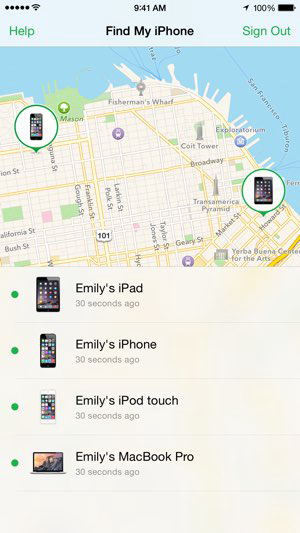
The user experience of Find My iPhone is intuitively designed, making it accessible even for those who are not tech-savvy. Upon opening the app, users are greeted with a clean and straightforward interface that displays all their registered devices. The app simplifies the process of locating a device with just a few taps. Users can choose to enable features like notifications for when the device is found or when it comes back online, adding an extra layer of convenience. The accuracy of the location services is commendable, utilizing both GPS and Wi-Fi signals to provide real-time tracking. Moreover, the ability to share your location with friends and family enhances safety and fosters a sense of security. Overall, the user experience is seamless, making the stressful situation of losing a device less daunting.

Pricing

Find My iPhone is a free application available to all Apple users, which is a significant advantage. As part of the Apple ecosystem, it comes pre-installed on devices and does not require any subscription fees or additional costs. This accessibility ensures that all users can benefit from the security and convenience the app offers without worrying about financial barriers. The free nature of the app, combined with its comprehensive features, makes it an essential tool for anyone invested in the Apple ecosystem.

Updates & Support

Apple consistently updates Find My iPhone to enhance its functionality and address any potential security vulnerabilities. The app benefits from regular improvements, including enhanced location accuracy, added features, and better user interface elements. Users can expect these updates to be automatically applied through iOS updates, ensuring they always have the latest version. In terms of support, Apple offers extensive online resources, including FAQs and troubleshooting guides, to assist users with any issues they might encounter. Additionally, if users require direct assistance, Apple’s customer service is readily available through various channels, including chat, phone, and in-store support. This commitment to regular updates and robust customer support ensures that users can rely on Find My iPhone for effective device management and security.

verified Security & Privacy Review

The Find My iPhone app prioritizes user security and privacy, ensuring that personal data is protected throughout its usage. To function effectively, the app requires permission to access location services, which is crucial for tracking devices. Users are prompted to enable these settings, providing transparency regarding data collection. Apple employs end-to-end encryption for location data shared between devices, meaning that only the owner can access this information. This robust encryption ensures that unauthorized users cannot track or intercept location details. Additionally, the app features an Activation Lock, which secures devices against theft by preventing anyone from using a lost or stolen iPhone without the owner's Apple ID and password. Apple's privacy practices are further reinforced by their commitment to minimizing data retention. Location data is not stored on their servers, and users can easily manage their privacy settings through the app. Overall, Find My iPhone demonstrates a strong commitment to safeguarding user information while providing essential tracking functionalities.

Reviews

4.2

“Incredibly helpful for locating lost devices quickly!”

“User-friendly interface makes tracking easy and efficient.”

“Saved my phone from being permanently lost!”

“Reliable and accurate location tracking every time.”

“A must-have app for peace of mind!”

Editor's Choice