This site uses cookies to enhance your user experience. By clicking any link on this site you are giving your consent to our cookie policy. Read more
Reject
Accept All

Advertiser and Editorial Disclosures

Bring! Grocery Shopping List

Bring! Grocery Shopping List

verified Verified App

Developer: Bring! Labs AG

  • category

    Category: Shopping

  • price

    Price: free

  • age rating

    Age Rating: Everyone

  • rating

    Rating: 4.2

  • download

    Downloads: 10,000,000+

  • version

    Version: 4.84.0

Screenshot 1
Screenshot 2
Screenshot 3
Screenshot 4
Screenshot 5
Screenshot 6
Screenshot 7
Screenshot 8
Screenshot 9
Screenshot 10
Screenshot 11
Screenshot 12
Screenshot 13
Screenshot 14
Screenshot 15
Screenshot 16
Screenshot 17
Screenshot 18
Screenshot 19
Screenshot 20
Screenshot 21
Screenshot 22
Screenshot 23
Screenshot 24
Screenshot 25
Screenshot 26

Features & Highlights

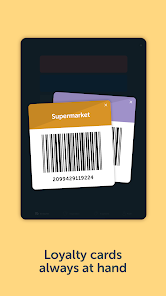
Barcode Scanning

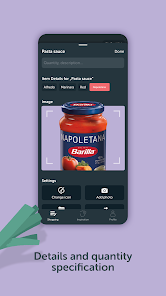
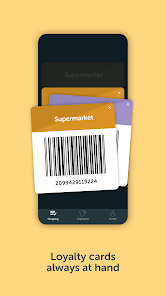
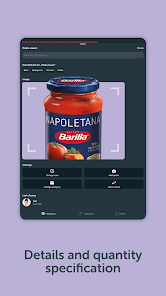
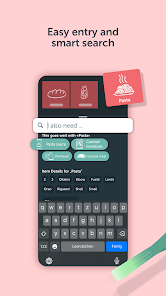
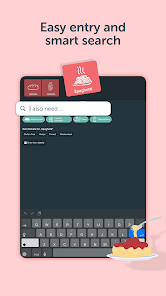
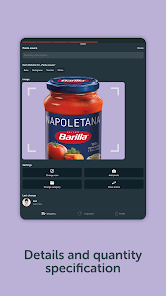
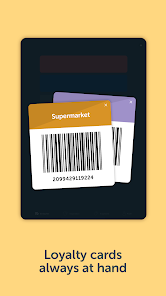
The app includes a convenient barcode scanning feature, allowing you to quickly add items to your shopping list by simply scanning their barcodes. This not only speeds up the process of list creation but also helps ensure accuracy, reducing the chances of forgetting essential items.

Customizable Categories

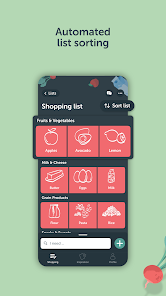
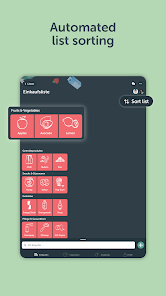
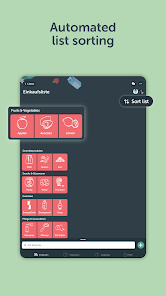
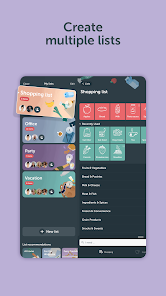
With customizable categories, Bring! lets you organize your grocery items in a way that makes sense for you. Whether you prefer to group by aisle, type of food, or meal plan, this feature helps streamline your shopping experience and saves you time in-store.

Recipe Integration

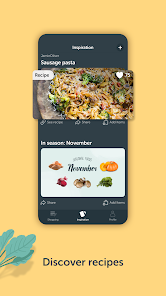
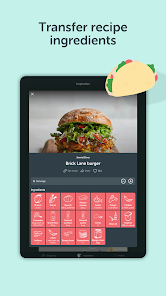
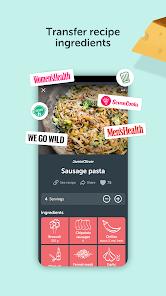
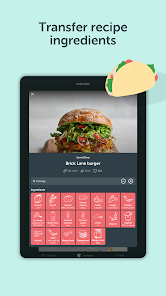
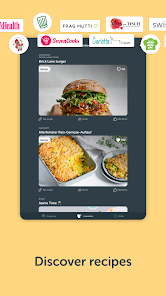
Bring! offers seamless recipe integration, allowing you to easily transform your favorite recipes into shopping lists. By selecting a recipe, the app automatically compiles the necessary ingredients, making meal prep and grocery shopping more efficient and enjoyable.

Smart Sharing

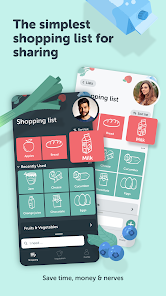
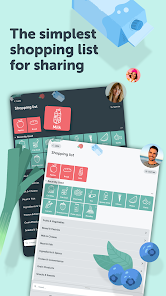
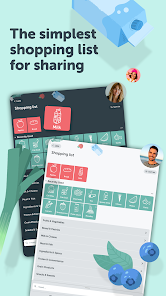
Bring! Grocery Shopping List allows users to easily share their shopping lists with family and friends, making grocery shopping a collaborative experience. You can see real-time updates as items are added or removed, ensuring everyone stays on the same page while shopping together or separately.

Pros & Cons

Pros
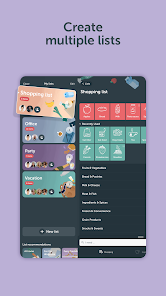
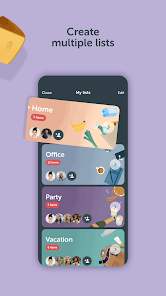
  • Organize your shopping with customizable lists
  • Share lists with family and friends effortlessly
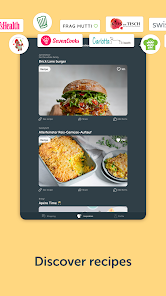
  • Access recipes and add ingredients directly
  • Track prices and manage your budget efficiently
  • Sync across devices for seamless shopping experience
Cons
  • Limited integration with online grocery services
  • User interface can be confusing for newcomers
  • Lacks offline access for shopping lists
  • No real-time collaboration features for multiple users

Real Experience Using Bring! Grocery Shopping List

Application Scenarios

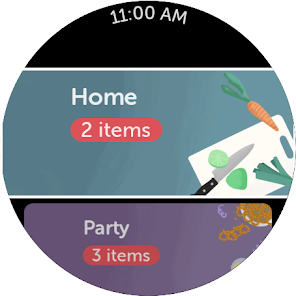
Bring! Grocery Shopping List is a versatile app designed to simplify your grocery shopping experience. Whether you're a busy parent juggling multiple schedules, a college student managing a tight budget, or a health-conscious individual planning your meals, Bring! caters to a variety of lifestyles. Users can create and share shopping lists with family and friends, making it easier to coordinate grocery runs. The app allows you to categorize items by store, ensuring that you can quickly grab everything you need without backtracking. Additionally, it supports meal planning, enabling users to add recipes directly to their shopping lists, thus transforming the way you plan your meals.

User Experience

The user experience of Bring! is intuitive and engaging. The app's interface is clean and visually appealing, with easy navigation that even tech novices can grasp quickly. Users can customize their lists with images and various colors, adding a personal touch that enhances the overall experience. The drag-and-drop feature allows for seamless reordering of items, while the ability to check off items as you shop keeps everything organized. Notifications and reminders help ensure you never forget an item, and the app also offers a barcode scanner for quick item entry. Overall, Bring! provides a pleasurable shopping experience that reduces stress and saves time.

Pricing

Bring! Grocery Shopping List operates on a freemium model, offering a robust free version that covers most basic needs. Users can access essential features like list sharing, item categorization, and recipe integration without spending a dime. For those who want an ad-free experience and additional premium features, there is a subscription option available. The pricing is competitive, making it an affordable choice for users who want to enhance their grocery shopping experience without breaking the bank. Overall, the value provided by Bring! is substantial, especially considering the time and effort it saves users during their shopping trips.

Updates & Support

Bring! demonstrates a commitment to continuous improvement, regularly releasing updates that enhance functionality and introduce new features based on user feedback. The app's developers actively engage with the community, responding to inquiries and suggestions, which fosters a sense of trust and loyalty among users. Support options include a comprehensive FAQ section on the website, as well as direct contact through email for more complex issues. The ongoing updates and responsive support make Bring! a reliable choice for anyone looking to streamline their grocery shopping experience.

verified Security & Privacy Review

Bring! Grocery Shopping List takes user security and privacy seriously, implementing industry-standard measures to protect sensitive information. The app employs encryption to secure data transmission, ensuring that user data remains confidential while in transit. However, users should be aware that the app requires access to certain permissions, such as location and contacts, which may raise privacy concerns. These permissions are necessary for features like location-based shopping suggestions and sharing lists with family members. In terms of data handling, Bring! adheres to strict privacy policies, clearly outlining how user information is collected, used, and shared. Users have control over their data and can manage privacy settings within the app. The app does not sell personal information to third parties, which is a positive aspect for privacy-conscious users. Nonetheless, it is advisable for users to regularly review permissions granted to the app and be mindful of the information shared. Overall, Bring! demonstrates a commitment to user security and privacy, making it a reliable choice for grocery shopping management.

Reviews

4.2

“User-friendly interface makes shopping easier and quicker.”

“Great for organizing groceries with family members.”

“Syncing lists across devices is very convenient.”

“Customizable categories help streamline the shopping experience.”

“Love the barcode scanner for quick item entry!”

FAQ

1

Does Bring! Grocery Shopping List collect my personal data?

Bring! Grocery Shopping List may collect personal data to improve user experience and functionality, but they prioritize user privacy and comply with data protection regulations.

2

Does Bring! Grocery Shopping List offer a free trial or free version?

Yes, Bring! Grocery Shopping List offers a free version with basic features, allowing users to create and share shopping lists without any cost.

3

Does Bring! Grocery Shopping List require an internet connection?

While you can access some features offline, an internet connection is required for full functionality, such as syncing shared lists and accessing the latest product information.

4

How can I contact support or send feedback for Bring! Grocery Shopping List?

You can contact Bring! Grocery Shopping List support through the app's help section or visit their official website for additional resources and feedback options.

5

How do I manage or cancel my Bring! Grocery Shopping List subscription?

You can manage or cancel your Bring! Grocery Shopping List subscription directly through the app settings or the platform where you purchased the subscription, such as the App Store or Google Play.

How to use Bring! Grocery Shopping List

1

How can I contact customer service for the Bring! Grocery Shopping List app?

You can reach customer service through the app's settings or via their official website's contact page. Email support is also available for inquiries.

2

How do I log in to my Bring! Grocery Shopping List account?

Open the app, tap on "Log in," and enter your credentials. If you don't have an account, you can sign up using your email or social media accounts.

3

Is there a need to activate the Bring! Grocery Shopping List app?

No activation is necessary. Simply download the app, create an account or log in, and you can start using it right away.

4

What is the customer number for Bring! Grocery Shopping List app support?

Bring! does not have a specific customer number; support is primarily provided through their app and website contact options.

Editor's Choice