This site uses cookies to enhance your user experience. By clicking any link on this site you are giving your consent to our cookie policy. Read more
Reject
Accept All

Advertiser and Editorial Disclosures

The Wall Street Journal. News

The Wall Street Journal. News

verified Verified App

Developer: Dow Jones & Company, Inc.

  • category

    Category: News & Magazines

  • price

    Price: free

  • age rating

    Age Rating: 10+

  • rating

    Rating: 4.3

  • download

    Downloads: 1,000,000+

  • version

    Version: 6.32.0.23363

Screenshot 1
Screenshot 2
Screenshot 3
Screenshot 4
Screenshot 5
Screenshot 6
Screenshot 7
Screenshot 8
Screenshot 9
Screenshot 10

Features & Highlights

In-Depth Analysis

Dive deeper into complex topics with The Wall Street Journal's in-depth analysis articles. Expert journalists and analysts provide context and insight, helping you understand the implications behind the headlines and equipping you with the knowledge to engage in informed discussions.

Interactive Features

Engage with the news like never before through interactive features, including charts, graphs, and multimedia content. The Wall Street Journal enhances your understanding of economic trends and stories, making complex information more accessible and enjoyable to explore.

Personalized Content

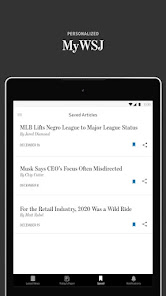
Customize your news feed to match your interests with The Wall Street Journal's personalized content options. Tailor the app to prioritize topics that matter to you, whether it's finance, politics, or technology, ensuring a unique reading experience every time you log in.

Real-Time Updates

Stay informed with real-time updates on breaking news and market trends. The Wall Street Journal delivers timely alerts straight to your device, ensuring you never miss out on crucial developments that could impact your decisions and investments.

Pros & Cons

Pros
  • In-depth financial analysis for informed investment decisions
  • Comprehensive coverage of global news and events
  • Expert commentary to enhance understanding of market trends
  • User-friendly digital platform for easy access anytime
  • Respected reputation for journalistic integrity and accuracy
Cons
  • The Wall Street Journal's paywall limits access to important financial news.
  • Its dense reporting can be challenging for casual readers to understand.
  • The focus on business may overlook broader social and cultural issues.

Real Experience Using The Wall Street Journal. News

Application Scenarios

The Wall Street Journal app serves as an essential tool for professionals, students, and anyone interested in staying informed about global financial news and trends. In a fast-paced world where information is power, users can rely on the app to access in-depth articles, breaking news alerts, and expert analyses from various sectors, including business, politics, technology, and lifestyle. Whether you are commuting to work, enjoying a coffee break, or simply unwinding at home, the app provides a seamless experience to consume news on-the-go. Users can customize their feed based on their interests, allowing for a more tailored news experience that suits their professional and personal needs. This versatility makes it a must-have for anyone who values timely and relevant updates.

User Experience

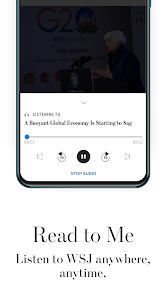
The user experience of The Wall Street Journal app is designed to be intuitive and engaging. Upon opening the app, users are greeted with a clean and organized layout that facilitates easy navigation. The articles are well-categorized and equipped with search functionality, enabling users to quickly find specific topics or reports. The app also features an offline reading mode, allowing users to download articles for later consumption, which is particularly useful during travel or in areas with limited internet access. Additionally, the app incorporates multimedia elements such as videos and podcasts, enriching the reading experience. Users have praised the app for its smooth performance and minimal lag, ensuring that they remain immersed in their reading without interruptions.

Pricing

The Wall Street Journal app operates on a subscription model, offering various pricing tiers to accommodate different types of readers. Users can opt for a basic subscription, which provides access to a limited number of articles per month, or choose a full subscription for unlimited access to all content, including premium articles and features. While the subscription may seem steep at first glance, many users find the wealth of information and insights provided by the app to be well worth the investment. Additionally, the app often runs promotional offers, giving potential subscribers a chance to explore its features at a reduced rate before committing to a full subscription.

Updates & Support

The Wall Street Journal team is committed to keeping the app updated with the latest features and enhancements. Regular updates ensure that users benefit from improved functionalities, bug fixes, and new content formats. The support system is robust, with a dedicated help center that addresses frequently asked questions and technical issues. Users can easily reach out to customer support through the app for any inquiries or problems they may encounter. The prompt and helpful responses from the support team contribute to a positive overall experience, further solidifying The Wall Street Journal app as a reliable source of news.

verified Security & Privacy Review

The Wall Street Journal app prioritizes user security and privacy, implementing robust measures to protect sensitive information. The app employs encryption protocols to secure data transmission, ensuring that user interactions and personal details are safeguarded from unauthorized access. In terms of privacy practices, the app adheres to stringent data protection regulations, clearly outlining its data collection and usage policies in its privacy policy. Users are informed about the types of data collected, which may include location data, usage statistics, and personal preferences, all aimed at enhancing user experience. The app requires standard permissions, such as access to notifications and location services, which are essential for delivering timely news updates and personalized content. Users have control over these permissions and can adjust settings according to their comfort level. Overall, The Wall Street Journal app demonstrates a strong commitment to user data handling, providing transparency and control while ensuring that security measures are in place to protect user information from potential threats.

Reviews

4.3

“Informative articles, reliable news source.”

“Great app for staying updated on global events.”

“User-friendly interface, easy to navigate.”

“In-depth analysis, worth the subscription price.”

“Excellent coverage of financial news and trends.”

FAQ

1

Can I submit suggestions or feedback to The Wall Street Journal.?

Yes, users can submit feedback or suggestions through the app or the website, and the editorial team encourages input from readers.

2

Does The Wall Street Journal. collect my personal data?

Yes, The Wall Street Journal. collects personal data to enhance user experience, personalize content, and for marketing purposes, as outlined in their privacy policy.

3

Does The Wall Street Journal. support offline use?

Yes, users can save articles for offline reading, allowing them to access content without an internet connection.

4

How do I cancel my The Wall Street Journal. subscription?

Users can cancel their subscription through the app's settings, by contacting customer service, or by managing their account via the website.

5

How much does a subscription to The Wall Street Journal. cost?

Subscription prices vary depending on the plan chosen, but typically range from a few dollars a month for digital-only access to higher rates for print and digital bundles.

How to use The Wall Street Journal. News

1

Can I activate my Wall Street Journal account online?

Yes, you can activate your account online by visiting the activation link sent to your email after your subscription.

2

How can I change my login email for The Wall Street Journal?

To change your login email, log in to your account settings and update your email address there.

3

How do I contact customer service for The Wall Street Journal?

You can reach customer service by calling the number on our website or using the live chat feature available in your account.

4

How do I log in to my Wall Street Journal account?

Visit the Wall Street Journal website and click on the "Log In" button. Enter your email and password to access your account.

5

How do I update my customer number if it has changed?

To update your customer number, please contact customer service directly for assistance with your account details.

Editor's Choice