This site uses cookies to enhance your user experience. By clicking any link on this site you are giving your consent to our cookie policy. Read more
Reject
Accept All

Advertiser and Editorial Disclosures

Strava: Run, Bike, Hike

Strava: Run, Bike, Hike

verified Verified App

Developer: Strava Inc.

  • category

    Category: Augmented Reality

  • price

    Price: 0

  • age rating

    Age Rating: Teen

  • rating

    Rating: 4.4

  • download

    Downloads: /

  • version

    Version: 45608

Screenshot 1
Screenshot 2
Screenshot 3
Screenshot 4
Screenshot 5
Screenshot 6
Screenshot 7
Screenshot 8

Features & Highlights

Fitness Tracking

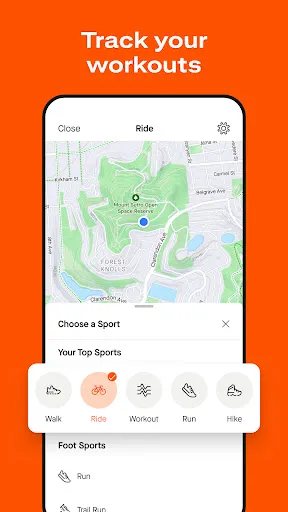
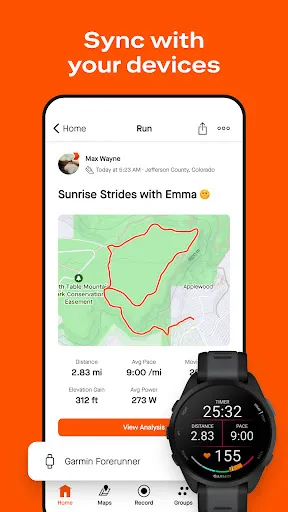
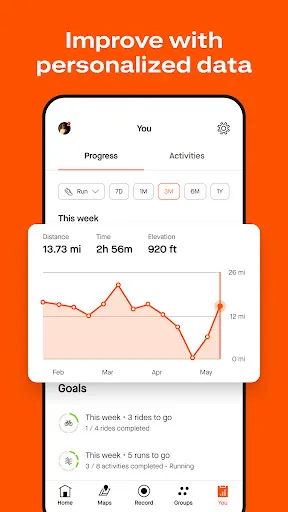
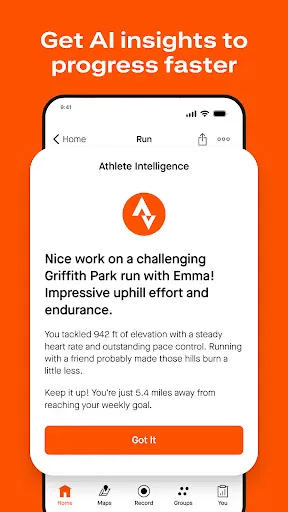
Strava offers advanced fitness tracking for running, biking, and hiking, providing real-time stats like distance, pace, and elevation. Users can analyze their performance over time with detailed graphs and metrics, helping them to set and achieve personal goals while staying motivated along their fitness journey.

Route Planning

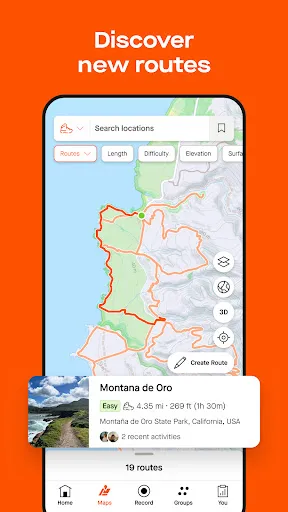
With Strava's route planning feature, users can discover and create custom routes based on popular activities in their area. This helps athletes explore new trails and paths, ensuring each run, ride, or hike is an exciting adventure while also providing a safe and efficient way to navigate through unfamiliar terrain.

Segmentation and Leaderboards

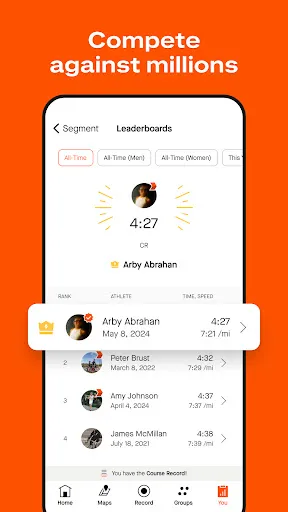
Strava's segmentation feature allows users to compete on specific sections of their routes, providing a fun challenge against others in the community. Users can check leaderboards to see how they stack up against friends and local athletes, adding an element of friendly competition to their workouts.

Social Community

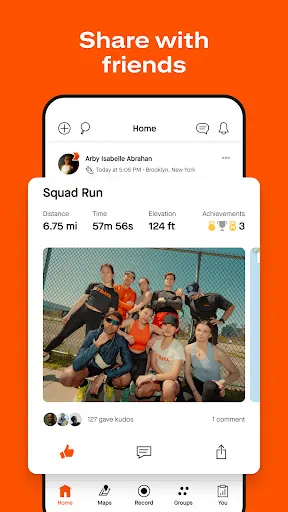
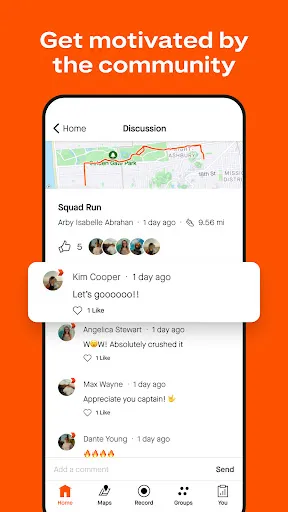
Strava connects athletes from around the world, allowing users to share their achievements, join challenges, and follow friends. This sense of community fosters motivation and accountability, making workouts more enjoyable and encouraging users to push their limits as they cheer each other on.

Pros & Cons

Pros
  • Track your workouts accurately with GPS-based distance and pace measurements.
  • Join a supportive community to share achievements and motivate each other.
  • Analyze your performance over time with detailed stats and insights.
  • Discover new routes and trails based on popular user activities.
  • Compete with friends and others through challenges and leaderboards.
Cons
  • Strava's social features can lead to privacy concerns for users.
  • The app's premium subscription may not provide sufficient value for casual users.
  • Some users experience performance issues and bugs that hinder the experience.

Real Experience Using Strava: Run, Bike, Hike

Application Scenarios

Strava: Run, Bike, Hike is a versatile fitness tracking application designed for outdoor enthusiasts. Whether you are a seasoned marathoner, a casual cyclist, or someone who enjoys hiking through nature trails, Strava caters to a diverse range of activities. Users can record their runs, bike rides, and hikes while benefiting from detailed performance metrics, such as distance, pace, elevation gain, and calories burned. The app's GPS tracking feature allows for accurate route mapping, enabling users to explore new paths and share their adventures with a vibrant community. Additionally, Strava is perfect for group activities; users can create and join challenges, fostering motivation through friendly competition.

User Experience

The user experience of Strava is intuitive and engaging. Upon launching the app, users are greeted with a clean interface that makes navigation seamless. The dashboard conveniently displays recent activities, personal records, and social feeds, allowing users to stay connected with friends and fellow athletes. The activity recording feature is simple to use, with a single tap to start and stop tracking. Post-activity, the app provides detailed insights, including heart rate data and segment performance, making it easy for users to analyze their progress. The social aspect of Strava is particularly noteworthy; users can follow friends, give 'Kudos' for their performances, and leave comments, creating a supportive community atmosphere. Overall, Strava strikes a balance between functionality and user engagement, enhancing the overall fitness journey.

Pricing

Strava offers a free version that provides essential tracking features and access to the community. However, for those seeking a more comprehensive experience, the Strava Summit subscription is available at a monthly or yearly fee. The premium membership unlocks advanced features, including personalized coaching plans, live performance feedback, and deeper analytical tools to track long-term progress. The pricing is competitive compared to similar fitness apps, and many users find value in the enhanced features that help them achieve their fitness goals more effectively.

Updates & Support

Strava is committed to continuous improvement, frequently rolling out updates that enhance user experience and introduce new features. Recent updates have included improved route planning tools, enhanced safety features, and new social functionalities to keep the community engaged. For support, Strava provides a comprehensive help center, featuring FAQs, troubleshooting guides, and user forums where community members can seek advice. The responsive customer support team ensures that any issues are addressed promptly, maintaining a positive user experience. Overall, Strava remains dedicated to keeping its users informed and satisfied, making it a reliable companion for any fitness journey.

verified Security & Privacy Review

Strava prioritizes user data security and privacy, implementing robust measures to protect personal information. The app employs encryption to safeguard data during transmission and storage, ensuring that users' activities and location data remain confidential. Strava requests various permissions, including access to location, contacts, and storage. Users are encouraged to review these permissions carefully and can modify them based on their comfort level. The app provides transparency regarding data collection practices, outlining what information is gathered and how it is utilized, primarily for enhancing user experience and app functionality. Users have control over their privacy settings, allowing them to manage who can view their activities and personal information. Strava also offers features to hide specific activities from public view, enhancing user discretion. However, users should remain vigilant about sharing sensitive information, as public profiles can expose data to a broader audience. Overall, Strava adheres to industry standards for data protection, but users are advised to stay informed about privacy settings to ensure their data is handled according to their preferences.

Reviews

4.4

“Great for tracking multiple activities effectively!”

“User-friendly interface, easy to navigate.”

“Love the community features and challenges!”

“Accurate GPS tracking enhances my workouts.”

“Premium features worth every penny!”

FAQ

1

Can I submit suggestions or feedback to Strava: Run, Bike, Hike?

Yes, users can submit suggestions or feedback through the app or the Strava website, where they often encourage community input to improve the platform.

2

Does Strava: Run, Bike, Hike collect my personal data?

Yes, Strava: Run, Bike, Hike collects personal data such as your location, activity information, and user preferences to enhance the app experience and provide tailored services.

3

Does Strava: Run, Bike, Hike support offline use?

Yes, Strava: Run, Bike, Hike allows users to record activities offline, but some features may be limited until a connection is reestablished to sync data.

4

How do I cancel my Strava: Run, Bike, Hike subscription?

You can cancel your subscription through the app store where you purchased it, or by visiting your account settings on the Strava website.

5

How much does a subscription to Strava: Run, Bike, Hike cost?

The subscription cost for Strava: Run, Bike, Hike varies by region, but it typically offers monthly and annual plans, with discounts for annual subscriptions.

How to use Strava: Run, Bike, Hike

1

Can I change my customer number on Strava?

Customer numbers are automatically assigned and cannot be changed. For any issues, please contact customer service.

2

How can I activate my Strava account after signing up?

After signing up, check your email for an activation link from Strava. Click the link to activate your account.

3

How can I update my email address on my Strava account?

Log in to your Strava account, go to 'Settings,' and update your email address. You may need to verify the new address.

4

How do I contact customer service for my Strava account?

You can reach Strava customer service through the app or website under the 'Help' section for support.

5

How do I reach customer service for billing issues?

For billing issues, log in to your Strava account, then navigate to the 'Help' section and select billing support to contact customer service.

Editor's Choice