This site uses cookies to enhance your user experience. By clicking any link on this site you are giving your consent to our cookie policy. Read more
Reject
Accept All

Advertiser and Editorial Disclosures

OAN: Live Breaking News

OAN: Live Breaking News

verified Verified App

Developer: Herring Networks Inc.

  • category

    Category: News & Magazines

  • price

    Price: free

  • age rating

    Age Rating: Teen

  • rating

    Rating: 3.8

  • download

    Downloads: 1,000,000+

  • version

    Version: 1.2

Screenshot 1
Screenshot 2
Screenshot 3
Screenshot 4
Screenshot 5
Screenshot 6
Screenshot 7
Screenshot 8
Screenshot 9
Screenshot 10
Screenshot 11
Screenshot 12
Screenshot 13
Screenshot 14
Screenshot 15
Screenshot 16
Screenshot 17
Screenshot 18

Features & Highlights

In-Depth Analysis

Gain insights beyond the headlines with OAN's expert commentary and analysis. The app features in-depth segments that dive into the context and implications of major events, helping you understand the bigger picture and stay informed in a meaningful way.

Live News Coverage

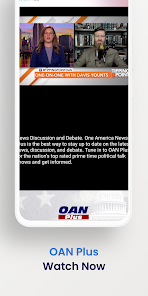
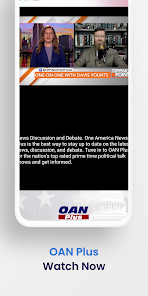
Stay updated with real-time reporting on breaking news events from around the world. OAN: Live Breaking News delivers timely updates, ensuring you never miss out on important stories as they unfold, keeping you connected with the latest happenings 24/7.

Personalized Alerts

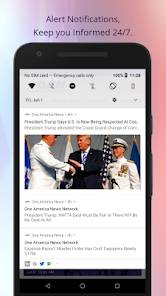
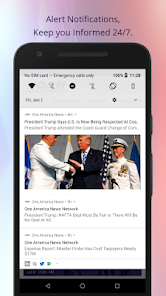
Stay informed on the topics that matter most to you with customized news alerts. OAN allows you to set preferences for breaking news notifications, ensuring you're always updated on specific issues or events that interest you.

User-Friendly Interface

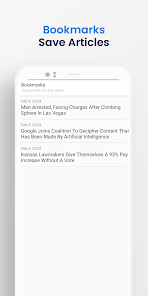
Navigate through news stories effortlessly with OAN's intuitive design. The app is crafted for a seamless user experience, allowing you to easily find and access your favorite news categories and live broadcasts without any hassle.

Pros & Cons

Pros
  • Stay informed with real-time updates on critical events happening now.
  • Enjoy in-depth analysis from experienced journalists for better understanding.
  • Access a wide range of topics, from politics to entertainment news.
  • Experience uninterrupted coverage during significant breaking news moments.
  • Engage with live discussions and expert opinions for diverse perspectives.
Cons
  • Limited perspective on news events may skew viewer understanding
  • Reliance on sensationalism can distort factual reporting
  • Fewer journalistic resources may lead to less in-depth coverage

Real Experience Using OAN: Live Breaking News

Application Scenarios

The OAN: Live Breaking News app serves as a vital resource for users seeking timely and accurate news updates. Whether you’re at home, commuting, or traveling, this app provides a seamless way to stay informed on breaking stories across various topics such as politics, business, health, and entertainment. Users can easily access live broadcasts, which helps them stay connected with current events in real-time. The app is particularly beneficial during significant national or global events, where timely updates can make a considerable difference in understanding the unfolding situation. Additionally, for individuals interested in niche topics, the app offers specialized segments that cater to various interests, making it a versatile tool for diverse audiences.

User Experience

The user experience on the OAN app is designed to be intuitive and straightforward. Upon opening the app, users are greeted with a clean interface that showcases live broadcasts prominently. Navigation is easy, allowing users to switch between different news categories with minimal effort. The app's performance is generally smooth, with quick loading times that enhance the viewing experience. Users have mentioned that the notification feature is particularly useful, alerting them to breaking news stories as they happen. However, some users have reported occasional glitches during live streams, which can be frustrating when trying to catch crucial updates. Overall, the app provides a satisfactory experience for news enthusiasts, with a few minor hiccups in streaming stability.

Pricing

The OAN: Live Breaking News app is free to download, which is a significant advantage for users looking for accessible news coverage without any upfront costs. While the app does offer a wealth of content at no charge, users may encounter ads during their viewing experience. For those who prefer an ad-free experience, there is a subscription model available that unlocks premium features and eliminates advertisements. This pricing structure offers flexibility, catering to both casual users and more dedicated viewers who want uninterrupted access to live news updates.

Updates & Support

The OAN app is regularly updated to enhance functionality and improve user experience. Updates typically include bug fixes, performance enhancements, and new features based on user feedback. The app's support team is responsive, providing assistance through various channels, including email and social media. Many users have reported positive experiences when reaching out for help, noting that the support team is knowledgeable and eager to resolve issues quickly. Overall, the commitment to regular updates and attentive customer support adds to the app’s reliability, making it a trustworthy source for live news coverage.

verified Security & Privacy Review

The security and privacy of users are paramount when it comes to news apps like OAN: Live Breaking News. The app is designed to provide real-time news updates while maintaining a commitment to protecting user information. It implements standard encryption protocols to safeguard data transmission, ensuring that sensitive information remains secure during use. Regarding permissions, the app requests access to essential features such as location services and notifications to enhance user experience. However, users are encouraged to review these permissions carefully and grant access only when necessary. The app's privacy policy outlines how user data is collected, used, and shared. It states that personally identifiable information is not sold to third parties, which is a positive aspect for privacy-conscious users. Despite these measures, users should remain vigilant about their personal information and be aware of potential risks associated with third-party advertising networks. Overall, OAN: Live Breaking News appears to prioritize user security and privacy, but users should always practice cautious behavior when sharing information online.

Reviews

3.8

“Great coverage of breaking news events!”

“User-friendly interface, easy to navigate.”

“Reliable source for up-to-date news.”

“Content quality could improve.”

“Notifications help me stay informed.”

Compare APP

FAQ

1

Can I submit suggestions or feedback to OAN: Live Breaking News?

Yes, users can submit suggestions and feedback through the app's support section or via the official website.

2

Does OAN: Live Breaking News collect my personal data?

The app may collect personal data in accordance with its privacy policy, which typically includes information such as usage statistics and device information.

3

Does OAN: Live Breaking News support offline use?

Yes, users can download certain content for offline viewing, allowing them to access news without an internet connection.

4

How do I cancel my OAN: Live Breaking News subscription?

Users can cancel their subscription through their app store settings or by following the cancellation instructions provided within the app.

5

How much does a subscription to OAN: Live Breaking News cost?

The subscription cost varies, but users can typically find details about pricing and available plans within the app or on the official website.

How to use OAN: Live Breaking News

1

Can I update my customer information online?

Yes, you can update your customer information by logging into your account and navigating to the account settings section.

2

How can I change my customer number?

Unfortunately, customer numbers cannot be changed. Please contact customer service for any specific concerns related to your account.

3

How can I log in to my OAN account?

To log in, visit our website and enter your email and password in the login section. If you face issues, try resetting your password.

4

How do I activate my subscription with my customer number?

To activate your subscription, log in to your account and enter your customer number in the activation section. Follow the prompts to complete the process.

5

How do I contact customer service for OAN?

You can reach our customer service by calling the number listed on our website or through the live chat option available there.

Editor's Choice