This site uses cookies to enhance your user experience. By clicking any link on this site you are giving your consent to our cookie policy. Read more

Reject
Accept All

Advertiser and Editorial Disclosures

LumaFusion: Pro Video Editing

LumaFusion: Pro Video Editing

verified Verified App

Developer: LumaTouch

  • category

    Category: Video Playback

  • price

    Price: 29.99

  • age rating

    Age Rating: Everyone

  • rating

    Rating: 4.1

  • download

    Downloads: /

  • version

    Version: 1.2.7.0.6

Screenshot 1
Screenshot 2
Screenshot 3
Screenshot 4
Screenshot 5
Screenshot 6
Screenshot 7
Screenshot 8

Features & Highlights

Flexible Export Options

LumaFusion offers a variety of export options to suit your needs, whether you're sharing on social media or preparing for professional presentations. You can customize resolution, frame rates, and formats, ensuring your final product is perfectly tailored for any platform.


Intuitive Touch Interface

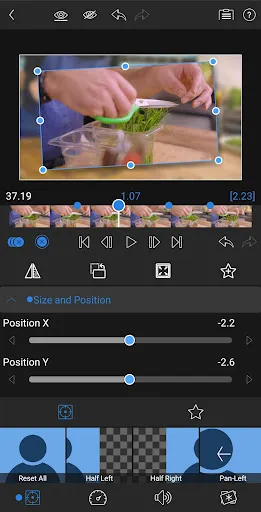
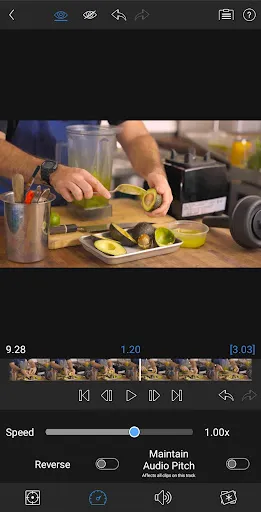
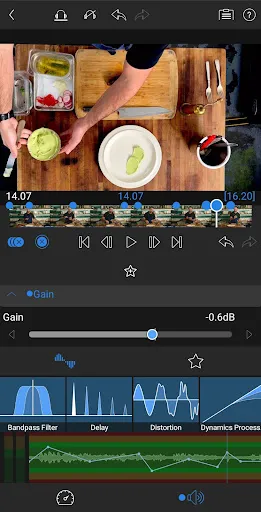
Designed specifically for mobile editing, LumaFusion's intuitive touch interface makes video editing feel natural and effortless. You can easily trim clips, adjust audio levels, and add effects with just a few taps, allowing you to focus more on your creativity and less on the technicalities.

Multi-Track Editing

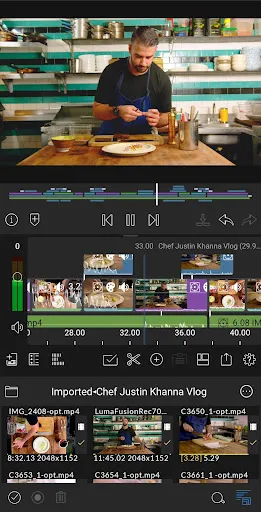
LumaFusion allows you to work with up to six video and audio tracks simultaneously, giving you the freedom to create complex projects with ease. This multi-track capability enables seamless layering of clips, effects, and audio, making it perfect for professionals and enthusiasts alike who want to tell compelling stories through video.

Powerful Effects Library

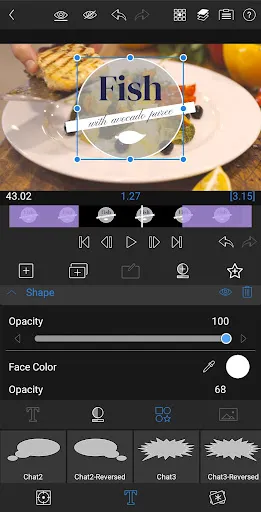
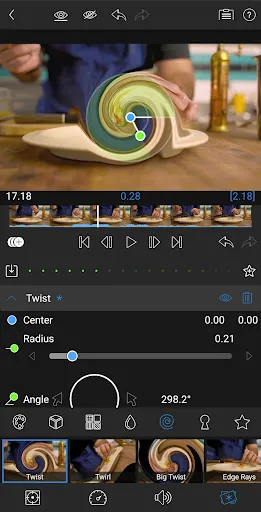
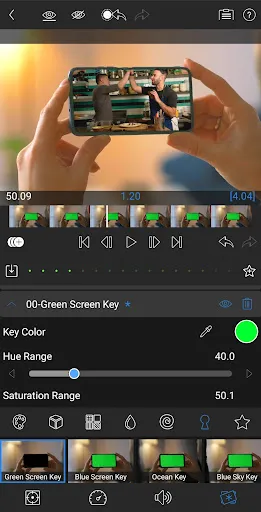
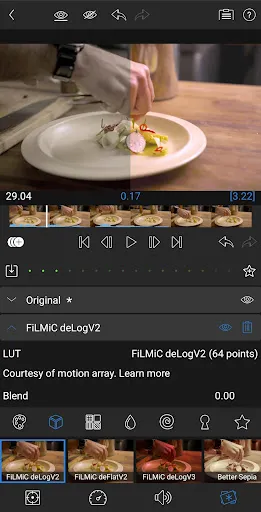
With a robust library of effects, transitions, and filters, LumaFusion lets you enhance your videos with stunning visuals. You can apply cinematic color grading and dynamic titles, ensuring your projects not only look professional but also captivate your audience from start to finish.

Pros & Cons

Pros
  • LumaFusion offers a powerful multi-track editing interface for seamless creativity.
  • The app supports a wide range of video formats for versatile projects.
  • Intuitive touch controls make editing quick and efficient on mobile devices.
  • Built-in effects and transitions enhance videos without requiring additional software.
  • Regular updates provide new features, ensuring the app stays current and relevant.
Cons
  • Limited support for advanced color grading tools compared to desktop software.
  • Lacks multi-cam editing features, making complex projects more challenging.
  • Performance may lag on older devices, affecting editing efficiency.

Real Experience Using LumaFusion: Pro Video Editing

Application Scenarios

LumaFusion is an incredibly versatile video editing app that caters to a wide range of users, from amateur filmmakers to professional video editors. It is particularly suited for those who need to create high-quality content on the go, such as vloggers, content creators, and journalists. The app shines in scenarios where quick edits are essential, such as during travel or on location shoots. With its multi-track editing capabilities, users can blend various video sources seamlessly, making it perfect for creating dynamic presentations, promotional videos, or even short films. Additionally, LumaFusion is an excellent choice for social media influencers who want to produce engaging content for platforms like Instagram, TikTok, or YouTube, as it allows for precise control over video effects, transitions, and audio mixing.

User Experience

The user experience of LumaFusion is designed to be intuitive, yet powerful. Upon launching the app, users are greeted with a sleek interface that provides easy access to all essential tools. The timeline is particularly user-friendly, featuring drag-and-drop functionality that simplifies the editing process. Users can customize their workspace, ensuring that the tools they use most frequently are readily accessible. The app supports a wide variety of video formats and resolutions, allowing users to import and edit footage from different sources effortlessly. Moreover, LumaFusion’s robust color correction and audio mixing features enable users to refine their projects to a professional standard. The learning curve is gentle, with many tutorials available, making it accessible even for beginners.

Pricing

LumaFusion operates on a one-time purchase model, which sets it apart from many subscription-based video editing apps. As of now, the app is priced competitively, offering great value considering the extensive features it provides. Users pay a single fee to unlock the app, which includes all future updates, making it a financially sound choice for those who plan to engage in long-term video editing. The lack of a recurring subscription fee allows users to invest in their creative projects without the worry of ongoing costs, making LumaFusion an attractive option for budget-conscious creators.

Updates & Support

LumaFusion is known for its commitment to continuous improvement, frequently releasing updates that enhance functionality and user experience. These updates often include new features, bug fixes, and performance enhancements, ensuring that the app remains competitive in the rapidly evolving landscape of video editing software. The support system is robust, with a dedicated help center that provides extensive documentation, tutorials, and user forums. Users can also reach out directly for assistance, and the community is active in sharing tips and tricks. Overall, LumaFusion’s combination of regular updates and strong support makes it a reliable choice for anyone serious about video editing.

verified Security & Privacy Review

LumaFusion prioritizes user security and privacy, ensuring that personal data is handled with care and transparency. The app does not collect any personally identifiable information unless explicitly provided by the user for specific features. This commitment to privacy is reflected in its minimal data collection policy. In terms of permissions, LumaFusion requests access to the device's media library to facilitate video editing. Users are informed about these permissions, and they can manage them through their device settings. Importantly, the app does not track user activity or share data with third parties, which enhances user confidence in its privacy practices. LumaFusion also employs industry-standard encryption protocols to protect any data stored on the device. Users can rest assured that their projects and personal files remain secure throughout the editing process. Overall, LumaFusion demonstrates a strong commitment to safeguarding user data, making it a reliable choice for professional video editing enthusiasts concerned about privacy and security.

Reviews

4.1

“Intuitive interface makes editing a breeze.”

“Powerful features rival desktop software.”

“Perfect for on-the-go video editing.”

“Frequent updates keep improving the app.”

“Great for both beginners and pros.”

FAQ

1

Can I submit suggestions or feedback to LumaFusion: Pro Video Editing?

Yes, users can submit suggestions or feedback through the app or the LumaFusion website, where they encourage community input to improve future updates and features.

2

Does LumaFusion: Pro Video Editing collect my personal data?

LumaFusion adheres to privacy standards and does not collect personal data from users in a way that would compromise privacy. However, it’s always advisable to review the app’s privacy policy for specific details.

3

Does LumaFusion: Pro Video Editing support offline use?

Yes, LumaFusion allows users to edit videos offline, making it convenient to work on projects without needing an internet connection.

4

How do I cancel my LumaFusion: Pro Video Editing subscription?

Since LumaFusion does not require a subscription, there is no cancellation process needed. Users simply purchase the app once and retain access without ongoing fees.

5

How much does a subscription to LumaFusion: Pro Video Editing cost?

LumaFusion does not operate on a subscription model; instead, it is available for a one-time purchase price, which may vary based on the region and any ongoing promotions.

How to use LumaFusion: Pro Video Editing

1

Can I activate my LumaFusion account using a different email?

No, you must activate your account using the email you registered with. If you need to change it, contact customer service.

2

Can customer service help me recover my account?

Yes, customer service can assist you in recovering your account. Please provide your registered email for verification.

3

How can I contact customer service for LumaFusion?

You can reach customer service through the support section in the app or visit our website for more contact options.

4

How can I update my customer number?

Customer numbers are assigned and cannot be updated manually. If you need assistance, please contact customer service.

5

How do I activate my subscription for LumaFusion?

To activate your subscription, log in to your account and follow the prompts in the subscription section. If you need help, contact customer service.

Editor's Choice