This site uses cookies to enhance your user experience. By clicking any link on this site you are giving your consent to our cookie policy. Read more
Reject
Accept All
GarageBand

GarageBand

verified Verified App

Developer: Apple

  • category

    Category: Music

  • price

    Price: free

  • age rating

    Age Rating: /

  • rating

    Rating: 4.1

  • download

    Downloads: /

  • version

    Version: 2.3.18

Screenshot 1
Screenshot 2
Screenshot 3
Screenshot 4
Screenshot 5
Screenshot 6
Screenshot 7
Screenshot 8
Screenshot 9
Screenshot 10
Screenshot 11
Screenshot 12
Screenshot 13
Screenshot 14
Screenshot 15
Screenshot 16
Screenshot 17
Screenshot 18
Screenshot 19
Screenshot 20
Screenshot 21
Screenshot 22
Screenshot 23
Screenshot 24
Screenshot 25
Screenshot 26
Screenshot 27
Screenshot 28
Screenshot 29
Screenshot 30
Screenshot 31
Screenshot 32
Screenshot 33
Screenshot 34
Screenshot 35
Screenshot 36
Screenshot 37
Screenshot 38
Screenshot 39
Screenshot 40
Screenshot 41
Screenshot 42
Screenshot 43
Screenshot 44
Screenshot 45
Screenshot 46
Screenshot 47
Screenshot 48
Screenshot 49
Screenshot 50
Screenshot 51
Screenshot 52
Screenshot 53
Screenshot 54
Screenshot 55
Screenshot 56

Features & Highlights

Loop Library

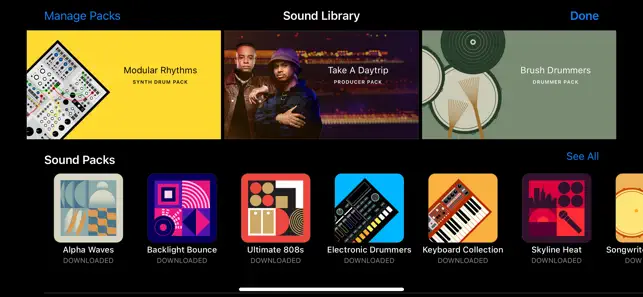
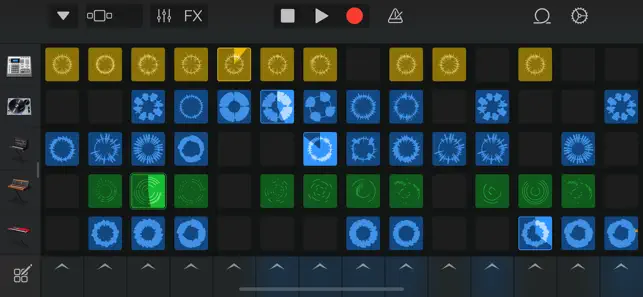
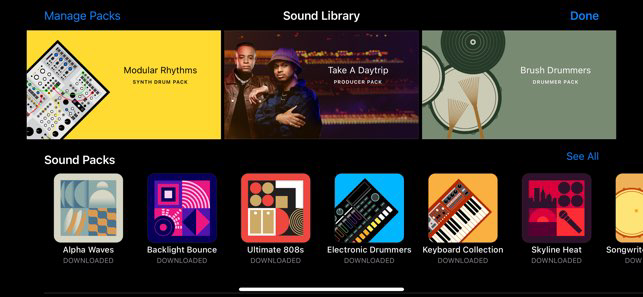
GarageBand's extensive loop library is a treasure trove for music creators, offering thousands of royalty-free loops in various genres. These loops can be easily dragged and dropped into your projects, helping to spark inspiration and add depth to your compositions. It's a simple way to enhance your tracks without needing advanced production skills.
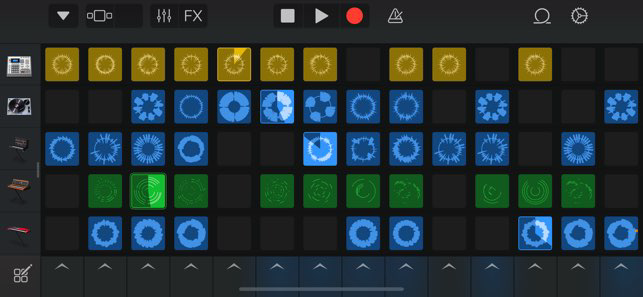
Magic GarageBand

Magic GarageBand allows users to create complete songs effortlessly by choosing a genre and letting the app generate a full arrangement. With just a few taps, you can customize instruments and melodies, making music creation accessible even for beginners. It's like having a virtual band at your fingertips!

Recording & Editing

The app's recording and editing features are intuitive, allowing users to capture audio and MIDI performances with ease. You can layer tracks, fine-tune timings, and apply effects to create a polished final product. This makes GarageBand an ideal tool for both novice musicians and seasoned producers looking to refine their sound.

Virtual Instruments

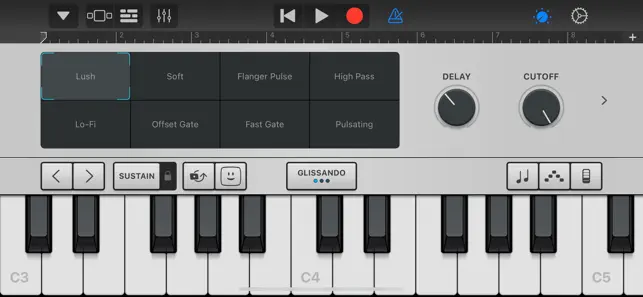
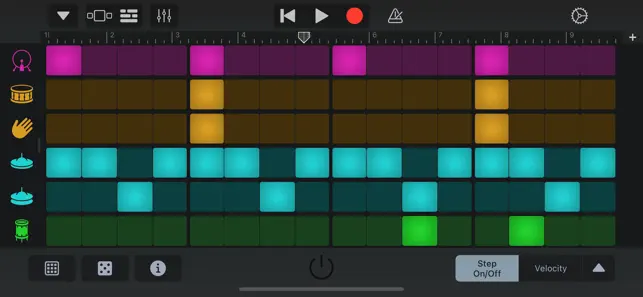
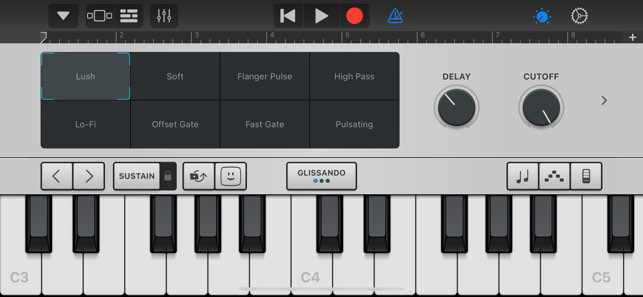
GarageBand boasts a wide array of virtual instruments, from pianos to synths, providing endless creative possibilities. Each instrument offers realistic sounds and customizable settings, letting you tailor your music to fit your unique style. Whether you want to rock out or chill with ambient sounds, there's something for everyone.

Pros & Cons

Pros
  • User-friendly interface for beginners
  • Wide range of virtual instruments available
  • Built-in loops simplify music creation
  • High-quality recording for vocals and instruments
  • Seamless integration with Apple devices
Cons
  • Limited advanced features for professional users
  • Difficult to customize workflows and settings
  • Restricted to Apple devices and platforms
  • Lacks extensive third-party plugin support

Real Experience Using GarageBand

Application Scenarios

GarageBand is a versatile music creation app that caters to a wide range of users, from beginners to seasoned musicians. The application shines in various scenarios, such as creating music for personal enjoyment, composing soundtracks for video projects, or even producing professional-quality tracks. Users can utilize GarageBand to record vocals, play virtual instruments, or create beats using its extensive library of loops and samples. Its user-friendly interface makes it easy to navigate, allowing musicians to focus more on their creativity rather than getting bogged down by technicalities. Whether you’re a hobbyist looking to experiment with sounds or a professional needing a powerful tool for quick demos, GarageBand fits the bill perfectly.

User Experience

The user experience in GarageBand is intuitive and engaging. Upon opening the app, users are greeted with a sleek and organized layout that showcases all available features. The drag-and-drop functionality allows for seamless arrangement of tracks and loops, encouraging experimentation. The built-in tutorials and help sections are exceptionally beneficial for beginners, providing guidance on various aspects of music production. Additionally, the app offers a range of virtual instruments, from pianos to synthesizers, which can be played using a MIDI keyboard or directly on the touchscreen. Many users appreciate the ability to collaborate with others through various sharing options, allowing for a community-driven approach to music creation. Overall, the experience is smooth, fun, and encourages users to explore their musical potential.

Pricing

GarageBand is available for free on iOS and macOS devices, making it an attractive option for anyone interested in music production without the burden of hefty costs. This pricing model allows users to access an impressive array of features, instruments, and sounds without any upfront investment. While some advanced features or plugins may require additional purchases, the core functionalities provided in the free version are substantial enough for most users. This accessibility has contributed significantly to GarageBand’s popularity, as it lowers the barrier for entry into music creation.

Updates & Support

GarageBand benefits from regular updates that enhance its functionality and introduce new features, ensuring that users have access to the latest tools in music production. Apple is known for its commitment to improving user experience, and GarageBand is no exception. The app receives periodic updates that not only fix bugs but also expand its library of loops and instruments. In terms of support, Apple offers a robust help center with FAQs, tutorials, and user forums that assist users in troubleshooting and maximizing their use of the app. Overall, the combination of regular updates and comprehensive support makes GarageBand a reliable choice for music enthusiasts.

verified Security & Privacy Review

The security and privacy practices of GarageBand are designed to protect user data while providing a seamless music creation experience. The app does not require extensive permissions, primarily accessing the microphone for recording audio and storage for saving projects. This limited permission set minimizes potential vulnerabilities, ensuring that user privacy is respected. GarageBand employs encryption protocols to safeguard any data transmitted over the internet, particularly when users share their music or collaborate with others. Apple maintains a strong commitment to user privacy, adhering to stringent guidelines that prevent unauthorized access to personal information. Users are encouraged to review their privacy settings regularly to ensure they align with personal preferences. Additionally, GarageBand does not collect or store unnecessary personal data. While the app may generate anonymized usage statistics to enhance user experience, this data is not tied to individual accounts. Overall, GarageBand offers a secure platform for music creation, prioritizing user privacy and data protection throughout its functionality.

Reviews

4.1

“Intuitive interface makes music creation easy and fun”

“Great for beginners and pros alike”

“Fantastic sound quality and instrument variety”

“Regular updates keep the app fresh and useful”

“Exporting projects is seamless and straightforward”

Editor's Choice