This site uses cookies to enhance your user experience. By clicking any link on this site you are giving your consent to our cookie policy. Read more
Reject
Accept All

Advertiser and Editorial Disclosures

Flipboard:Your Social Magazine

Flipboard:Your Social Magazine

verified Verified App

Developer: Flipboard

  • category

    Category: News & Magazines

  • price

    Price: free

  • age rating

    Age Rating: 10+

  • rating

    Rating: 3.5

  • download

    Downloads: 500,000,000+

  • version

    Version: 4.3.40

Screenshot 1
Screenshot 2
Screenshot 3
Screenshot 4
Screenshot 5
Screenshot 6
Screenshot 7
Screenshot 8
Screenshot 9
Screenshot 10
Screenshot 11
Screenshot 12
Screenshot 13
Screenshot 14
Screenshot 15

Features & Highlights

Magazine Creation

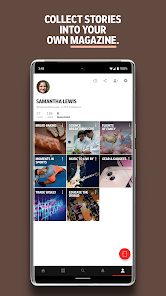
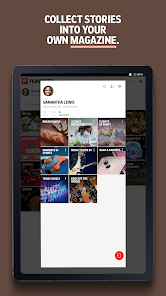
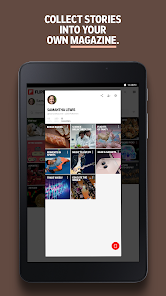
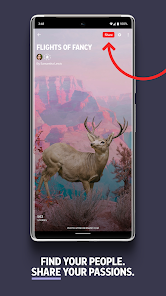
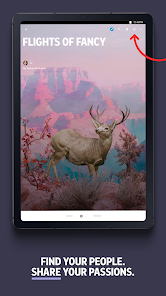
With Flipboard, you can create your own digital magazines by collecting articles, images, and videos that resonate with you. This feature allows you to curate your interests beautifully, making it easy to revisit your favorite content or share your collections with others. It's a creative way to showcase what you love.

Offline Reading

Never miss out on great content, even when you're not connected to the internet. Flipboard allows you to save articles for offline reading, so you can catch up on your favorite stories during your commute or while traveling. Enjoy seamless access to your curated feed, no matter where you are.

Personalized Content

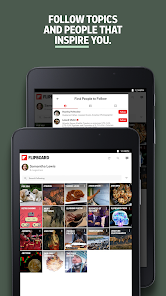
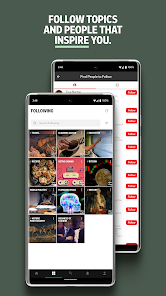
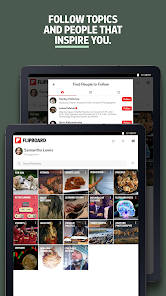
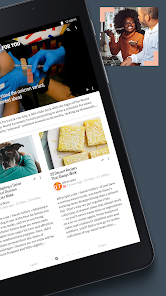
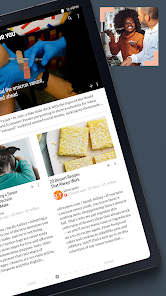
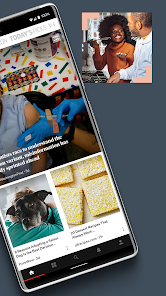
Flipboard curates a unique feed tailored to your interests, bringing you articles, videos, and stories from across the web. By simply following topics or sources you love, you'll discover engaging content that feels like it was made just for you. Stay updated on the things that matter most to you effortlessly.

Social Sharing

Easily share your favorite articles, photos, and videos with friends and family through various social media platforms. Flipboard makes it simple to connect with your community and spark conversations around the content you find interesting. Enhance your social experience by sharing the stories that inspire you most.

Pros & Cons

Pros
  • Discover personalized content tailored to your interests and preferences.
  • Enjoy a visually appealing and intuitive interface for easy navigation.
  • Curate articles, images, and videos from various sources in one place.
  • Share your favorite finds with friends effortlessly through social media integration.
  • Stay updated with real-time news and trending topics in your field.
Cons
  • Limited customization options can hinder personalized content discovery.
  • Offline access is restricted, requiring internet for full functionality.
  • The app can be resource-intensive, draining battery life quickly.

Real Experience Using Flipboard:Your Social Magazine

Application Scenarios

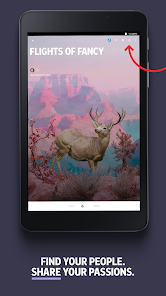
Flipboard serves as a versatile platform tailored for a variety of reading scenarios. Users can curate their own digital magazines by selecting topics that resonate with their interests, ranging from technology and health to fashion and travel. This makes it an ideal tool for both casual readers and avid learners who wish to stay updated on niche subjects. Moreover, the app is perfect for professionals seeking to keep abreast of industry news and trends. By creating personalized magazines, users can seamlessly aggregate articles, blog posts, and multimedia content, facilitating a comprehensive understanding of their chosen topics. Flipboard also supports collaborative features, enabling users to share their magazines with friends or colleagues, making it an ideal platform for group projects or discussions.

User Experience

The user experience on Flipboard is intuitive and engaging, characterized by its visually appealing layout and smooth navigation. Upon launching the app, users are greeted with a stunning magazine-style interface that enhances the reading experience. The ability to swipe through articles provides a tactile element that many users appreciate, making the consumption of content feel more interactive. The personalization features, including the option to follow specific topics or sources, allow users to tailor their feed to suit their preferences. The article saving feature also enables users to bookmark content for later reading, ensuring that important information is never lost. Furthermore, the integration of social media platforms allows for easy sharing and interaction with content, fostering a sense of community among users.

Pricing

Flipboard is available as a free app, providing users with a robust suite of features without any upfront costs. The free version includes access to a wide range of topics, the ability to curate personal magazines, and the option to interact with other users. While there is currently no premium subscription model, the app is ad-supported, which some users may find a minor inconvenience. However, the free access to rich content and user-friendly features makes Flipboard a valuable tool for those looking to enhance their reading experience without financial commitment.

Updates & Support

Flipboard consistently rolls out updates to enhance functionality and user experience. These updates often include bug fixes, performance improvements, and new features inspired by user feedback. The developers are proactive in responding to issues, ensuring that the app remains stable and user-friendly. For support, Flipboard offers a comprehensive help center that addresses common queries and concerns, along with a user community where users can share tips and experiences. Additionally, the app's social media presence allows users to stay informed about the latest updates and engage directly with the development team, fostering a sense of connection and support among its user base.

verified Security & Privacy Review

Flipboard: Your Social Magazine places a strong emphasis on user security and privacy. The app collects a range of data, including user preferences and reading habits, to personalize content. However, it ensures that this data is anonymized and aggregated, minimizing the risk of personal identification. Flipboard employs robust encryption protocols to safeguard user data during transmission, protecting it from unauthorized access. The app also provides users with control over their privacy settings, allowing them to manage the information shared with third-party partners and advertisers. In terms of permissions, Flipboard requires access to the device's storage and network, which is standard for delivering a smooth user experience. Users are informed about these permissions during the installation process and have the option to adjust them later. Overall, Flipboard maintains a transparent privacy policy, outlining how user data is collected, used, and shared. By prioritizing data security and offering customizable privacy controls, Flipboard fosters a trustworthy environment for users to explore curated content.

Reviews

3.5

“Great for personalized news and articles!”

“User-friendly interface and smooth navigation.”

“Love the variety of topics available.”

“Perfect for staying updated on interests.”

“Syncs well across devices, very convenient!”

FAQ

1

Can I submit suggestions or feedback to Flipboard:Your Social Magazine?

Yes, users can submit suggestions or feedback through the app's support feature or by visiting the Flipboard website, where they can find options for contacting the support team.

2

Does Flipboard:Your Social Magazine collect my personal data?

Yes, Flipboard collects user data to personalize the content experience and improve services, but users can manage their privacy settings within the app.

3

Does Flipboard:Your Social Magazine support offline use?

Yes, Flipboard allows users to save articles and content for offline reading, enabling access to curated content even without an internet connection.

4

How do I cancel my Flipboard:Your Social Magazine subscription?

To cancel your subscription, you can go to your account settings within the app or through the app store where you purchased the subscription, and follow the instructions to manage or cancel your subscription.

5

How much does a subscription to Flipboard:Your Social Magazine cost?

Flipboard offers a subscription model for premium features, typically priced at a monthly or annual fee, though the exact cost may vary based on promotions or regional pricing.

How to use Flipboard:Your Social Magazine

1

Can I log in using my social media accounts?

Yes, you can log in using your social media accounts linked to your Flipboard profile.

2

How can I contact customer service for Flipboard?

You can reach customer service through the app's help section or by visiting the Flipboard website for support options.

3

How do I contact customer service if I have issues with account activation?

You can contact customer service through the app's help section or email support directly for activation issues.

4

How do I log in to my Flipboard account?

To log in, open the app, enter your email and password, then tap the "Log In" button.

5

How do I update my customer information on Flipboard?

You can update your information in the settings section of the app under your account profile.

Editor's Choice