This site uses cookies to enhance your user experience. By clicking any link on this site you are giving your consent to our cookie policy. Read more
Reject
Accept All

Advertiser and Editorial Disclosures

CBC News: Breaking & Local

CBC News: Breaking & Local

verified

Canadian Broadcasting Corporation

4.7
Rating
1,000,000+ Downloads
6.0.0 Version
  • category

    Category: News & Magazines

  • price

    Price: free

  • age rating

    Age Rating: Teen

  • rating

    Rating: 4.7

  • available on

    Available on: /

  • updated on

    Updated on: Jul 7, 2026

Screenshot 1
Screenshot 2
Screenshot 3
Screenshot 4
Screenshot 5
Screenshot 6
Screenshot 7
Screenshot 8
Screenshot 9
Screenshot 10
Screenshot 11
Screenshot 12
Screenshot 13
Screenshot 14
Screenshot 15
Screenshot 16
Screenshot 17
Screenshot 18
Screenshot 19
Screenshot 20
Screenshot 21

Features & Highlights

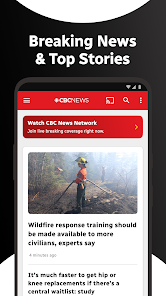
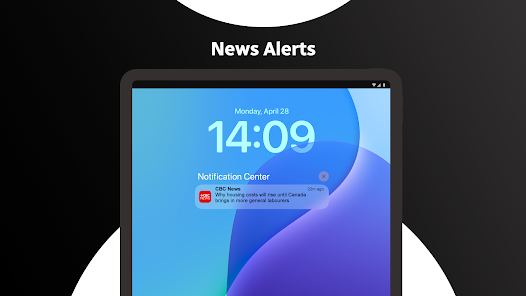
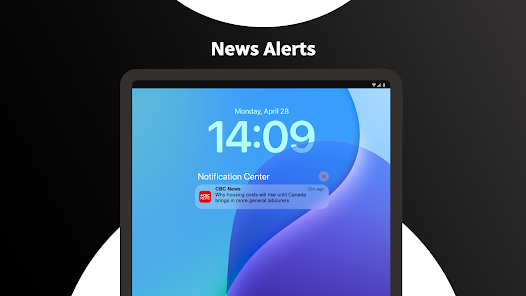
Breaking News Alerts

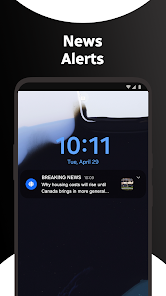
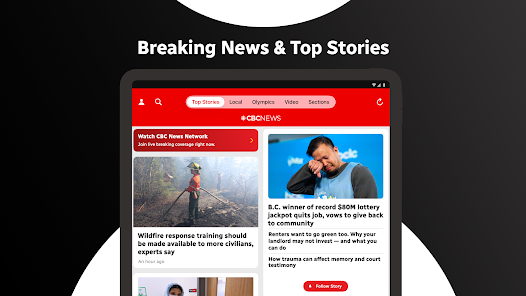
Stay informed with real-time breaking news alerts sent directly to your device. Customize your preferences to receive updates on topics that matter most to you, ensuring you're always in the loop with the latest developments across Canada and around the world.

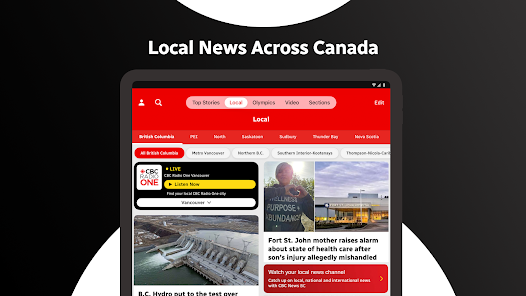
Local News Coverage

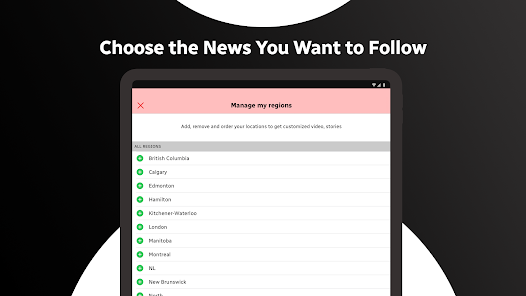
Explore comprehensive local news tailored to your community. The app provides in-depth reporting on events and issues that affect your area, allowing you to stay connected with your neighbors and understand the stories that shape your surroundings.

Multimedia Content

Engage with a rich array of multimedia content, including photos, videos, and live streams. This feature enhances your news experience, bringing stories to life and providing a deeper understanding of events through visual storytelling.

User-Friendly Interface

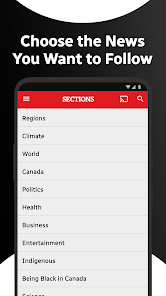
Navigate easily through a sleek and intuitive interface designed for optimal user experience. The app's layout allows for quick access to news categories and articles, making it simple to find and read the latest news without any hassle.

Pros & Cons

Pros
  • Stay informed with timely updates on breaking news and local events
  • Access comprehensive coverage tailored to your community's interests
  • Enjoy reliable journalism from a trusted Canadian news source
  • Engage with multimedia content for a richer news experience
  • Receive alerts for important stories as they happen
Cons
  • Limited coverage of international news can overlook important global events.
  • The focus on breaking news may sacrifice in-depth analysis and context.
  • Regional biases may affect the representation of local issues and perspectives.

Real Experience Using CBC News: Breaking & Local

Application Scenarios

The CBC News app is designed to cater to a variety of users seeking real-time updates on current events, local news, and breaking stories. Ideal for busy professionals, students, and anyone on the go, the app allows users to customize their news feed according to their interests. Whether you are commuting to work, enjoying a coffee break, or relaxing at home, the CBC News app provides a seamless experience, delivering timely information at your fingertips. Users can easily switch between national and local news, ensuring they stay informed about both broader and community-specific issues. The app also features specialized sections for sports, entertainment, and politics, making it a versatile tool for anyone looking to stay updated on multiple fronts.

User Experience

The app's interface is intuitive and user-friendly, making it accessible for individuals of all ages. Upon launching the app, users are greeted with a clean layout that highlights the most important stories of the day. The navigation is straightforward, allowing users to easily browse through different categories or search for specific topics. Push notifications keep users informed of breaking news as it happens, ensuring they never miss critical updates. Additionally, the option to save articles for offline reading is particularly beneficial for individuals with limited internet access. However, some users have reported occasional glitches and slow loading times, particularly during high-traffic news events. Overall, the app provides a solid user experience, albeit with room for improvement in performance during peak usage times.

Pricing

The CBC News app is free to download and use, making it an appealing option for users who wish to access quality news coverage without the burden of subscriptions or hidden fees. This accessibility allows the app to reach a wider audience, ensuring that everyone can stay informed about local and national issues. While the app does not offer a premium version, users may encounter occasional advertisements, which is a common trade-off for free content. The balance between providing essential news and maintaining a user-friendly experience is well managed, allowing users to focus on content rather than intrusive ads.

Updates & Support

The CBC News app is regularly updated to enhance functionality and fix any bugs that may arise. Users can expect new features and improvements as the developers respond to feedback and evolving technology. The app also has a dedicated support section that provides users with FAQs and troubleshooting tips, ensuring that any issues can be addressed swiftly. For more complex inquiries, users can reach out to customer support via the app, where assistance is typically prompt and helpful. These ongoing updates and support initiatives demonstrate CBC's commitment to providing a reliable news platform that evolves with its audience's needs.

verified Security & Privacy Review

The CBC News: Breaking & Local app prioritizes user security and privacy, adhering to industry standards for data protection. The app requires users to grant certain permissions, such as access to location services to deliver localized news updates. However, it ensures that these permissions are optional, allowing users to customize their experience based on their privacy preferences. In terms of data handling, CBC News commits to transparency regarding the collection and use of personal information. The app's privacy policy clearly outlines what data is collected, including user interactions and preferences, and explains how this information is utilized to enhance user experience while maintaining anonymity where possible. Furthermore, the app implements encryption protocols to safeguard sensitive data during transmission. Users are encouraged to review their privacy settings within the app and can choose to opt-out of data collection features that are not essential for basic functionality. Overall, the CBC News app demonstrates a solid commitment to protecting user privacy while delivering timely and relevant news content.

User Reviews

  • Dana Garvey
    2025/01/27

    Great content but I'm lowering my rating to one star because video hasn't worked for ages; I can only watch videos if I "share" the content with my browser and watch from there. Also, my phone's password manager can't distinguish between the Radio-Canada and CBC apps, making logins difficult. I contacted CBC about this and they basically told me to get lost. I found that unacceptable; they should have addressed the issue or at least explained it. The Radio-Canada app works flawlessly.

  • Frank B
    2025/01/01

    Good news source - bad app. Pinch to zoom disabled in app. Mobile website works better as ads can be better controlled. However, app has to be deleted from your device or the CBC mobile website will open in the app instead of your browser. App wants way too much information when signing up, and default cookie preferences and tracking are wide open. To their credit, most can be turned off, but the defaults are horribly permissive. Uninstalled.

  • Doug Colborne
    2026/03/06

    After the latest update, the app requires a sign in or account setup. It appears that the button that was previously available to bypass this requirement has disappeared. I can still get in to read news by holding the icon for several seconds and then using the pop up menu, but this is not very user friendly. This happens for both a Samsung S24 and S25. March 6, 2026 update: I can no longer use the work around mentioned above. It now requires an account/login; why? I now use the CTV news app.

  • Allan Eskelson
    2026/07/03

    I loveCBC and all it stands for. While I accept that advertising is a necessary evil, I find it interruptive and frustrating. Also, it is not always clear when an article will go directly to video...when that happens it can be difficult to stop that process and return to text based articles which is the format I wish to enjoy. Meanwhile, keep up the excellent journalism.

  • Rodger Klarer
    2026/05/12

    Love the news. Hate the Amazon ads! It seems that recently a change has been made tonthe CBC app that makes the ads (typically Amazon) larger. So now when scrolling through a news article, itnis very common to get too close to the ad and...VOILA! The new window opens taking you to the Amazon site. I only started this recently on CBC and have never experienced it on any other of the apps that I use. I want to use CBC but this is getting very annoying!

Review Source: Google Play store public user reviews.

FAQ

1

Can I submit suggestions or feedback to CBC News: Breaking & Local?

Yes, users are encouraged to submit suggestions or feedback through the app's feedback feature or by contacting customer support directly.

2

Does CBC News: Breaking & Local collect my personal data?

The app may collect personal data to enhance user experience, such as location information and usage patterns, but it adheres to privacy regulations.

3

Does CBC News: Breaking & Local support offline use?

Yes, the app allows users to save articles for offline reading, enabling access to content without an internet connection.

4

How do I cancel my CBC News: Breaking & Local subscription?

Users can cancel their subscription through their account settings in the app, or by contacting customer support for assistance.

5

How much does a subscription to CBC News: Breaking & Local cost?

The subscription cost may vary based on the type of content or features accessed, and users can check the app for current pricing details.

How to use CBC News: Breaking & Local

1

Can I update my customer number with CBC News?

Yes, you can update your customer number by logging into your account and navigating to the account settings, or you can contact customer service for assistance.

2

How can I log in to my CBC News account?

To log in, visit the CBC News website, click on the login button, and enter your email and password associated with your account.

3

How do I activate my CBC News account?

To activate your account, check your email for the activation link sent during registration and follow the prompts to complete the process.

4

How do I contact customer service for CBC News?

You can reach customer service by visiting the CBC News website and using the contact form or calling the provided customer service number.

5

How do I reset my password for CBC News?

To reset your password, click on the 'Forgot Password' link on the login page, enter your email, and follow the instructions sent to your inbox.

What's New

- Vertical Video Shorts Carousel on Top Stories.- Fixed a bug where live radio would sometimes not play and the player would show a loading spinner.- Fixed a crash that prevented certain stories from opening.- Fixed inline audio and photo gallery links not opening properly within stories.- Improved scrolling behavior in stories to prevent unintended ad interactions.- Updated the look of related story links within articles.- Updated auth wall messaging on the force-auth screen

Editor's Choice