This site uses cookies to enhance your user experience. By clicking any link on this site you are giving your consent to our cookie policy. Read more
Reject
Accept All

Advertiser and Editorial Disclosures

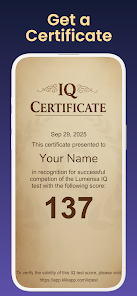
What's my IQ?

What's my IQ?

verified Verified App

Developer: Klikapp Games

  • category

    Category: Puzzle

  • price

    Price: free

  • age rating

    Age Rating: Everyone

  • rating

    Rating: 3.9

  • download

    Downloads: 1,000,000+

  • version

    Version: 26.01.21

Screenshot 1
Screenshot 2
Screenshot 3
Screenshot 4
Screenshot 5
Screenshot 6

Pros & Cons

Pros
  • Discover your cognitive strengths and weaknesses easily.
  • Enjoy a quick and engaging assessment experience.
  • Gain insights to guide your personal development journey.
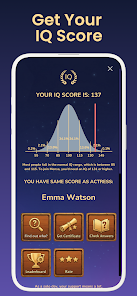
  • Compare your IQ with average scores for perspective.
  • Access resources to improve your intelligence and skills.
Cons
  • Test results may not accurately reflect true intelligence levels.
  • Limited scope may overlook other important skills.
  • Results can create unnecessary pressure or anxiety in users.

Real Experience Using What's my IQ?

Real Experience Application Scenarios

The "What's my IQ?" app is designed for anyone curious about their cognitive abilities, whether they are students preparing for exams, professionals seeking self-assessment, or simply individuals wanting to engage in brain training. Users can take the IQ test to get a quick snapshot of their intellectual capabilities, which can be fun and enlightening. Additionally, it serves educators who want to measure student progress or provide supplementary resources for gifted programs. The app also attracts puzzle enthusiasts who enjoy solving challenging questions and puzzles as part of their daily routine. It's perfect for short breaks at work, commutes, or even as a social challenge among friends.

User Experience

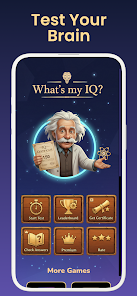
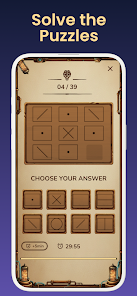
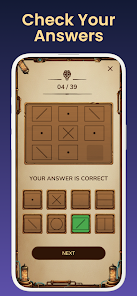
The user interface of "What's my IQ?" is clean and intuitive, making navigation seamless for users of all ages. Upon opening the app, users are greeted with engaging graphics and a straightforward layout that makes it easy to start the IQ test or access brain games. The test itself is structured to measure various cognitive skills, including logic, reasoning, and problem-solving abilities. Feedback is immediate, allowing users to learn from their mistakes and track progress over time. The app includes explanations for answers, which enhances the learning experience. Additionally, the community feature enables users to share results and challenge friends, adding a social dimension that increases motivation and engagement.

Pricing

Updates & Support The developers of "What's my IQ?" are committed to enhancing the user experience through regular updates. New tests, features, and bug fixes are rolled out frequently, demonstrating the team’s responsiveness to user feedback. The app also includes a comprehensive help section and FAQs, making it easy for users to find answers to common questions. For more complex issues, the support team is reachable via email, and users report prompt responses that resolve concerns effectively. The active community forum allows users to share tips and experiences, fostering a sense of belonging among users. Overall, the app is well-supported, with developers keen on continuous improvement based on user input.

verified Security & Privacy Review

Security & Privacy Review The "What's my IQ?" app prioritizes user security and privacy with a robust framework designed to protect personal data. The app implements encryption protocols to secure sensitive information during transmission, minimizing the risk of unauthorized access. User data handling practices are transparent, with a clear privacy policy outlining the types of data collected, such as performance metrics and user preferences. The app does not request unnecessary permissions, ensuring that only essential data is accessed to enhance user experience. Moreover, the app allows users to control their data, offering options to delete accounts and clear stored information. Regular updates are provided to address potential vulnerabilities, demonstrating a commitment to maintaining security standards. Overall, "What's my IQ?" maintains a responsible approach to data privacy, ensuring user trust and compliance with relevant regulations.

Reviews

3.9

“Fun and challenging way to test my IQ!”

“Too many ads disrupt the experience.”

“Loved the diverse question types; kept me engaged.”

“Results seem inconsistent compared to other tests.”

“Great app for brain training, highly recommend!”

FAQ

1

Can I submit suggestions or feedback to What's my IQ?

Yes, users are encouraged to submit suggestions or feedback via the app's feedback feature or through customer support channels to help improve the app.

2

Does What's my IQ? collect my personal data?

The app may collect some personal data for account creation and usage analytics, but it adheres to strict privacy policies to protect user information.

3

Does What's my IQ? support offline use?

Yes, users can access certain features and tests in offline mode, allowing for flexibility in usage without an internet connection.

4

How do I cancel my What's my IQ? subscription?

Users can cancel their subscription through their app store account settings or directly within the app, depending on the device used.

5

How much does a subscription to What's my IQ? cost?

Subscription costs can vary depending on the plan chosen, but typically range from a monthly fee to an annual subscription, which may offer discounts.

How to use What's my IQ?

1

Can I access my account from multiple devices?

Yes, you can log in to your What's my IQ? account from any device using your customer number and password.

2

Can I change my customer number after activation?

Unfortunately, customer numbers cannot be changed once your account is activated. For further inquiries, please contact customer service.

3

How can I activate my What's my IQ? account?

To activate your account, click on the activation link sent to your email after registration.

4

How do I log in to my What's my IQ? account?

You can log in by visiting the homepage and entering your email and password in the designated fields.

5

How do I reset my password if I can't log in?

Click on the "Forgot Password?" link on the login page and follow the instructions to reset your password.

Editor's Choice