Home
Home  Apps
Apps  Games
Games  Windows
  Topics
  Terms of Service
  Cookies & Privacy Policy
  About us
 Daily Challenges
Stay motivated with daily challenges that offer fresh puzzles each day. Compete against your previous scores and strive to improve, adding a fun twist to your Sudoku routine while keeping the gameplay exciting and engaging.

Oakever Games
 4.7
4.7 
Category: Puzzle

Price: Free

Age Rating: /

Rating: 4.7

Available on: Android, Windows*

Updated on: Jul 2, 2026
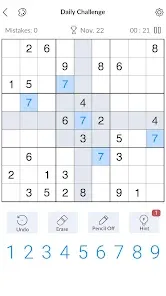
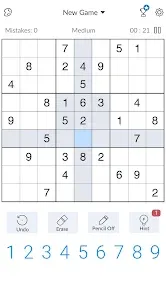
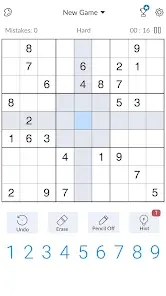
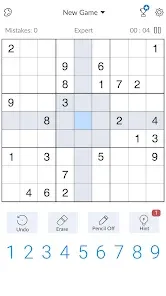
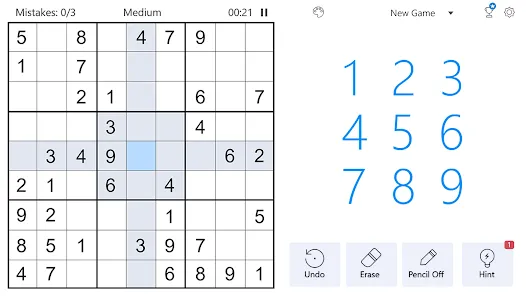
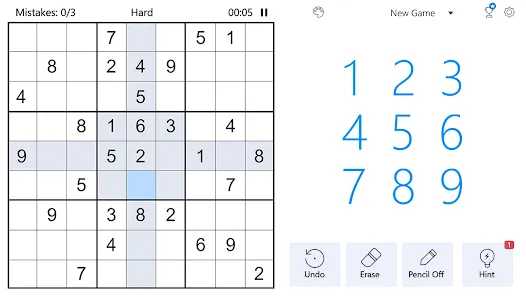
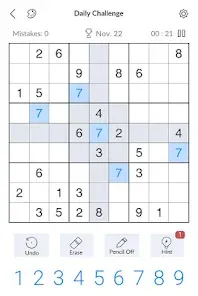
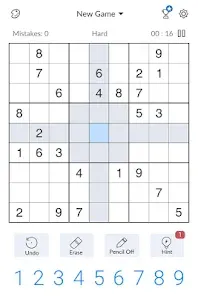
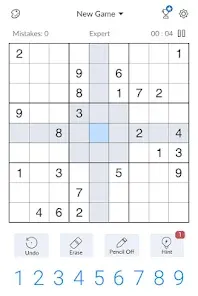
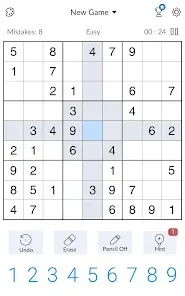
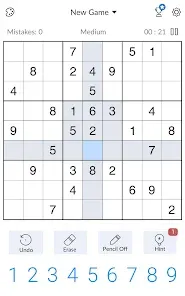
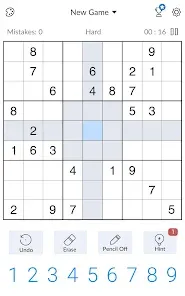
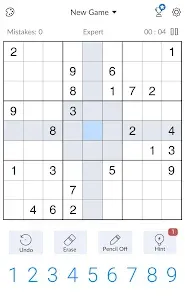
Stay motivated with daily challenges that offer fresh puzzles each day. Compete against your previous scores and strive to improve, adding a fun twist to your Sudoku routine while keeping the gameplay exciting and engaging.
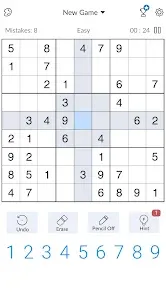
Use hints for assistance when you're stuck, or activate the auto-check feature to verify your entries. These tools help enhance your gameplay and learning experience, making it easier to improve your skills and solve even the toughest puzzles.
Challenge yourself with a range of difficulty levels from easy to expert. This variety ensures that both beginners and seasoned Sudoku enthusiasts can find puzzles that suit their skill level, providing the perfect balance of challenge and satisfaction.
Enjoy a clean and intuitive interface designed for all skill levels, making it easy to navigate through puzzles. The layout allows players to focus on solving the puzzles without distractions, ensuring a smooth gaming experience that keeps you engaged for hours.

 Enhances critical thinking and problem-solving skills Improves concentration and focus over time Provides a fun and relaxing mental challenge Boosts memory and cognitive abilities effectively Offers endless variations for continuous engagement
 Can be overly complex for beginners Time-consuming to solve completely Limited variety in gameplay experience May lead to frustration and discouragement
 Sudoku - Classic Sudoku Puzzle is designed to cater to a wide range of users, from casual players seeking a fun pastime to seasoned sudoku enthusiasts looking to sharpen their skills. The app can be utilized during commutes, in waiting rooms, or even while relaxing at home. Its intuitive interface and easy-to-navigate layout make it accessible for players of all ages. Whether you are a beginner or an advanced player, the various difficulty levels ensure that there is always a suitable challenge available. The app also provides a great platform for family engagement, allowing parents to play alongside their children and teach them the fundamentals of sudoku.
The user experience of Sudoku - Classic Sudoku Puzzle is quite commendable. The app features a clean and minimalistic design that enhances focus on the puzzle itself, minimizing distractions. Players can easily select numbers and make notes, with intuitive touch controls that respond seamlessly. The highlight of the app is its hint system, which provides valuable assistance without making the game too easy. Additionally, the option to undo mistakes ensures that players can experiment with different strategies without fear of permanently ruining their progress. The app also includes customizable settings, allowing users to adjust the board's appearance and difficulty to match their preferences. Overall, the gameplay feels smooth and engaging, providing a satisfying challenge that keeps players coming back for more.
Sudoku - Classic Sudoku Puzzle adopts a freemium model, offering a robust free version that includes a generous selection of puzzles across various difficulty levels. For users who want to enhance their experience, a premium version is available for a modest one-time purchase. This upgrade unlocks additional features such as access to an expanded library of puzzles, ad-free gameplay, and advanced statistics tracking to help players monitor their progression. The pricing is competitive compared to similar apps in the market, making it a cost-effective choice for sudoku lovers.
The development team behind Sudoku - Classic Sudoku Puzzle is committed to continual improvement, regularly releasing updates that not only fix bugs but also introduce new content and features. Users can expect fresh puzzles and challenges to keep the gameplay exciting. Customer support is responsive and helpful, addressing user inquiries and issues promptly. The app also encourages feedback, which shows the team’s dedication to enhancing user satisfaction and experience. Overall, the combination of regular updates and strong customer support fosters a sense of community among players.
Security & Privacy Review


Tried downloading it again. Still a ridiculous amount of ads just to play a puzzle, and they are absolutely intolerable ads. Don't give me that rhetoric about being needed to be a free game. That can be done without THAT many ads. A lot of people choose to watch extra ads for help. You don't need to force several on someone for each puzzle.
Great sudoku app. The ads are unbearable though. I get them in between every game and they are impossible to exit. I end up having to close the app and reopen just to play the next game because I'm stuck in an ad. On top of that, half of the the ads want me to play them to exit, then won't let me leave the app store. I usually end up just closing out the app and forget about it. If they don't fix this, I'll just uninstall. Please just let me leave the ads once I've watched it!
It's pretty much like every other Sudoku game out there. Missing a feature I wish any of them had (color-marking squares, not just noting). Ads are not as pervasive as other similar apps, but it does do one thing very concerning — interrupting your game with an actual Chrome browser pop-up ad. These ads are often the kind that are common scams (such as claiming your device is infected).
the games themselves are fun, challenging on the harder levels and i enjoy the games. But the ads make it hard to enjoy the games. Start a game, ad. Finish a game, ad. some ads make you go to the app store then exit to continue. There is no need for all those ads. I've read the comments and this is a common theme. I've read the responses saying they are trying to balance gameplay and ads. No way. no other game that I play has this many ads. One ad per game would be fine, not this many.
Same experience as everyone else, there are way too many ads to make this game worth it. If I pause a puzzle, there's an ad to reload back in. There's an ad at the beginning of a puzzle and in between puzzles as well. I spend more time clicking out of ads than actually playing the puzzle. I'm downloading Sudoku.Coach since it's truly ad-free.
Review Source: Google Play store public user reviews.
Sudoku - Classic Sudoku Puzzle may collect certain data for app functionality and user experience improvement, but it typically does not require personal information for gameplay.
Yes, Sudoku - Classic Sudoku Puzzle usually offers a free version with basic features, as well as the option to upgrade for additional features through a subscription.
No, Sudoku - Classic Sudoku Puzzle can be played offline, allowing you to enjoy puzzles anytime and anywhere without the need for an internet connection.
You can contact support or send feedback by accessing the help or support section within the app, or by visiting the developer's official website for additional contact options.
You can manage or cancel your subscription through your device's app store settings, where you can find options to modify your subscription preferences.
Customer numbers cannot be changed once created. Please contact customer service for further assistance.
You can reach customer service through the help section in the app or visit our website for support options.
You can update your customer information by logging into your account and navigating to the settings section.
To activate your account, click the activation link sent to your email after registration. If you didn’t receive it, check your spam folder or contact customer service.
Please check your registration email or contact customer service for assistance with retrieving your customer number.

Royal Match

Farm Heroes Saga

Jigsaw Puzzles - Puzzle Games

Coloring Book: Color by Number

June's Journey: Hidden Objects

Angry Birds 2

Jigsawscapes® - Jigsaw Puzzles

Arrows
Mahjong Blast: Wonders

Piggy Kingdom

Royal Kingdom
Tile Explorer - Triple Match
 Google Play
  App Store