This site uses cookies to enhance your user experience. By clicking any link on this site you are giving your consent to our cookie policy. Read more
Reject
Accept All

Advertiser and Editorial Disclosures

EA SPORTS FC™ Mobile Soccer

EA SPORTS FC™ Mobile Soccer

verified Verified App

Developer: ELECTRONIC ARTS

  • category

    Category: Sports Game

  • price

    Price: 0

  • age rating

    Age Rating: Everyone

  • rating

    Rating: 4.4

  • download

    Downloads: /

  • version

    Version: 23.1.03

Screenshot 1
Screenshot 2
Screenshot 3
Screenshot 4
Screenshot 5
Screenshot 6
Screenshot 7
Screenshot 8

Features & Highlights

Dynamic Gameplay

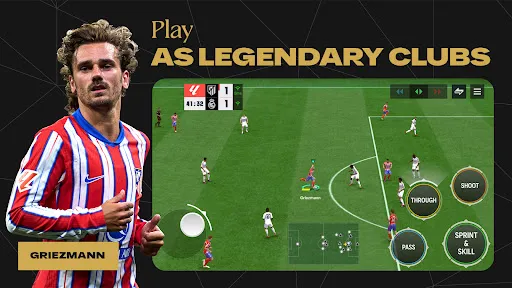
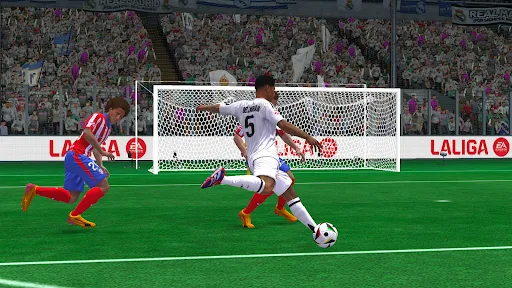
Experience fast-paced, responsive controls that bring the excitement of soccer right to your fingertips. With fluid animations and realistic ball physics, every match feels alive, making it easy to pull off skill moves and strategic plays on the go.

Live Events & Challenges

Stay involved with regularly updated live events and challenges that keep the gameplay fresh and rewarding. Participate in time-limited matches and earn exclusive rewards that can enhance your team and boost your competitive edge.

Stunning Graphics & Sound

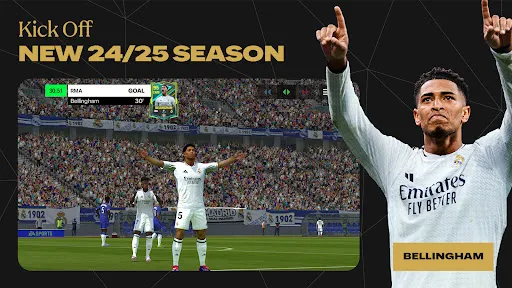
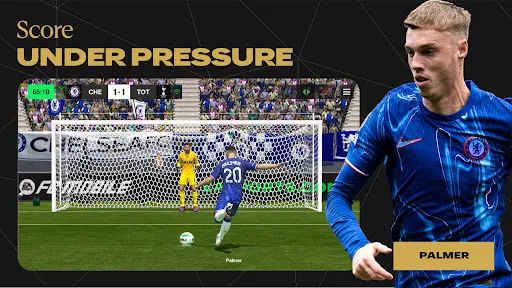
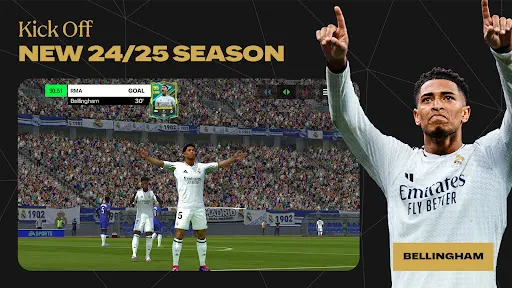
Immerse yourself in the game with stunning graphics that bring every match to life. Coupled with an authentic sound design, including commentary and crowd effects, EA SPORTS FC™ Mobile Soccer delivers an unparalleled soccer experience right from your mobile device.

Ultimate Team Customization

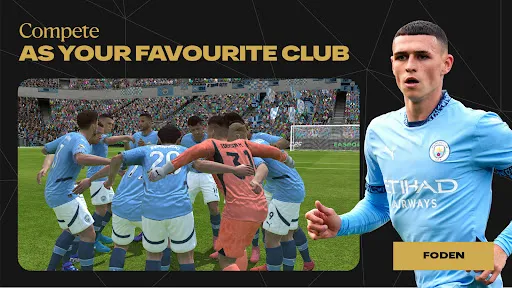
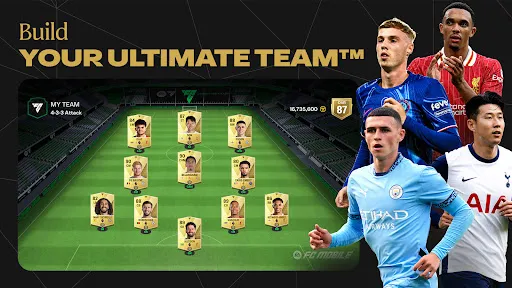
Build your dream team with an extensive roster of players from around the world. Customize your squad's formation and tactics, and collect unique items to enhance your team's performance, ensuring that every game feels personalized and engaging.

Pros & Cons

Pros
  • Experience fluid gameplay with responsive controls for seamless soccer action.
  • Build your ultimate team with a wide range of players and strategies.
  • Enjoy stunning graphics that bring the excitement of soccer to life.
  • Compete in live events and challenges for exclusive rewards and recognition.
  • Stay connected with friends through multiplayer modes and social features.
Cons
  • Limited gameplay depth can frustrate dedicated soccer fans
  • Frequent in-game purchases may hinder free players
  • Graphics and animations may lack realism compared to console versions

Real Experience Using EA SPORTS FC™ Mobile Soccer

Application Scenarios

EA SPORTS FC™ Mobile Soccer is designed to cater to a wide range of soccer enthusiasts, whether they are seasoned fans or newcomers to the sport. Users can engage in various modes, including quick matches, tournaments, and league competitions, allowing for both casual play and more intense gaming experiences. Whether you’re on a commute, at home, or waiting in line, the app is optimized for mobile use, ensuring that players can easily jump into a match anytime. The comprehensive tutorials and skill challenges help beginners learn the ropes, while seasoned players can test their strategic skills against AI or real opponents online. This flexibility makes it an ideal choice for anyone looking to indulge in soccer, irrespective of their schedule.

User Experience

The user experience in EA SPORTS FC™ Mobile Soccer is intuitive and engaging. The interface is sleek and user-friendly, making navigation seamless. Players can quickly access different game modes, manage their teams, and customize their strategies without feeling overwhelmed. The graphics are impressive for a mobile game, featuring fluid animations and lifelike player models that enhance immersion. The controls are responsive, allowing for smooth gameplay, whether you’re dribbling, passing, or shooting. Additionally, the app's integration of realistic player statistics and performance metrics adds a layer of depth, making each match feel impactful. Social features, such as connecting with friends and competing in leagues, further enrich the experience, encouraging community engagement within the gaming environment.

Pricing

EA SPORTS FC™ Mobile Soccer adopts a freemium model, making it accessible to a broad audience. Users can download the app for free, enabling them to explore its core features without any initial investment. In-app purchases are available for players seeking to enhance their experience, including packs that provide players, coins, and other resources. These purchases range from small amounts for casual players to larger bundles for those looking to maximize their competitive edge. While the option to spend money exists, the game is designed in a way that allows dedicated players to enjoy and progress without necessarily needing to make purchases, striking a balance between accessibility and monetization.

Updates & Support

EA SPORTS FC™ Mobile Soccer benefits from regular updates that not only enhance gameplay but also ensure that players have access to the latest squads, player ratings, and seasonal events. These updates often coincide with real-world soccer seasons, keeping the game fresh and relevant. The support team is responsive, providing assistance through various channels, including FAQs, forums, and direct customer service options. Players can report bugs or issues, and the developers are typically quick to address concerns, ensuring a smooth gaming experience. Overall, the commitment to continuous improvement and community support reinforces the game's longevity and popularity among soccer fans.

verified Security & Privacy Review

EA SPORTS FC™ Mobile Soccer prioritizes user security and privacy through a range of practices designed to protect player information. The app adheres to industry-standard encryption protocols, ensuring that data transmitted between the user and EA servers is secure. This helps to safeguard sensitive information, including account details and payment methods. Upon installation, the app requests several permissions, such as access to device storage and network connectivity. Users should be aware of these permissions and can manage them through their device settings. EA has a comprehensive privacy policy that outlines how user data is collected, used, and shared. It specifies that personal data may be utilized for enhancing user experience and providing tailored content. EA SPORTS also commits to not selling personal data to third parties. Users are encouraged to review privacy settings within the app to customize their data-sharing preferences. Overall, EA SPORTS FC™ Mobile Soccer demonstrates a commitment to responsible data handling and user privacy, making it a secure choice for mobile soccer enthusiasts.

Reviews

4.4

“Great graphics and smooth gameplay experience!”

“Fun and addictive soccer mechanics.”

“In-depth customization options for teams.”

“Microtransactions can be a bit overwhelming.”

“Regular updates keep the game fresh and exciting!”

FAQ

1

Does EA SPORTS FC™ Mobile Soccer collect my personal data?

Yes, EA SPORTS FC™ Mobile Soccer may collect personal data as outlined in its privacy policy, which includes information necessary for gameplay, account management, and user experience improvement.

2

Does EA SPORTS FC™ Mobile Soccer offer a free trial or free version?

EA SPORTS FC™ Mobile Soccer is free to download and play, but it may offer in-app purchases for additional content and features.

3

Does EA SPORTS FC™ Mobile Soccer require an internet connection?

Yes, EA SPORTS FC™ Mobile Soccer requires an internet connection to access online features, compete in matches, and receive updates.

4

How can I contact support or send feedback for EA SPORTS FC™ Mobile Soccer?

You can contact support or send feedback for EA SPORTS FC™ Mobile Soccer through the in-app support feature or by visiting the official EA support website for assistance.

5

How do I manage or cancel my EA SPORTS FC™ Mobile Soccer subscription?

To manage or cancel your EA SPORTS FC™ Mobile Soccer subscription, you can access your account settings through the app store from which you purchased the subscription, following the relevant instructions for subscription management.


How to use EA SPORTS FC™ Mobile Soccer

1

Can I change my customer number?

Unfortunately, customer numbers cannot be changed. If you have concerns, please contact customer service for guidance.

2

How can I activate my EA SPORTS FC™ Mobile Soccer account?

To activate your account, follow the link in the activation email sent to you after registration. If you didn’t receive it, check your spam folder or contact customer service.

3

How do I check the status of my customer service request?

You can check the status of your request by logging into your account and visiting the support section. You'll find updates there.

4

How do I contact customer service for EA SPORTS FC™ Mobile Soccer?

You can reach customer service through the in-game support option or visit our official website for assistance.

5

How do I update my login information for EA SPORTS FC™ Mobile Soccer?

You can update your login info in the account settings of the app. If you need further help, reach out to customer service.

Editor's Choice