This site uses cookies to enhance your user experience. By clicking any link on this site you are giving your consent to our cookie policy. Read more

Reject
Accept All

Advertiser and Editorial Disclosures

Dolphin Emulator

Dolphin Emulator

verified Verified App

Developer: Dolphin Emulator

  • category

    Category: Arcade

  • price

    Price: free

  • age rating

    Age Rating: Everyone

  • rating

    Rating: 4.0

  • download

    Downloads: 10,000,000+

  • version

    Version: 2512

Screenshot 1
Screenshot 2
Screenshot 3
Screenshot 4
Screenshot 5
Screenshot 6
Screenshot 7

Features & Highlights

Game Controller Support

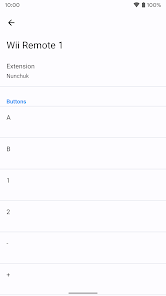
This emulator offers extensive game controller support, allowing you to use various input devices, including Xbox, PlayStation, and even custom controllers. You can easily configure your controls to suit your gaming style, ensuring a comfortable and immersive gameplay experience.


High-Definition Graphics

Dolphin Emulator allows you to experience classic GameCube and Wii titles in stunning high-definition graphics. With support for resolutions up to 4K, you can enjoy your favorite games with enhanced visuals, making them look better than ever before on modern displays.

Online Multiplayer Mode

Dolphin Emulator features an online multiplayer mode that lets you connect and play with friends or other gamers around the world. This capability revives the social aspect of gaming, allowing you to enjoy classic titles together, even if you're miles apart.

Save States and Cheats

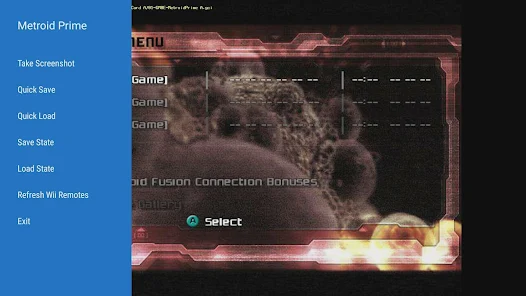
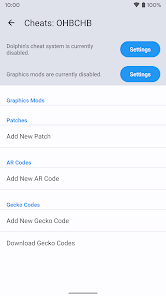
Dolphin provides advanced save states and cheat functionalities, giving you the flexibility to save your progress at any point in the game. You can also utilize cheat codes to enhance your gaming experience, making it easier to explore and enjoy every aspect of your favorite titles.

Pros & Cons

Pros
  • High-definition graphics enhance game visuals significantly.
  • Supports a wide range of GameCube and Wii titles.
  • Customizable controls for personalized gaming experiences.
  • Frequent updates improve performance and stability.
  • Active community offers support and resources.
Cons
  • Requires powerful hardware for optimal performance
  • Compatibility issues with some games persist
  • Setup can be complex for beginners
  • Legal concerns over game ROM usage

Real Experience Using Dolphin Emulator

Application Scenarios

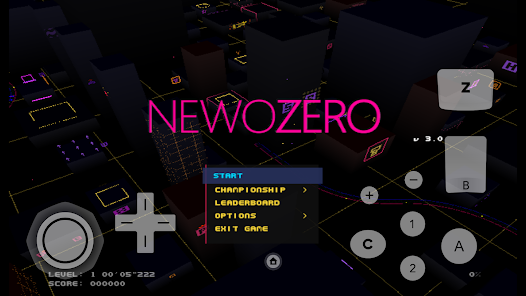
Dolphin Emulator serves as a versatile platform for gaming enthusiasts who wish to relive their favorite titles from the GameCube and Wii consoles. With its ability to run games at higher resolutions than the original hardware, users can enjoy enhanced graphics and smoother gameplay. Whether playing classic single-player adventures like "The Legend of Zelda: The Wind Waker" or engaging in multiplayer battles in "Super Smash Bros. Brawl," Dolphin provides a rich gaming experience. Additionally, the emulator supports various controllers, allowing users to tailor their setup to match their preferences. It can be used on a range of devices, from powerful gaming PCs to laptops, making it accessible for different gaming setups and environments.

User Experience

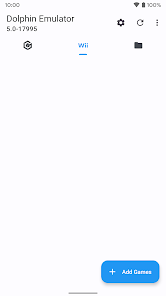
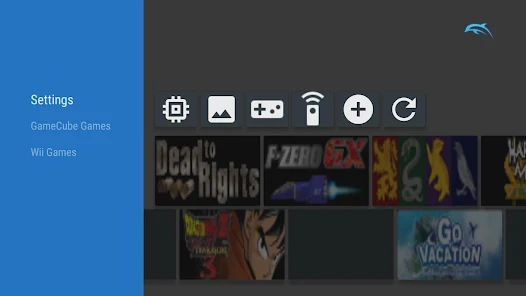
The user experience with Dolphin Emulator is largely positive, characterized by its intuitive interface and robust performance. Upon installation, users are greeted with a clean layout that makes navigation straightforward. The configuration options are extensive, catering to both novice users and experienced gamers who wish to fine-tune their settings for optimal performance. Many users appreciate the active community and the wealth of online resources, including guides and forums, which provide solutions to common issues. The emulator frequently impresses with its stability and compatibility, allowing a vast library of games to be played with minimal glitches. However, some users may encounter challenges with specific titles, necessitating adjustments in settings or seeking community-driven fixes.

Pricing

Dolphin Emulator is an open-source project, which means it is completely free to download and use. There are no hidden fees or subscription models, making it an attractive option for gamers looking to enjoy classic titles without a financial commitment. The development team encourages donations to support ongoing improvements and updates, but contributing is entirely voluntary. This pricing model democratizes access to gaming, allowing anyone with a compatible device to experience the nostalgia of beloved games without the burden of costs typically associated with modern gaming platforms.

Updates & Support

The Dolphin Emulator team is committed to continuous improvement, regularly releasing updates that enhance functionality, fix bugs, and expand compatibility with a growing list of games. Users can expect frequent updates that not only address performance issues but also introduce new features and optimizations. Community support plays a crucial role in the emulator's success, with forums and social media channels active with discussions, troubleshooting tips, and suggestions from users around the world. The developers actively engage with the community, ensuring that feedback is heard and incorporated into future updates. Overall, the combination of regular updates and a supportive community enhances the overall experience of using Dolphin Emulator.

verified Security & Privacy Review

The Dolphin Emulator prioritizes user privacy and data security, ensuring a safe gaming experience. The app does not collect personal information from users, which is a significant advantage for those concerned about privacy. It operates primarily as an open-source project, allowing for community scrutiny and transparency regarding its code and functionality. In terms of permissions, Dolphin Emulator requires access to storage to read game files and save states, but it does not request unnecessary permissions that could compromise user data. This limited permission model reflects a commitment to minimizing potential security risks. The emulator’s development team actively engages with the community to address any security vulnerabilities that may arise, ensuring timely updates and patches. Additionally, users are encouraged to download the app from reputable sources to avoid modified versions that could contain malicious code. Overall, Dolphin Emulator fosters a secure environment for users, focusing on both privacy and responsible data handling practices.

Reviews

4.0

“Great performance with classic games!”

“User-friendly interface and setup.”

“Excellent graphics and smooth gameplay.”

“Occasional bugs, but overall fantastic.”

“Supports many platforms seamlessly.”

FAQ

1

Does Dolphin Emulator collect my personal data?

Dolphin Emulator is designed with user privacy in mind and does not collect personal data from users unless explicitly stated. Always check the latest privacy policy for any updates.

2

Does Dolphin Emulator offer a free trial or free version?

Dolphin Emulator is completely free to use, and there is no trial version; users can access all features without any cost.

3

Does Dolphin Emulator require an internet connection?

Dolphin Emulator does not require an internet connection to play games, but an online connection may be needed for downloading updates or accessing certain online features.

4

How can I contact support or send feedback for Dolphin Emulator?

You can contact support or send feedback for Dolphin Emulator through their official website, where you can find forums, FAQs, and other resources to assist you.

5

How do I manage or cancel my Dolphin Emulator subscription?

Since Dolphin Emulator does not require a subscription, there is no need to manage or cancel any subscriptions related to the app. Users can simply download and use it freely.

How to use Dolphin Emulator

1

Are there any user guides available for Dolphin Emulator?

User guides and documentation can be found on the official Dolphin Emulator website, covering setup and configuration.

2

Can I get support for specific games on Dolphin Emulator?

Yes, you can get support for specific games by checking compatibility on the Dolphin Emulator Wiki or asking in the forums.

3

How can I contact customer service for Dolphin Emulator?

You can reach Dolphin Emulator support through their official website's contact page or forums for assistance.

4

How can I report issues with Dolphin Emulator?

You can report issues by posting on their forums or GitHub page, providing details about the problem for better assistance.

5

How do I log in to my Dolphin Emulator account?

Dolphin Emulator does not require a login for general use; simply download and run the app to start using it.

Editor's Choice